
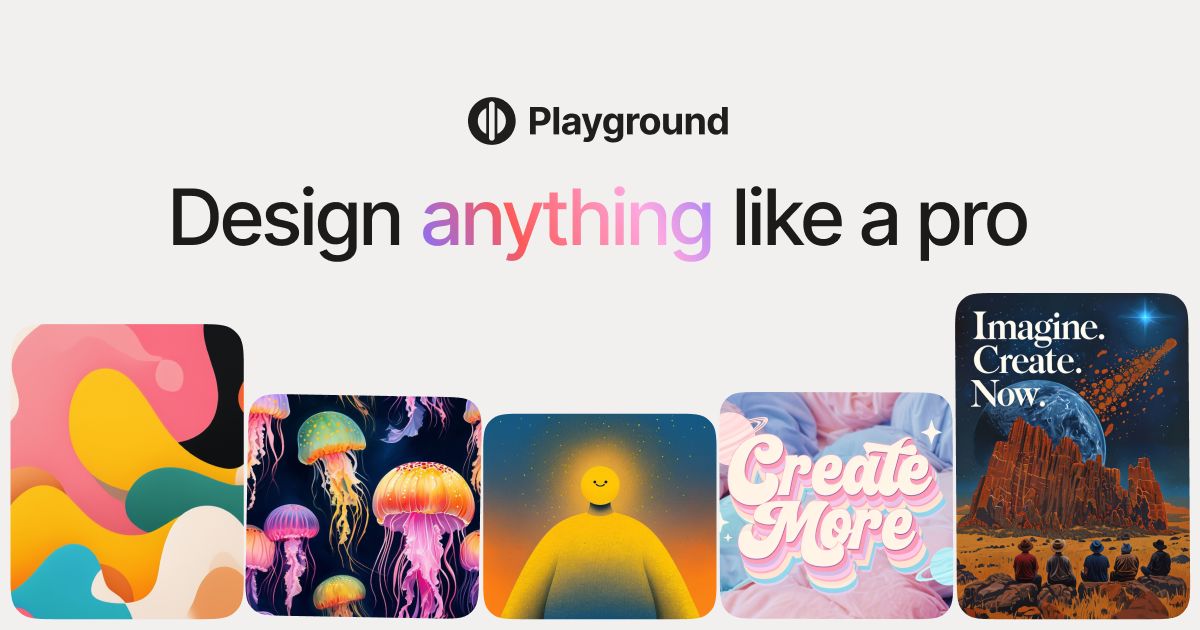
Playground is what an image generator looks like when it grows an editor. This playground ai review is about the model picker, the three-hour windows, and the one plan in this category that removes credits from the conversation entirely.
What Playground is
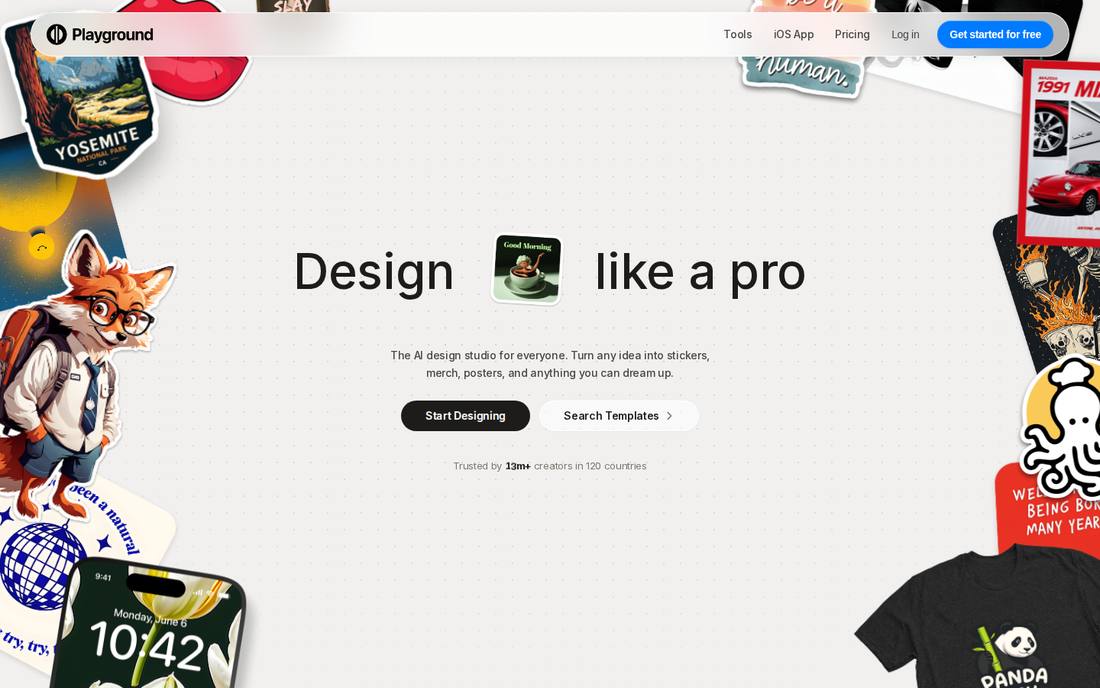
An image generation platform with a canvas. You pick a model - Playground's own v3 plus third-party engines - write a prompt, and then edit the result in place: inpaint, erase, uncrop, replace backgrounds, extend a composition. Around that sit templates, albums and, on the top tier, API access.
The distinction matters: most generators give you four images and a download button. Playground assumes the first output is a draft.
What you see before you sign up
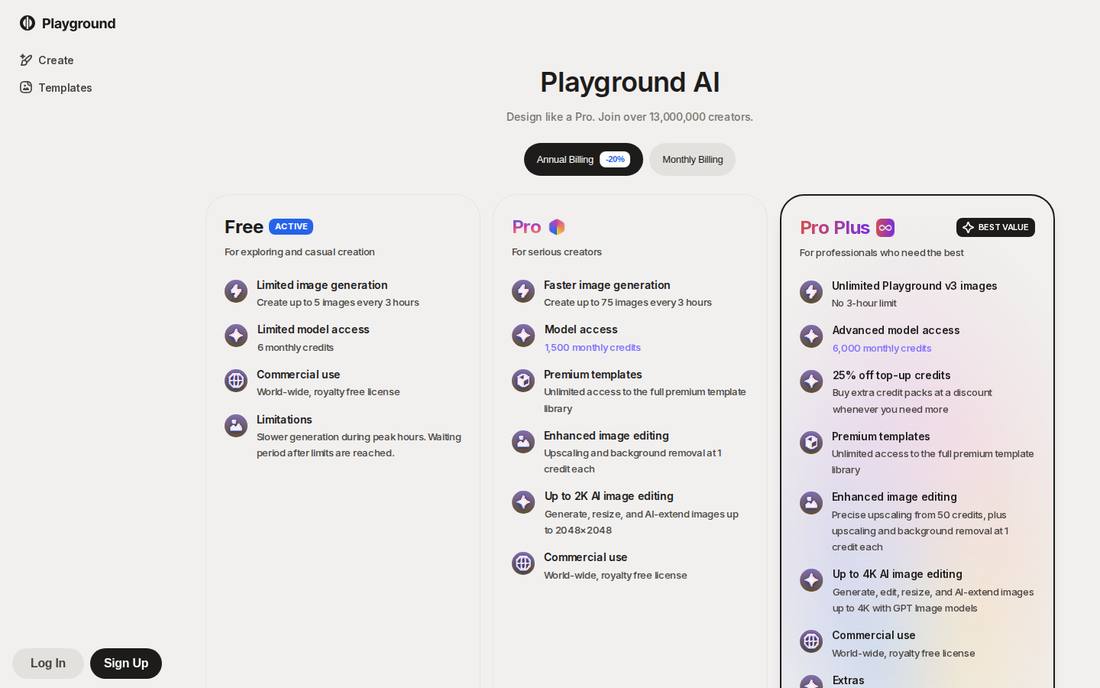
The homepage sells control, and the pricing page is structured around generation windows rather than pure credits: five images every three hours on free, 75 on Pro, unlimited v3 on Plus. That framing is honest about the real constraint - rate, not just volume.
No public affiliate programme was found (404 on the URLs we tried), so this review carries no affiliate link; the affiliate disclosure explains how that is marked if it changes.
Why the three-hour window matters more than credits
A credit resets monthly; a window resets every three hours. That changes behaviour: on free, five images per three hours is 40 a day if you sit and wait, which is enough to learn and not enough to work. On Pro, 75 per window removes the waiting entirely for most people.
The credit number is the second constraint, and it is the one that decides the Plus tier: unlimited v3 with no window at 36 USD is the only plan here where you stop counting.
Where it fails
- Raster only. No SVG, so nothing here is print-ready as a vector.
- Model churn. The third-party engines change names and availability; a workflow tuned to one may break.
- Credits still apply to everything except unlimited v3 on Plus.
- The editor is capable and not a design tool. No layers, no typography control to rival a proper editor.
- No affiliate programme, which matters for anyone writing about it rather than using it.
Who it is for, and who should skip it
It fits creators producing social and marketing imagery who need to fix a hand or widen a frame, and teams that want several models behind one interface. It fits anyone who generates daily and wants the unlimited tier instead of counting credits.
Skip it if the deliverable is a vector or a logo - Recraft. Skip it if you need photorealistic product shots with precise brand fidelity, where a dedicated photo model is better. And skip the paid tiers if five images per three hours is enough for your hobby.
How it compares with the other three
Against Recraft, the split is raster editing versus vector production: Playground lets you fix an image, Recraft lets you ship a file. Against OpenArt, both aggregate models, and Playground's advantage is the editor while OpenArt's is model breadth and storyboards. Against Krea, Playground is a standard generator with post-editing and Krea is real-time exploration.
The category is compared on /category/ai-images, and the test procedure behind a future score is in how we test.
The unlimited question
Unlimited v3 for 36 USD sounds like the obvious buy and depends entirely on one thing: whether v3 is the model you actually want. If your work needs a specific third-party engine, "unlimited" applies to the wrong model and you are back to credits. Test v3 first, then decide.
A realistic first project
Generate twelve options, pick two, fix the hands in the editor, uncrop one for a banner, export at three sizes. On free that takes three windows and a wait; on Pro it takes twenty minutes. That difference - waiting versus working - is what the 12 USD actually buys.
The editor's value shows in the last steps. Inpainting a bad hand is faster than re-prompting and hoping, and extending a frame to fit a layout is a two-minute job instead of a reshoot.
What the API opens
API access on Plus turns Playground into a component in your own product: generate variants per product, per locale or per user. The credit cost becomes a cost of goods, which is either trivial or ruinous depending on volume - measure before shipping it to customers.
Who ends up staying
Social media teams and solo creators who generate weekly and edit often stay on Plus, because the unlimited tier removes the only friction they had. Casual users stay free forever. Designers with a vector deliverable leave for Recraft and keep Playground for mood boards.
What we have not tested - and will
Research-based review: public pages plus our own captures, no account. Open questions:
- Credits consumed by a twelve-image batch with four edits
- How good inpainting is on hands and text at 1024 px
- Whether unlimited v3 holds quality at high daily volume
- API latency and cost per generated image
- Model availability changes over a quarter
Bottom line
Playground is the best value in this comparison for anyone who edits as much as generates. Pro at 12 USD removes the waiting; Plus at 36 removes the counting, but only for its own model.
If you need vectors, buy Recraft. If you need the widest model menu, look at OpenArt. If you need to fix what the model produced, this is the tool.
Sources
- playground.com/pricing - tiers, generation windows, credits and annual totals, read 13 November 2026
- playground.com - model line-up, read 23 November 2026
The model menu in practice
Different engines have different personalities: one is better at illustration and flat colour, another at photographic skin, a third at stylised posters. The practical consequence is that the model picker is the first decision in every project, not the prompt. Anyone who has used three generators recognises the value immediately - you stop paying for the wrong model's weaknesses.
The cost is inconsistency: two images from different engines never look like a set. For a series, stay on one model and accept its limits.
Templates and albums
Templates give you a starting composition - a product shot frame, a poster layout, a social format - and albums keep related generations together. Neither is unique, and both save the folder-and-filename mess that otherwise accumulates in a downloads directory.
Licensing and commercial use
Every tier, including free, states commercial use with a world-wide royalty-free licence. That is unusual - most competitors restrict the free tier - and it means a small business can publish a free-tier image legally. Read the terms yourself before print runs and brand campaigns, because royalty-free is not the same as exclusive.
Credits versus windows in one sentence
A window limits how fast you can work; a credit limits how much you can make in a month. Pro fixes the first, Plus fixes the second, and free fixes neither.
A note on annual billing
Both paid tiers are priced with a 20 percent annual discount: 12 instead of 15, and 36 instead of 45. That is a real saving and a real commitment. If you are testing, pay monthly for one month first; if you already generate weekly, the annual price is the honest one to compare.
Who should not upgrade at all
Anyone generating fewer than 40 images a week. The free window covers that if you are patient, and patience costs nothing. The upgrade buys speed, not capability.
The short version
Pro at 12 USD if you generate weekly. Plus at 36 if you generate daily and v3 is enough. Free if you generate for fun - the licence even allows publishing.
And keep your three best prompts with their model and settings written down. Half the value of a generator is the recipe you can repeat, and it is the first thing anyone forgets between projects.
Finally, export originals rather than screenshots. Every platform compresses the preview, and a compressed preview cannot be fixed later.
And if you work with a client, agree in writing which model produced the approved image. Engines get retired, and reproducing a look six months later is easier when the recipe is documented.
That single habit has saved more client projects than any upgrade.





Reader reviews
Loading reader ratings...