
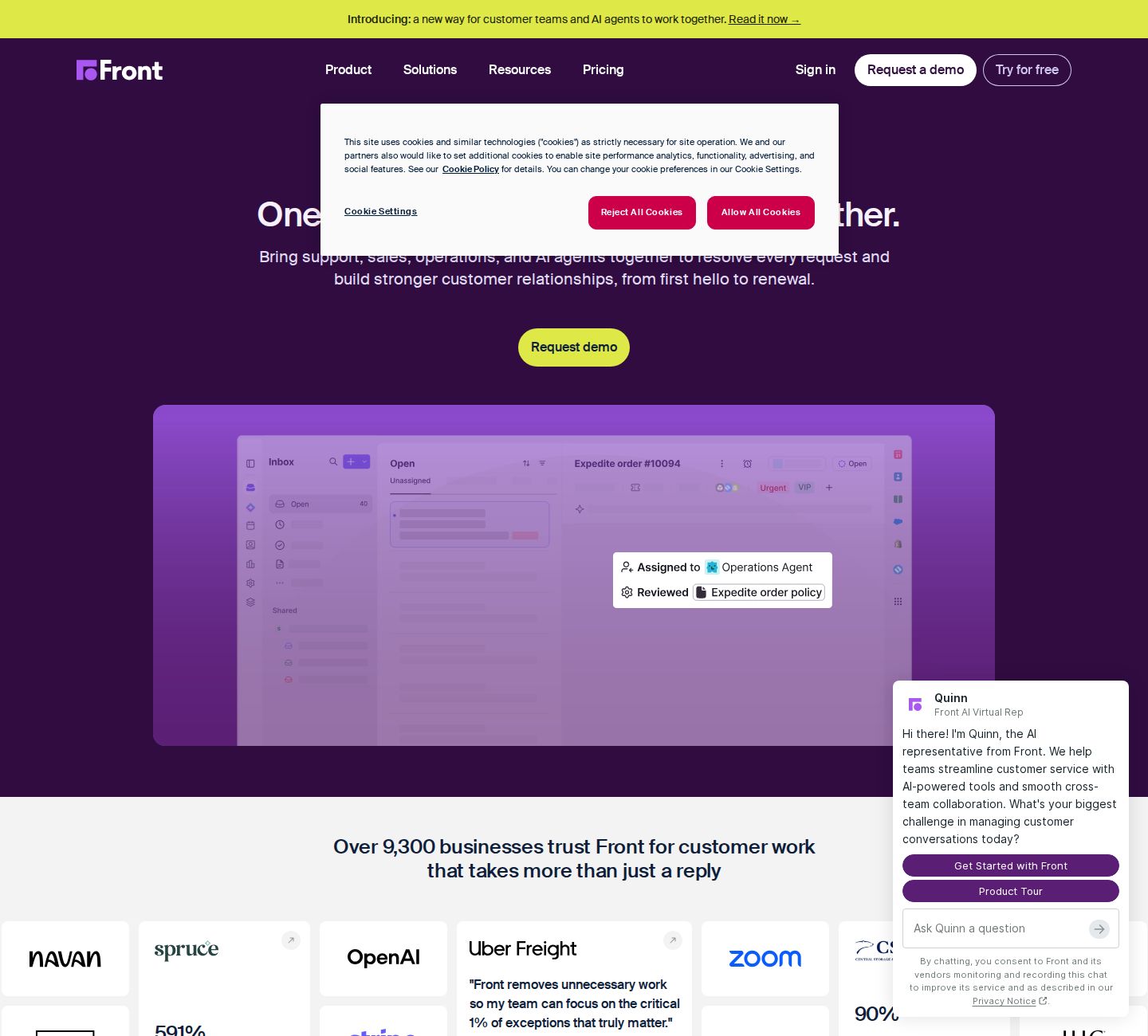
This Front review is about the shared inbox that treats email like a team sport: 25 USD per seat on Starter, 65 on Professional, 105 on Scale, with rules that route conversations to the right person instead of to whoever checks first.
Prices are from front.com/pricing, read 24 November 2026, USD per seat per month billed annually (24% saving over monthly). No account was created, so this is a research-based review with no score - the rule is in how we test.
What Front is
A shared inbox with collaboration built in. Conversations from email, chat, SMS and social land in shared inboxes; anyone can comment internally, assign to a teammate, or snooze until a date. The core idea is that a conversation belongs to the team rather than to a person's mailbox, and everything else follows from that.
The comparison that matters is with Help Scout and Zendesk: Help Scout is the same philosophy with a knowledge base and a cheaper per-user price, Zendesk is the deeper helpdesk with routing at scale. Front sits between, and its distinguishing feature is the rules engine and the fact that it feels like an email client rather than a ticketing system.
Pricing, precisely
| Plan | Price | Limits |
|---|---|---|
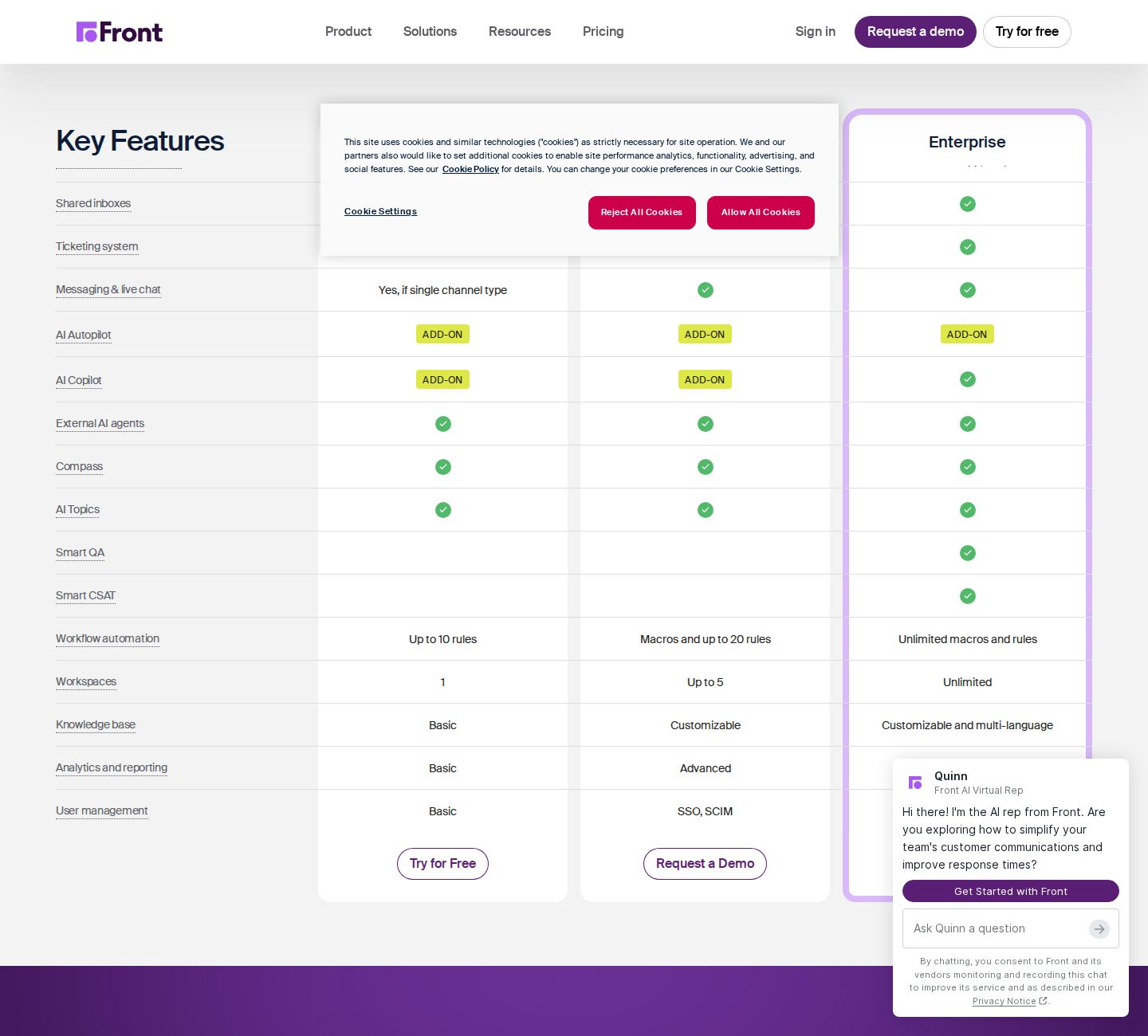
| Starter | 25 USD/seat/mo yearly | up to 10 seats, single channel type, shared inbox and ticketing, 10 automation rules |
| Professional | 65 USD/seat/mo yearly | up to 50 seats, omnichannel, unlimited macros, more rules, analytics |
| Scale | 105 USD/seat/mo yearly | larger teams, advanced controls, AI add-ons |
| AI add-ons | priced separately | Autopilot, Copilot, external agents |
The detail that decides most small purchases is single channel type on Starter: you choose email, chat or SMS, not all three. A business that answers email and chat needs Professional at 65 USD per seat, which for five people is 325 USD a month - a serious number next to Help Scout at 25 USD per user with all channels.
What it does well
Rules that behave like a colleague. "If the subject contains invoice and the sender is a customer, assign to finance and tag billing" - the rules engine is the most configurable in this comparison, and it removes the triage hour from the morning.
Internal comments on any message. A colleague can discuss a customer email in a thread the customer never sees, which is where most real support decisions are made. Executed better here than in any competitor.
Snooze and follow-up. A conversation disappears until the date you chose, then returns to the top. For a business waiting on customers, this is the feature that prevents things falling through.
It feels like email. Agents who have never used a helpdesk can work in Front on day one, which is a real advantage over ticketing systems with their own vocabulary.
Where it fails
- Price per seat at the tier that matters. Professional at 65 USD is expensive for a small team, and Starter's single-channel limit pushes most of them there.
- AI is an add-on at every tier; Autopilot and Copilot are priced separately.
- Reporting is weaker than the helpdesk competitors - good operational numbers, thin analytics.
- The knowledge base is basic compared with the one that ships with Help Scout's Docs.
- Seat caps on the lower tiers (10 and 50) mean a growing team changes plan, not just seats.
How it compares
| Entry price | Channels on entry | Unit | Best at | |
|---|---|---|---|---|
| Front | 25 USD/seat | one channel type | per seat | rules and internal collaboration |
| Help Scout | 25 USD/user | email plus Beacon chat | per seat | written support with Docs |
| Zendesk | 19 EUR/agent | email only | per agent | depth and marketplace |
| Crisp | 45 EUR/workspace | chat and email | per workspace | fixed price for small teams |
Front against Help Scout is the honest decision: same entry price, different strength. Front is better at routing and internal discussion; Help Scout is better at documentation and is cheaper for a five-person team because it does not charge 65 USD for omnichannel.
Who should buy it
A business where several people answer the same inboxes. The internal comment and assignment model is worth the price when triage is a daily argument.
An agency handling clients' email. Rules per client inbox, shared ownership, and an audit trail of who replied.
A company that lives in email rather than in tickets. Front behaves like a mail client, so adoption is immediate.
Who should not
A team of five that needs email and chat - Help Scout at 25 USD covers both without the 65 USD tier. A team that needs a knowledge base as a first-class product. And a business that wants AI included, because here every AI feature is an add-on.
Questions people ask
What does "single channel type" mean on Starter? You pick email, chat or SMS, and cannot run more than one on that plan - the most common surprise at checkout.
Is AI included? No: Autopilot, Copilot and external AI agents are add-ons priced separately, on every tier.
How many seats before an upgrade? 10 on Starter, 50 on Professional; Scale is for larger teams with advanced controls.
Does it replace a helpdesk? For email-centric support, yes. For SLAs, QA and deep reporting, a helpdesk is the better shape.
Can I connect WhatsApp and social? On Professional and above, as part of omnichannel.
What we have not tested - and will
The checks that would produce a score, all needing a workspace:
- Setup time for two shared inboxes with routing rules, for a non-technical admin
- Whether rules misfire on real email volume, which is where automation earns or loses trust
- Internal comment workflow with a team of five over a week
- Analytics against a manager's questions - volume, response time, who is behind
- AI add-on quality on real customer emails at Starter pricing
- Migration of a Gmail-based shared inbox, including attachments
- Mobile app behaviour for quick replies
Bottom line
Front is the best shared-inbox product for a team that argues about who should answer what: 25 USD per seat for collaboration, 65 for the channels most businesses need. The price is the constraint, and the single-channel Starter tier is the trap.
Buy it if triage and internal discussion are your real problems. If your support is written correspondence with a knowledge base, Help Scout does it for less - and if you need SLAs and reporting, that is Zendesk.
Every vendor link on this site is disclosed in the affiliate disclosure; a commission never changes a score. Our rules are in the editorial policy, and the rest of the reviews are in the review index.
One note on the channel limit
The single-channel restriction on Starter is the most expensive line in the pricing page, because it forces a business that answers email and chat onto a plan at more than double the price. Before signing, list the channels customers actually use - if it is two, budget for Professional and compare the total against a workspace-priced competitor, which is where the decision usually changes.
How to evaluate it in a week
Move one real inbox onto Front, leave the rules empty for two days to feel the triage pain, then write three rules and see whether the morning gets shorter. If the rules survive a week without misfiring, the product is doing its job; if you spend the week fixing them, the volume is too low to justify automation.
One more practical point: Front is the only tool in this comparison where agents who have never used a helpdesk can work on day one, because it looks like email. That adoption advantage is worth more than a feature table when the team is small and the alternative is a week of training.
Sources
All pages read on 24 November 2026:






Reader reviews
Loading reader ratings...