Skip to content
VerdictMill
DigitalOcean logoDigitalOceanResearch-basedHosting & infrastructure

DigitalOcean review 2026: 4 USD a month and everything is yours to manage

By Milan Pasic•Published 2026-11-22•Updated 2026-11-27
Verdict

DigitalOcean sells the base layer: a droplet from 4 USD a month billed by the second, no panel and no support contract - the cheapest honest hosting and the one that assumes you know what you are doing.

No score: this page is research-based and has not been hands-on tested yet.

Research-based · not hands-on tested
Visit DigitalOceanLinks to the official site
Pricing

4 USD/mo

Main limitation

No managed anything. A WordPress site here is your responsibility, including the update that breaks it at 2 a.m.

DigitalOcean homepage, 23 November 2026: infrastructure for developers, with no managed layer in sight.

Current offers

No current offer for DigitalOcean. We checked the vendor's pricing page on 2026-11-22 and found no public discount, coupon or promotion. When one appears, we add it here with the date we verified it.

What we tested

Product
DigitalOcean
Type
Research-based · not hands-on tested

How it compares

Entry priceYou managePanelSupport
DigitalOcean4 USD/moeverything above the OSnobilling and platform
Cloudways14 USD/moWordPress onlyyes24/7 chat
Rocket.net30 USD/monothingyesmanaged WordPress
Shared host3 to 10 USD/monothingyesticket queue

DigitalOcean figures from its pricing page, 23 November 2026; the managed options from their own pages the same day.

This DigitalOcean review is about the building block: a virtual machine from 4 USD a month, billed by the second, with no panel, no managed WordPress and no support contract. It is the cheapest real hosting in this comparison and the one that assumes you know what you are doing - or are willing to learn it.

Prices are from digitalocean.com/pricing, read 23 November 2026, USD. No droplet was created, so this is a research-based review with no score - the rule is in how we test.

What DigitalOcean is

Infrastructure as a service aimed at developers rather than enterprises. A Droplet is a virtual machine with a public IP and a root password; a volume is extra disk; Spaces is object storage; managed databases and Kubernetes are the higher-level products. Around them sit the things that make it pleasant: snapshots, firewalls, a decent API and CLI, and documentation that explains rather than assumes.

Where it fits in this site's coverage is worth being explicit: many of the managed hosts we review - Cloudways among them - are panels layered on DigitalOcean droplets. Understanding the layer underneath is how you tell whether the margin you pay for management is fair.

Pricing, precisely

ProductStarting priceNotes
Droplets4 USD/mothe cheapest general-purpose machine; the specification table lives on a separate Droplet pricing page
Kubernetes12 USD/mofree control plane, worker nodes billed separately
Billingper second60 second minimum, or 0.01 USD, whichever is more
Backupspercentage of droplet costweekly or daily options

The per-second billing is the detail that changes how you use the product: a machine you spin up to test a migration and destroy an hour later costs cents. That makes DigitalOcean a legitimate learning environment and a cheap staging ground, in a way monthly hosts are not.

The no support contract is the other half of the deal. Documentation and community answers are good; a human on chat for an infrastructure problem costs extra (or is not available at the entry tiers). A business without a sysadmin should price that in - not as money, as risk.

What you have to do yourself

Everything above the machine. A fresh droplet is a Linux box: you install the web server, configure PHP, harden SSH, set up the firewall, arrange backups, install and secure the database, then keep all of it patched. That list is not a warning about DigitalOcean - it is what "unmanaged" means, and it is exactly why the managed hosts on this site exist.

What DigitalOcean does give you to make that list shorter: one-click images for WordPress and common stacks, snapshots for rollback, cloud firewalls in the control panel, and documentation that is often the best answer on the internet for a specific configuration problem. If you are learning, those are worth more than a support contract you would not know how to use yet.

Where it fails

  • No managed anything. A WordPress site here is your responsibility, including the update that breaks it at 2 a.m.
  • Support is ticket-based on billing and platform, not on your application - and the entry tiers do not come with a human on call.
  • Bandwidth is generous but not infinite, and the overage rate is per GB when you cross it.
  • The $4 machine is a toy for production. It runs a static site well and a WordPress site badly; the realistic entry point for a small WordPress install is two or three times that.
  • Nothing is tuned. Default MySQL and default PHP-FPM are the reason a managed host can look faster on identical hardware.

How it compares

Entry priceYou managePanelSupport
DigitalOcean4 USD/moeverything above the OSnobilling and platform
Cloudways14 USD/moWordPress onlyyes24/7 chat
Rocket.net30 USD/monothingyesmanaged WordPress
Shared host3 to 10 USD/monothingyesticket queue

Fourteen dollars for Cloudways on top of the same infrastructure is the most instructive comparison on this site: it is the price of the panel, the tuned stack, the backups and the support, and whether it is worth it depends on whether you would otherwise spend two weekends on the alternative.

Who should buy it

A developer or technical founder who wants a server in five minutes, billed by the second, with an API for everything.

A business with a sysadmin on retainer that wants infrastructure without an enterprise contract.

Anyone learning hosting. Spin up a droplet, break it, snapshot, destroy it - the education costs pennies.

A staging environment for a site hosted elsewhere: hourly billing makes a temporary machine cheap.

Who should not

A business without anyone technical, full stop - the money saved on hosting will be spent on the first incident. A WordPress site that needs managed updates. And anyone who wants email, a control panel or a support phone number in the same bill.

Questions people ask

Is 4 USD enough for WordPress? Technically yes, practically no: the smallest droplet runs out of memory under a normal plugin stack, and two to four times that is the realistic floor.

How does per-second billing work? A machine created and destroyed in an hour is billed for that hour; the minimum is 60 seconds or 0.01 USD.

Do I get backups? Optional, priced as a percentage of the droplet cost, weekly or daily - and worth enabling before the first mistake.

Can I run email? You can run a mail server; deliverability is a different problem and a bad idea for a business. Use a dedicated email provider.

Is Kubernetes worth it at this size? Only if you already run containers; a single droplet with Docker is simpler and the managed Kubernetes minimum is more than most small sites need.

What we have not tested - and will

No droplet was created for this page. The checks that would produce a score:

  • A WordPress install on the smallest three droplet sizes, with memory and TTFB measured under load
  • Whether the one-click WordPress image is a sensible production baseline in 2026
  • Snapshot and restore timing for a 25GB machine
  • Bandwidth overage arithmetic on a media-heavy month
  • Behaviour of the firewall rules against a real attack pattern
  • API and CLI coverage for a routine deploy
  • The real cost of a month with backups, snapshots and monitoring enabled

Bottom line

DigitalOcean is the cheapest honest hosting in this comparison and the one that requires the most from you: 4 USD for a machine, per-second billing, and nobody to call when it breaks. For a developer that is a good trade; for a business owner it is a hidden cost.

The useful way to read this review is as the base layer of the category. Every managed WordPress host you compare is charging a margin over something like this - and Cloudways at 14 USD shows what that margin buys, in public, which is more than most hosts explain.

Every vendor link on this site is disclosed in the affiliate disclosure; a commission never changes a score. Our rules are in the editorial policy, and the rest of the reviews are in the review index.

One note on the hosting market you should know

The reason a base layer matters is leverage: when a managed host raises prices or changes a limit, the question "what does this cost on raw infrastructure" is the only thing that keeps the negotiation honest. DigitalOcean publishes that number, which is why it appears in every comparison on this site even though almost no small business should run production here without technical help.

Sources

All pages read on 23 November 2026:

  • DigitalOcean homepage: digitalocean.com - Droplets, Kubernetes, managed databases, Spaces
  • DigitalOcean pricing: digitalocean.com - Droplets from 4 USD per month, Kubernetes from 12 USD, per-second billing with a 60 second or 0.01 USD minimum, backups priced as a percentage of droplet cost

Milan Pasic

Editor. Writes the tests, runs the comparisons and publishes the numbers — including the ones that make a product look worse. Reviews are written and checked by a person, and every score follows the published method.

About · Editorial policy · LinkedIn

Related reviews

How it compares in this category

All Hosting & infrastructure reviews →
ProductScorePrice (1 site)TestedVerdict
Bunny.net logoBunny.net—1 USD/month minimumnot testedBunny.net is a content delivery and edge storage platform billed per gigabyte with a 1 USD monthly minimum - excellent in front of a WordPress site, and not a replacement for hosting one.
Cloudways logoCloudways—28 USD/monot testedCloudways rents you a DigitalOcean or Vultr server and manages the stack on top: 14 USD for 1GB with unlimited websites, hourly billing, and a bill that multiplies if you switch the provider dropdown to AWS.
DreamHost logoDreamHost—14.99 EUR first year, 19.99 on renewalnot testedDreamHost is the most honest pricing page in the hosting group we reviewed - the renewal is printed on the plan card, the term is one year, and the visit limit is a number instead of the word unmetered.
FastComet logoFastComet—3.99 USD/mo promo, 17.95 on renewalnot testedFastComet prints both prices on every plan, and its 9.95 USD renewal is the lowest we have measured - which makes it the best three-year value in our hosting group despite not having the cheapest first invoice.
GreenGeeks logoGreenGeeks—3.95 USD/mo on promo, renews at 19.95not testedGreenGeeks is a good first-year host and an average second-year one: 1.95 USD a month on a prepaid year, renewing at 14.95, with a fast LiteSpeed stack and a 30-day refund behind it.
Hostinger logoHostinger—From 1.99 USD/mo on a 48-month prepaymentnot testedHostinger sells a 1.99 USD monthly price that only exists on a four-year prepayment and renews around 10.99 - for the first site it is genuinely cheap, as long as you read the renewal line.
HostNOC logoHostNOC—12.45 USD/mo, listed as 25% off a 16.60 list pricenot testedHostNOC's shared plans are specific and cheap - 3.74 to 12.45 USD a month with exact mailbox and database counts - but the site publishes three different uptime figures, no renewal price and an /about page that returns 404.
InMotion Hosting logoInMotion Hosting—10.62 EUR/mo promo, renewing at 26.08not testedInMotion charges more in year one than the discount hosts and answers with the longest refund window in the category - 90 days - plus a 99.99% uptime guarantee and a ladder to your own server.
Kinsta logoKinsta—From 35 USD/mo monthly, about 30 USD/mo on annual billingnot testedKinsta runs WordPress on Google Cloud infrastructure with staging, backups and support included, from 35 USD a month - a fair price for a business site and an expensive one for a hobby.
Namecheap logoNamecheap—2.98 USD/mo after a 30-day free trialnot testedNamecheap is a good registrar and an average host: .com costs 10.97 in year one and 18.14 in year two, and the hosting plans only look cheap because the headline rate assumes a two-year commitment.
NameHero logoNameHero—5.19 USD/mo promo, 25.94 on renewalnot testedNameHero sells the standard stack - cPanel and LiteSpeed with LSCache - at the lowest first-year price in our hosting group, with a renewal of 11.64 USD printed beside the discount.
Rocket.net logoRocket.net—30 USD/monot testedRocket.net is managed WordPress for 30 USD a site with unmetered visits and an edge-first stack - the price is per site, which wins for one important site and loses for a portfolio.
ScalaHosting logoScalaHosting—11.21 USD/mo promo, renewing at 39.95not testedScalaHosting sells cloud hosting at 2.95 USD a month with the renewal printed beside it, and replaces cPanel with its own panel - which is why the second-year price stays near twelve dollars.
SiteGround logoSiteGround—1.99 / 3.99 / 5.99 USD/mo first yearnot testedSiteGround sells its first year at 1.99 USD a month and renews at 17.99 - the tooling is better than the price suggests, but the renewal is the number to budget.
UKHost4u logoUKHost4u—17 GBP per month ex VAT, about 20.40 GBP with VATnot testedUKHost4u sells UK cPanel hosting from 7 GBP a month ex VAT with a price that does not jump at renewal, but support is office hours and the 4.9 rating comes with no source.
WP Engine logoWP Engine—28 USD/mo billed annuallynot testedWP Engine starts at 28 USD a month billed annually for one site, and what you pay for is a development workflow - separate production, staging and development environments - rather than raw speed.

Same test rig, same article, default settings. Scores are ours; prices are the vendor's list price on the date each page was written.

Screenshots

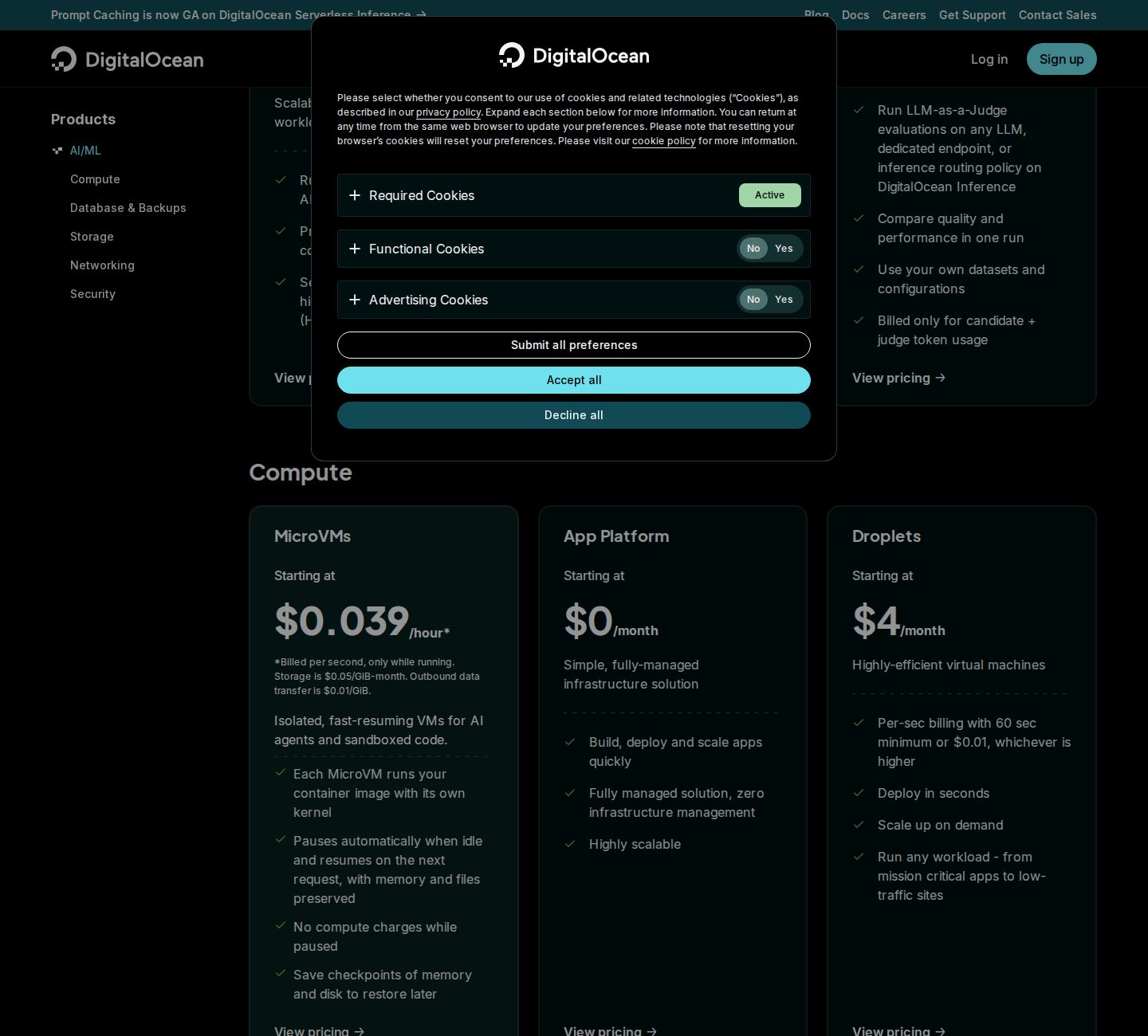
Pricing: Droplets from 4 USD per month, Kubernetes from 12, per-second billing with a 60 second minimum.
Homepage: droplets, databases, Kubernetes and object storage as building blocks.
PRO

Droplet

4 USD/mo

The 4 USD droplet deserves its own paragraph because it is the most consequential price in this category. It buys a machine, not hosting: no web server, no PHP configuration, no backups, no updates and nobody to call. For a static site or a learning environment it is excellent value and the per-second billing makes experimentation free. For a WordPress site in production it is the beginning of a bill of work - and the honest advice is to double or triple the size before you double the plugins. Everything the managed hosts on this site charge for is visible from here: fourteen dollars on Cloudways is a panel and a tuned stack, thirty on Rocket is WordPress itself managed. Neither is a rip-off once you price the weekends.

What the paid tier adds
  • +A virtual machine with a public IP and root access
  • +Per-second billing with a 60 second minimum
  • +One-click images for WordPress and common stacks
  • +Snapshots, firewalls and an API
Licence

one machine

What it does not change
  • –Full control of the stack
  • –Bandwidth allowance per plan
  • –Ability to resize vertically
There is no paid tier to unlock features - the ladder is machine size, and you are the managed layer.Sources: DigitalOcean pricing, read 23 November 2026

Screenshot walkthrough

  1. Homepage: the product is infrastructure, not hosting - there is no WordPress button in the pitch.
    1. Homepage: the product is infrastructure, not hosting - there is no WordPress button in the pitch.
  2. Droplets start at 4 USD a month, billed per second with a 60 second minimum.
    2. Droplets start at 4 USD a month, billed per second with a 60 second minimum.
  3. Kubernetes starts at 12 USD, with worker nodes billed on top.
    3. Kubernetes starts at 12 USD, with worker nodes billed on top.
  4. Backups are priced as a percentage of the droplet cost, weekly or daily.
    4. Backups are priced as a percentage of the droplet cost, weekly or daily.

Where to get it

No affiliate program: this links to the official site.

Reader reviews

Loading reader ratings...

0 comments

Disclosure. This review contains no affiliate links — we are not enrolled in an affiliate programme for this product, although several tools in this category run one. Links point to the official website and cost you nothing extra.

Last updated 2026-11-27. Test conditions and results are documented in the “What we tested” section.

Prices and promotions are re-checked every Monday by an automated check; the last run was 2026-11-27. A change is published only after a person verifies it — see how we test.