Skip to content
VerdictMill
WP Engine logoWP EngineResearch-basedHosting & infrastructureUpdated 2026-11-27

WP Engine review: managed WordPress with a development workflow

By Milan Pasic•Published 2026-11-14•Updated 2026-11-27
Verdict

WP Engine starts at 28 USD a month billed annually for one site, and what you pay for is a development workflow - separate production, staging and development environments - rather than raw speed.

No score: this page is research-based and has not been hands-on tested yet.

Research-based · not hands-on tested
Visit WP EngineLinks to the official site
28
The number that matters

USD a month billed annually for one site, and what you buy is production, staging and development environments

Best for

It fits agencies with client sites, in-house teams shipping changes weekly, and any business whose site generates revenue and cannot afford a botched plugin update in business hours.

Not for

Skip it for a brochure site with no changes, where a 10 USD host and a backup plugin do the same job.

Pricing

28 USD/mo billed annually (336 USD today); next tier 400 USD/mo; per-site licensing with visit allowances

Main limitation

The tier gap. 28 to 400 USD with nothing in between is a cliff, and a site that outgrows Starter has to jump it.

Vendor artwork from wpengine.com. Screenshots were captured by us on 13 November 2026.

Current offers

No current offer for WP Engine. We checked the vendor's pricing page on 2026-11-16 and found no public discount, coupon or promotion. When one appears, we add it here with the date we verified it.

What we tested

Product
WP Engine
Type
Research-based · not hands-on tested

How it compares

WP EngineKinstaSiteGroundHostinger
Entry price28 USD/mo annual35 USD/mo1.99 USD/mo first year1.99 USD/mo on 48 months
Annual total336 USD420 USDabout 216 USD after renewalabout 132 USD after renewal
Environmentsproduction, staging, developmentstagingstaging from tier 2business tier
Git and SSHyesyesSSH on higher tiersVPS only
Affiliate programmeyesyesyesyes

Prices read from vendor pages on 13 November 2026. Annual totals are calculated from the displayed monthly or yearly figures, not quoted from marketing pages.

WP Engine is the host agencies recommend when they do not want to be the support desk. This wp engine review is about what the 28 USD entry plan includes, why the second tier costs fourteen times as much, and who should stay on shared hosting instead.

What WP Engine is

Managed WordPress hosting built around environments rather than servers. Every site can exist in production, staging and development, with one-click copies between them, daily backups, Git push and SSH access. The platform handles caching, PHP versions, SSL, a CDN and a WAF, and the dashboard is designed for people who manage several sites for clients.

There is no cPanel and no email. You are buying a WordPress platform, not a server with WordPress on it.

What you see before you sign up

The plans page is blunt: 28 USD per month for the entry plan, billed annually at 336 USD, with one site, 10 GB of storage, 50 GB of bandwidth and 25,000 visits. The next tier is 400 USD a month. That gap is not an accident - it tells you the entry plan is sized for a single small site and that anything commercial will land on a plan that costs more than most small businesses expect to pay for hosting.

A 30-day money-back guarantee takes most of the risk out of trying it.

We are not enrolled in WP Engine's affiliate programme, so nothing here earns a commission; the affiliate disclosure explains how that is marked if it changes.

The workflow is the product

Three environments change how work happens. A plugin update is tested on staging, then pushed to production, without a maintenance window. A redesign is built on development while the live site sells. A bug is reproduced on a copy instead of on the customer's screen.

For a solo site owner this is convenience. For an agency it is the reason the platform exists: it replaces the local-and-live juggling that causes most small-site outages.

Where it fails

  • The tier gap. 28 to 400 USD with nothing in between is a cliff, and a site that outgrows Starter has to jump it.
  • Visit accounting. 25,000 visits sounds generous until a campaign lands; overage is a conversation, not a formula on the page.
  • No email. Another provider and another DNS setup.
  • Plugin restrictions. Caching and backup plugins duplicate the platform and are not welcome.
  • Price per site. Agencies pay per install, which is the opposite of the unlimited-licence model some competitors use.

Who it is for, and who should skip it

It fits agencies with client sites, in-house teams shipping changes weekly, and any business whose site generates revenue and cannot afford a botched plugin update in business hours.

Skip it for a brochure site with no changes, where a 10 USD host and a backup plugin do the same job. Skip it if you need email included. And skip it if your budget is fixed at under 300 USD a year - the honest alternative is a cheap host plus discipline, not a discounted managed plan that does not exist.

How it compares with the other three

Against Kinsta, the two are close: Kinsta is 35 USD monthly or about 30 on annual billing with staging on every plan, WP Engine is 28 billed annually with three environments. Kinsta's model is visits, WP Engine's is sites and bandwidth; read both carefully before assuming one is cheaper. Against SiteGround and Hostinger, the comparison is category - both are shared hosting with promotional pricing, and neither includes the environment workflow that justifies WP Engine's price.

The category is compared on /category/hosting, and the test procedure behind a future score is in how we test.

What an agency actually gets

Three things worth paying for: reproducible environments, a dashboard that a client can be given access to without seeing the others, and backups that restore in minutes rather than hours. Add the ability to bill hosting as a line item and the 336 USD becomes a cost of goods rather than an expense.

What an agency does not get is unlimited sites. Five client sites on the entry plan is five plans, which is why agencies often negotiate or move to a partner tier.

Speed, honestly assessed

Managed hosts are fast for the same reasons: server-level caching, a CDN and PHP tuned per site. The differences between them show up at the edges - a plugin that fights the platform's cache, an uncached admin area, a heavy page builder - not in a marketing benchmark. If your current site is slow on a decent host, moving to WP Engine will help less than removing two plugins and compressing images.

What managed hosting fixes reliably is not the best-case speed but the worst case: the admin stays responsive under load, the cache purges correctly, and a traffic spike does not take the database with it.

The cost of getting it wrong

One botched update during business hours costs a small business more than a year of managed hosting, and that is the entire economic argument. If nothing ever breaks, you are buying insurance; if it breaks once a year, you are buying it cheaply. Most sites break more often than their owners admit, usually on a Friday.

What we have not tested - and will

Research-based review: public pages plus our own captures, no plan purchased. Open questions:

  • TTFB and LCP for the same cached page against Kinsta and a shared host
  • Where the 25,000-visit ceiling lands after a real traffic spike
  • Restore time for a 5 GB site from a daily backup
  • How the three environments behave with a multi-site plugin stack
  • Support response outside business hours

Bottom line

WP Engine is worth 336 USD a year when the site earns money and somebody ships changes to it. The environment workflow is the reason to choose it over a cheaper host, and the 400 USD second tier is the reason to think about it before you outgrow Starter.

If you publish twice a year and nothing breaks, save the money. If you publish weekly and something always breaks, this is the cheapest way to stop losing Fridays.

Sources

Security and maintenance included

Three items are quietly bundled that cost money elsewhere: a WAF in front of the site, automatic patching of WordPress core with the platform's own testing, and malware scanning with removal on the higher tiers. For a business site that is the difference between believing you are secure and having somebody responsible when you are not.

The caveat is the same as everywhere: platform security does not cover a nulled plugin from a forum. Maintenance is included for the platform, not for decisions the site owner makes.

Who renews, and who leaves

Agencies renew because the workflow survives staff changes; a new account manager can learn the dashboard in an hour. Solo owners sometimes leave after a year because they never touched staging and the renewal invoice is 336 USD. Both outcomes follow from the same fact: you are paying for a process, and it is only worth paying for if the process is used.

The practical buying advice

Take the 30-day guarantee, migrate one real site, and test three things: a plugin update through staging, a backup restore, and a traffic spike on a published post. If all three feel better than your current setup, renew; if you cannot tell the difference, save the money.

A note on the bandwidth allowance

Fifty gigabytes a month is the number that decides whether Starter fits a media-heavy site. Images and video served through the platform's CDN count; a site with a video background can burn through the allowance in a fortnight. If that describes you, price the next tier before you commit rather than after the first invoice.

The short version for a busy reader

If a site earns money, gets updated, and one bad afternoon costs more than 336 USD, buy WP Engine and use the staging environment every week. If none of that is true, the money is better spent on content and a 10 USD host until it is.


Our verdict

Updated 2026-11-27
Buy it if
You pay for a development workflow: production, staging and development environments, git push deploys and 28 USD a month billed annually for one site.
Skip it if
You need cheap hosting. This is a workflow product, and at 400 USD a month for the next tier the price is designed for agencies and businesses with a release process.
What we would do
Count how many times a month you deploy and roll back. If that number is under two, you are buying infrastructure you will not use.

— Milan Pasic, editor. This is an editorial judgement, not a summary of the text above; the score follows the published method.

Milan Pasic

Editor. Writes the tests, runs the comparisons and publishes the numbers — including the ones that make a product look worse. Reviews are written and checked by a person, and every score follows the published method.

About · Editorial policy · LinkedIn

Related reviews

How it compares in this category

All Hosting & infrastructure reviews →
ProductScorePrice (1 site)TestedVerdict
Bunny.net logoBunny.net—1 USD/month minimumnot testedBunny.net is a content delivery and edge storage platform billed per gigabyte with a 1 USD monthly minimum - excellent in front of a WordPress site, and not a replacement for hosting one.
Cloudways logoCloudways—28 USD/monot testedCloudways rents you a DigitalOcean or Vultr server and manages the stack on top: 14 USD for 1GB with unlimited websites, hourly billing, and a bill that multiplies if you switch the provider dropdown to AWS.
DigitalOcean logoDigitalOcean—4 USD/monot testedDigitalOcean sells the base layer: a droplet from 4 USD a month billed by the second, no panel and no support contract - the cheapest honest hosting and the one that assumes you know what you are doing.
DreamHost logoDreamHost—14.99 EUR first year, 19.99 on renewalnot testedDreamHost is the most honest pricing page in the hosting group we reviewed - the renewal is printed on the plan card, the term is one year, and the visit limit is a number instead of the word unmetered.
FastComet logoFastComet—3.99 USD/mo promo, 17.95 on renewalnot testedFastComet prints both prices on every plan, and its 9.95 USD renewal is the lowest we have measured - which makes it the best three-year value in our hosting group despite not having the cheapest first invoice.
GreenGeeks logoGreenGeeks—3.95 USD/mo on promo, renews at 19.95not testedGreenGeeks is a good first-year host and an average second-year one: 1.95 USD a month on a prepaid year, renewing at 14.95, with a fast LiteSpeed stack and a 30-day refund behind it.
Hostinger logoHostinger—From 1.99 USD/mo on a 48-month prepaymentnot testedHostinger sells a 1.99 USD monthly price that only exists on a four-year prepayment and renews around 10.99 - for the first site it is genuinely cheap, as long as you read the renewal line.
HostNOC logoHostNOC—12.45 USD/mo, listed as 25% off a 16.60 list pricenot testedHostNOC's shared plans are specific and cheap - 3.74 to 12.45 USD a month with exact mailbox and database counts - but the site publishes three different uptime figures, no renewal price and an /about page that returns 404.
InMotion Hosting logoInMotion Hosting—10.62 EUR/mo promo, renewing at 26.08not testedInMotion charges more in year one than the discount hosts and answers with the longest refund window in the category - 90 days - plus a 99.99% uptime guarantee and a ladder to your own server.
Kinsta logoKinsta—From 35 USD/mo monthly, about 30 USD/mo on annual billingnot testedKinsta runs WordPress on Google Cloud infrastructure with staging, backups and support included, from 35 USD a month - a fair price for a business site and an expensive one for a hobby.
Namecheap logoNamecheap—2.98 USD/mo after a 30-day free trialnot testedNamecheap is a good registrar and an average host: .com costs 10.97 in year one and 18.14 in year two, and the hosting plans only look cheap because the headline rate assumes a two-year commitment.
NameHero logoNameHero—5.19 USD/mo promo, 25.94 on renewalnot testedNameHero sells the standard stack - cPanel and LiteSpeed with LSCache - at the lowest first-year price in our hosting group, with a renewal of 11.64 USD printed beside the discount.
Rocket.net logoRocket.net—30 USD/monot testedRocket.net is managed WordPress for 30 USD a site with unmetered visits and an edge-first stack - the price is per site, which wins for one important site and loses for a portfolio.
ScalaHosting logoScalaHosting—11.21 USD/mo promo, renewing at 39.95not testedScalaHosting sells cloud hosting at 2.95 USD a month with the renewal printed beside it, and replaces cPanel with its own panel - which is why the second-year price stays near twelve dollars.
SiteGround logoSiteGround—1.99 / 3.99 / 5.99 USD/mo first yearnot testedSiteGround sells its first year at 1.99 USD a month and renews at 17.99 - the tooling is better than the price suggests, but the renewal is the number to budget.
UKHost4u logoUKHost4u—17 GBP per month ex VAT, about 20.40 GBP with VATnot testedUKHost4u sells UK cPanel hosting from 7 GBP a month ex VAT with a price that does not jump at renewal, but support is office hours and the 4.9 rating comes with no source.

Same test rig, same article, default settings. Scores are ours; prices are the vendor's list price on the date each page was written.

Screenshots

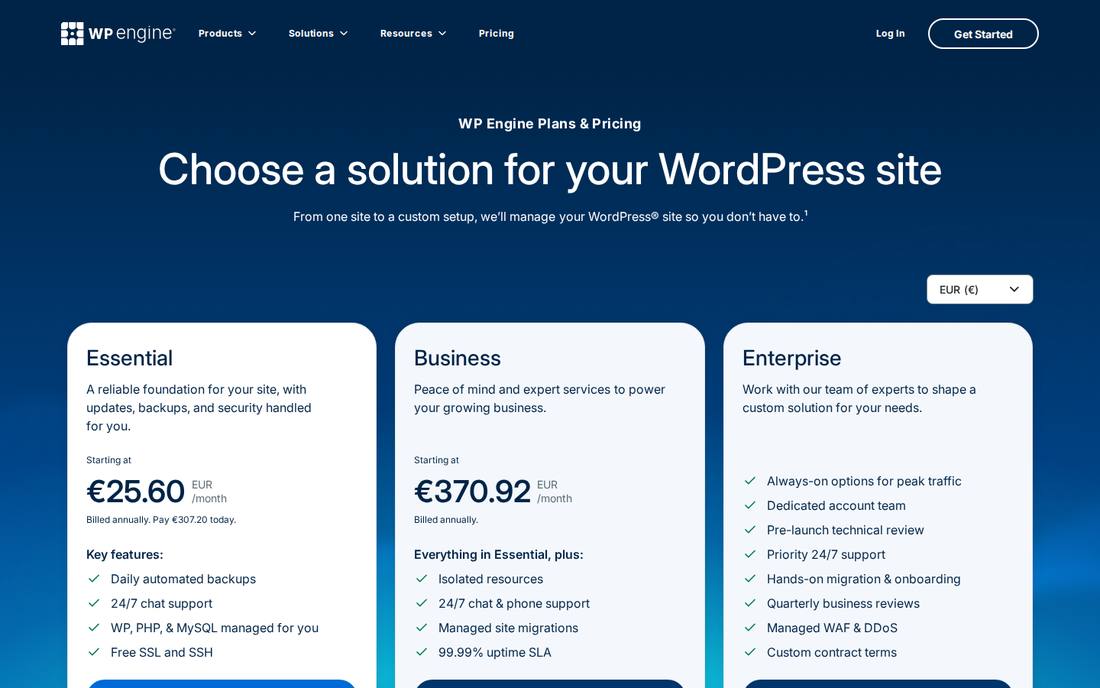
Plans page, 13 Nov 2026: Starter at 28 USD per month billed annually, 336 USD today, with higher tiers at 400 USD per month.
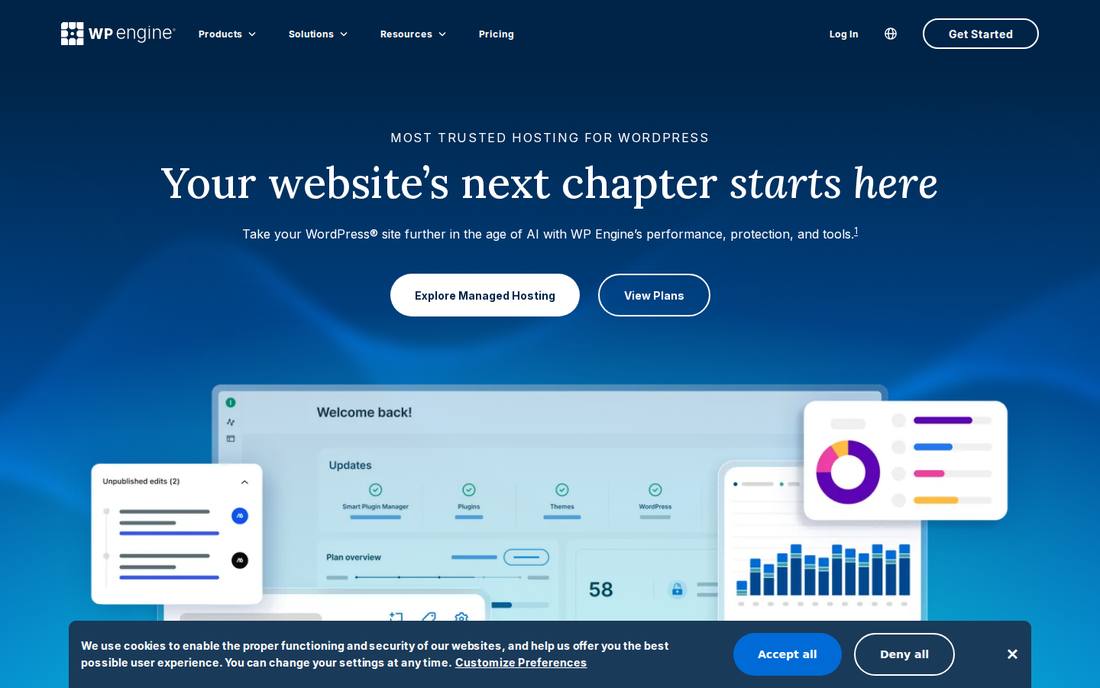
Platform page: the pitch is environments and workflow, not just servers - production, staging, development and backup restore.
PRO

WP Engine Starter and above

28 USD/mo billed annually (336 USD today); next tier 400 USD/mo; per-site licensing with visit allowances

WP Engine's pricing is per site with a visit ceiling, and the entry plan is the interesting one: 28 USD a month billed annually - 336 USD today - for one site, 10 GB of storage, 50 GB of bandwidth and 25,000 visits. That is roughly the same money as Kinsta's entry plan and the same category of service, with a different emphasis: WP Engine sells the workflow. Production, staging and development environments are part of the platform, along with daily backups, Git push, SSH and a dashboard that agencies can hand to a client. The second tier jumps to 400 USD a month, which tells you the entry plan is deliberately small and that growing means a serious conversation.

What the paid tier adds
  • +Production, staging and development environments
  • +Daily backups with one-click restore
  • +Git push, SSH and WP-CLI access
  • +CDN, SSL and WAF included
  • +30-day money-back guarantee
  • +Agency tools and client handover on higher tiers
Licence

One site on Starter; higher tiers add sites, storage and bandwidth.

What it does not change
  • –No email hosting, no cPanel
  • –No email inboxes or general-purpose server access
Documented from wpengine.com/plans/ and the platform page on 13 November 2026, including the annual total shown at checkout. No plan was purchased.Sources: WP Engine plans · WP Engine platform

Screenshot walkthrough

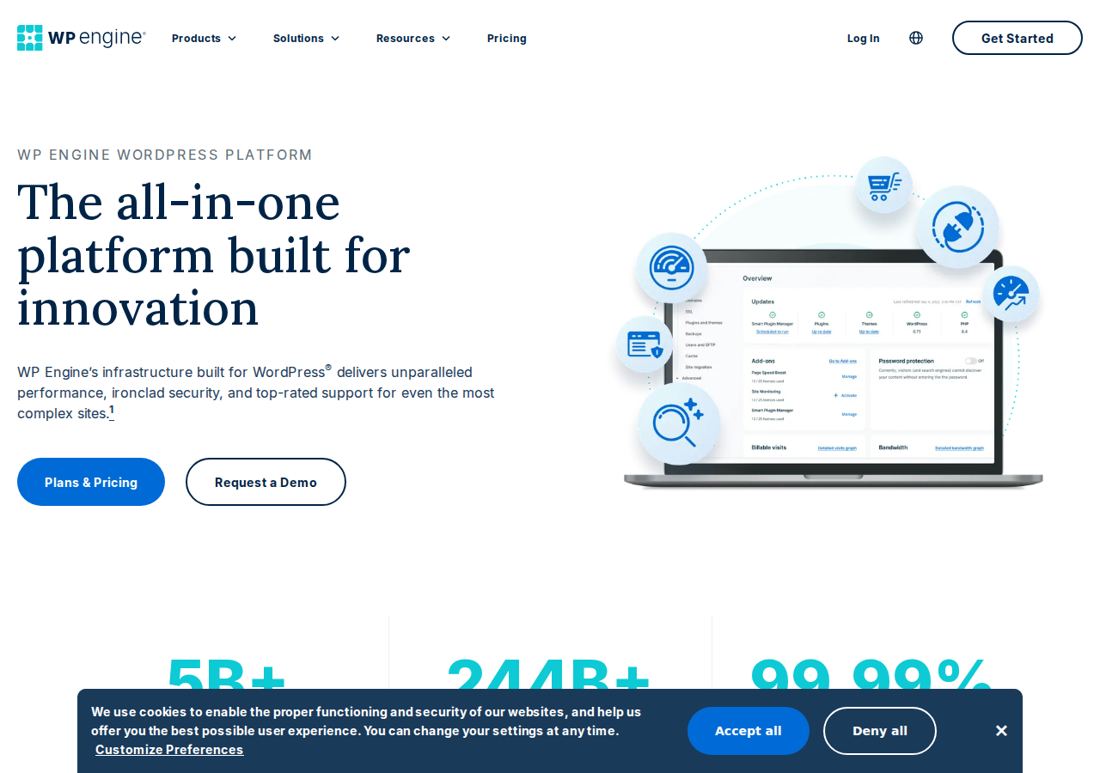
  1. Homepage: sold as a platform for agencies and brands, with performance and security as the two claims.
    1. Homepage: sold as a platform for agencies and brands, with performance and security as the two claims.
  2. Plans: Starter 28 USD/mo billed annually with one site, 10 GB storage and 50 GB bandwidth; the next tier is over ten times the price.
    2. Plans: Starter 28 USD/mo billed annually with one site, 10 GB storage and 50 GB bandwidth; the next tier is over ten times the price.
  3. Platform features: production, staging and development environments, daily backups, Git push and SSH access.
    3. Platform features: production, staging and development environments, daily backups, Git push and SSH access.
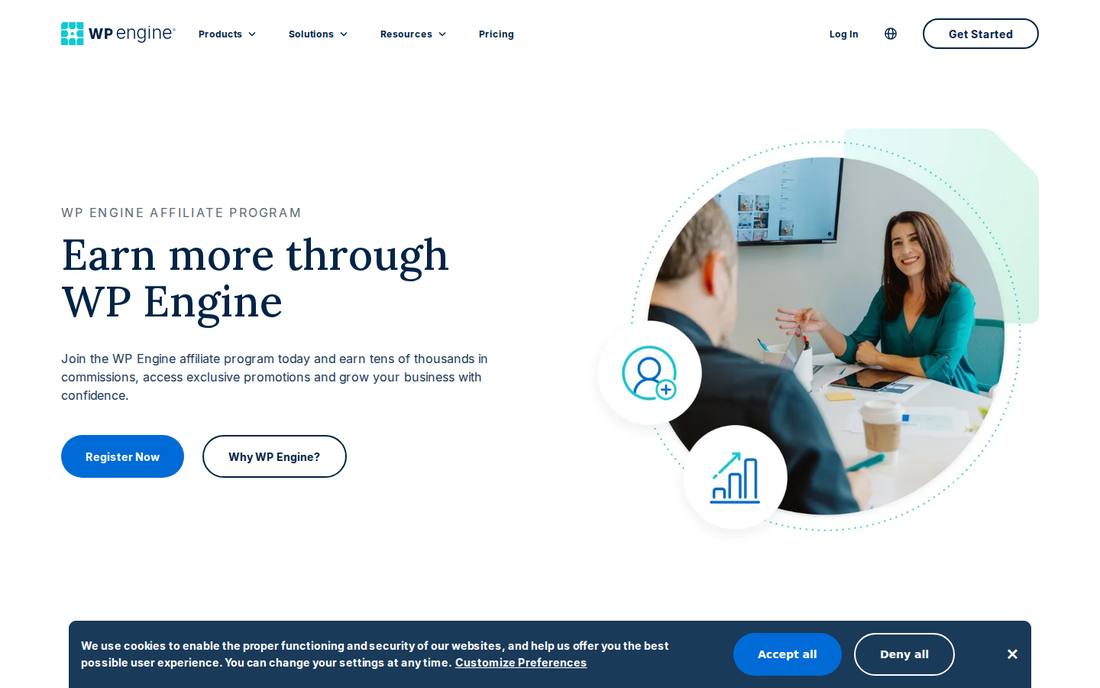
  4. Affiliate page: a public programme that returned 200 to our check, which makes this review eligible for affiliate links later.
    4. Affiliate page: a public programme that returned 200 to our check, which makes this review eligible for affiliate links later.

Where to get it

No affiliate program: this links to the official site.

Updates to this page

  • 2026-11-27Promotion detected on the vendor page: save X, coupon. Checked 2026-11-27; the review text is not affected.
  • 2026-11-26Promotion detected on the vendor page: save X, coupon. Checked 2026-11-26; the review text is not affected.
  • 2026-11-23Promotion detected on the vendor page: save X, coupon. Checked 2026-11-23; the review text is not affected.
  • 2026-11-16None of the quoted figures (28, 336, 400) appear on the pricing page any more | promotion signals: save X, coupon
  • 2026-11-16None of the quoted figures (28, 336, 400) appear on the pricing page any more | promotion signals: save X, coupon
  • 2026-11-16Price check: the vendor page no longer shows all quoted figures (28, 336, 400) and now lists 25.6, 307.2, 370.92. Verified 2026-11-16 from https://wpengine.com/plans/; our test snapshot stays as published.
  • 2026-11-15Price check: the vendor page no longer shows all quoted figures (28, 336, 400) and now lists 24, 288, 312. Verified 2026-11-15 from https://wpengine.com/plans/; our test snapshot stays as published.

Reader reviews

Loading reader ratings...

0 comments

Disclosure. This review contains no affiliate links — we are not enrolled in an affiliate programme for this product, although several tools in this category run one. Links point to the official website and cost you nothing extra.

Last updated 2026-11-27. Test conditions and results are documented in the “What we tested” section.

Prices and promotions are re-checked every Monday by an automated check; the last run was 2026-11-27. A change is published only after a person verifies it — see how we test.