
Pipedream is what happens when an automation platform assumes you can read an API. This pipedream review is about the gap between building for free and running in production, why the pricing is shaped that way, and who should stay with a no-code tool.
What Pipedream is
A developer platform for integrations. A workflow is a trigger plus code: an event source fires, and a Node.js, Python or Go step runs with npm or PyPI imports available. You can also expose a workflow as an HTTP endpoint, run it on a schedule, or stream results to a client over SSE.
Around the code sit 2,800+ pre-built app integrations, which handle authentication and the boring parts of talking to common APIs - so you write the logic instead of the OAuth dance.
What you see before you sign up
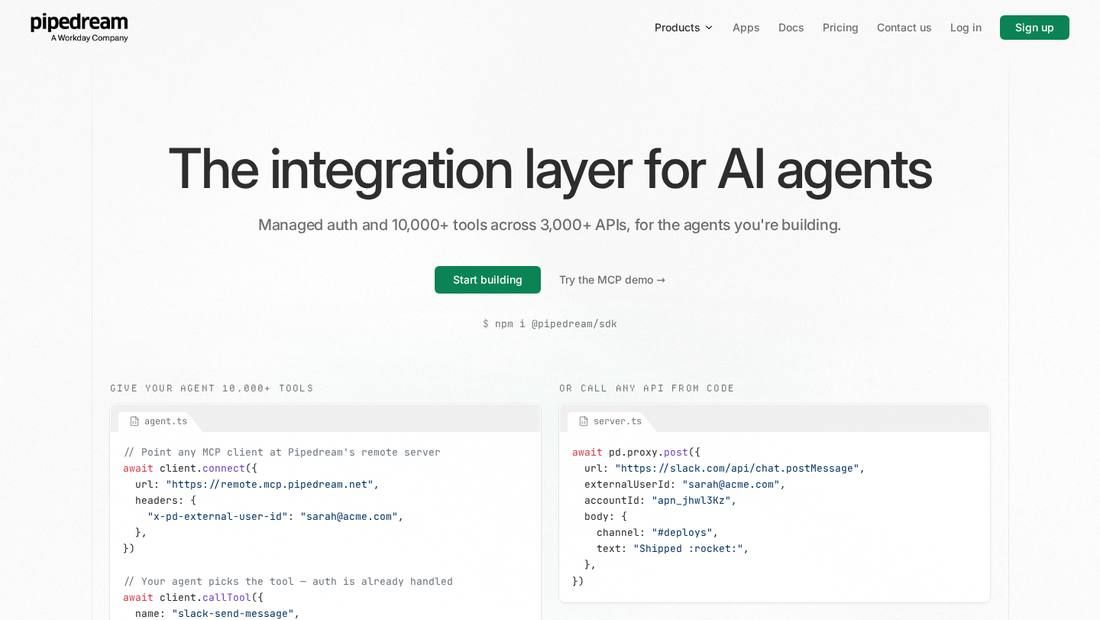
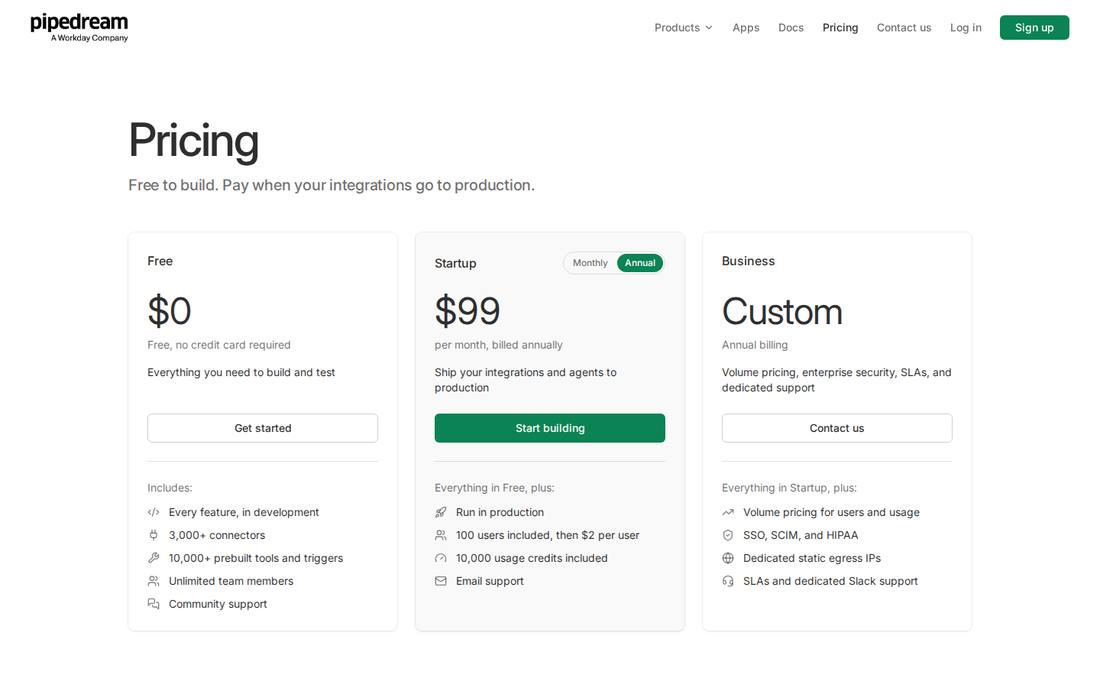
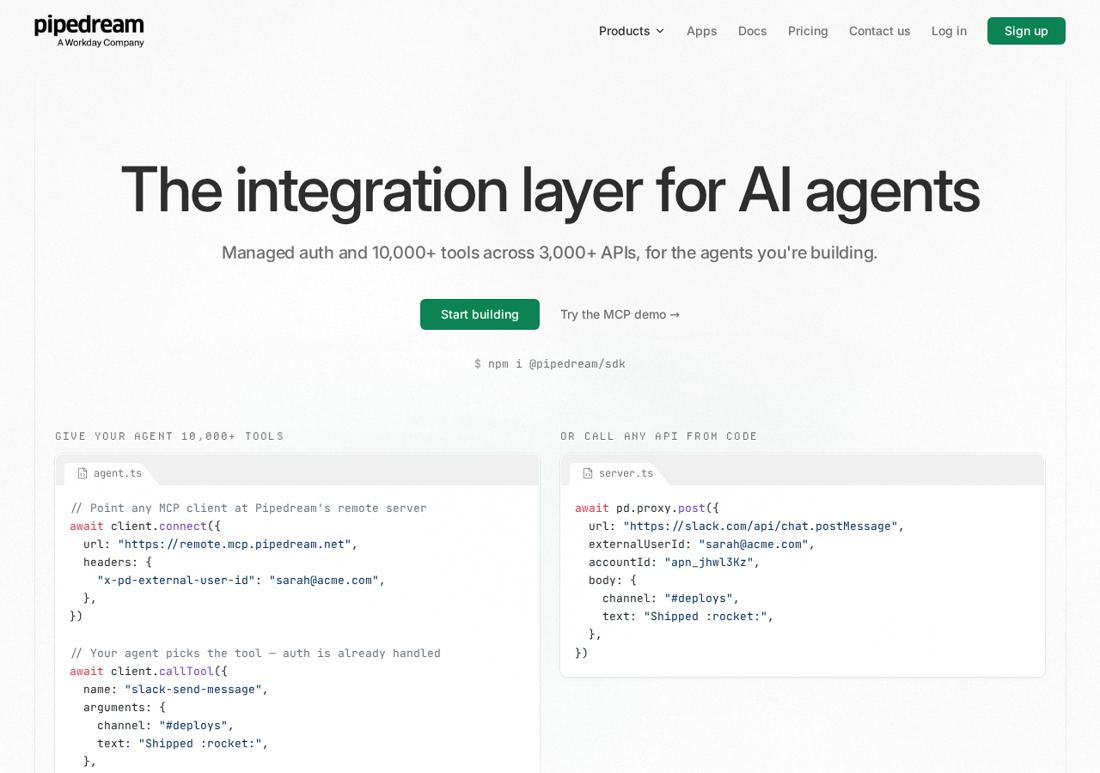
The homepage positions Pipedream as an integration layer for AI agents, which is the honest current pitch: the buyers are developers building products, not marketers connecting forms. Pricing follows that framing - free to build, 99 USD a month to run.
We are not enrolled in any affiliate programme for this product, so nothing here earns a commission; the affiliate disclosure explains how that is marked if it changes.
Why free-for-development is a real strategy
Most platforms meter everything from the first task, which makes building hesitant - you avoid testing because tests cost money. Pipedream removes that friction entirely: develop and test with production data, and pay only when other people depend on it.
The consequence is a sharp step: the first production workflow costs 99 USD a month. For an internal automation that is hard to justify; for a service used by a hundred clients it is trivial.
Where it fails
- The production cliff. One workflow in production costs the same as fifty; there is no cheap middle tier.
- No no-code path. A non-developer cannot build here, and the editor assumes familiarity with APIs and JSON.
- Credit accounting is opaque until it is not. Usage credits map to compute, so a heavy loop costs more than a light one - visible only in the bill.
- No self-hosting, which rules it out where data cannot leave a vendor.
- Documentation favours developers, which is correct and unhelpful when an operator needs to understand what a workflow does.
Who it is for, and who should skip it
It fits developers building an integration layer for a product, agencies delivering custom automations to clients, and teams whose workflows need real code: pagination, retries, data transforms, model calls with structured output.
Skip it if nobody writes code. Skip it if the automation is one internal form-to-sheet flow, where 99 USD is ten times the value delivered. And skip it if you need self-hosting for compliance.
How it compares with the other three
Against Zapier, the trade is a developer's freedom against an operator's convenience: Pipedream has code and a production model, Zapier has a catalogue and a visual editor. Against n8n, both are technical, and the split is hosting and pricing shape - n8n self-hosted is free per execution, Pipedream is metered per user and credit. Against Activepieces, Pipedream is code-first and Activepieces is canvas-first with code escape hatches.
The category is compared on /category/ai-automation, and the test procedure behind a future score is in how we test.
The AI angle, honestly
Positioning as an integration layer for agents is accurate: agents need tools that call real APIs with real auth, and Pipedream supplies that without building an OAuth flow per service. If you are building an agent that must read invoices, create tickets and update a CRM, this is a shorter path than writing each connector.
What it does not do is run the agent for you. Orchestration, prompts and guardrails are your code, and the platform is the transport.
A realistic build
An event source receives a webhook, a code step validates the payload, a second step calls an app integration to create a record, a third formats a notification. That is twenty minutes for someone comfortable with JavaScript, including the test runs - because building and testing are free.
The difference from no-code appears at the edges: pagination through an API, retrying a flaky endpoint, transforming dates and currencies, calling a model and validating its JSON. In Zapier each of those is a workaround; here it is a few lines.
What the 99 USD actually covers
Managed execution, logs, concurrency limits, 100 external users and 10,000 credits. Compared with running your own queue and scheduler, the price is roughly a day of engineering per year - a fair trade for a product with users, and absurd for one internal automation.
Who ends up staying
Teams that ship integrations as part of what they sell. They stay because the alternative is maintaining OAuth clients and a job queue, which nobody wants to own. Internal-only teams usually build a proof of concept, see the production price, and move the logic into n8n on a small server.
What we have not tested - and will
Research-based review: public pages plus our own captures, no account. Open questions:
- Credits consumed by a daily sync over a month
- Cold-start latency for an HTTP-triggered workflow
- How the concurrency controls behave under a burst of webhooks
- Whether the app integrations cover the fields a real workflow needs
- Time from first commit to a production workflow with logs and alerts
Bottom line
Pipedream is the best choice in this category for a developer building something other people use, and the wrong choice for one internal automation. Free development removes the hesitation; 99 USD production is the honest threshold.
If you cannot read code, buy Zapier. If you can and want to self-host, buy n8n. If you are building a product on top of integrations, this is the shortest path and the price is a rounding error against the engineering it replaces.
Sources
- pipedream.com/pricing - development and production pricing, users and credits, read 13 November 2026
- pipedream.com/features/ - code steps, event sources and integrations, read 13 November 2026
- pipedream.com/affiliates - affiliate programme, read 13 November 2026
The editor and the debugging experience
The editor is a code pane with a test panel: run a step, see the output, inspect the payload, then run the next. For anyone who has debugged an API integration, this is the familiar and fastest loop - no guessing what a no-code action did with your data.
Logs are per-execution and searchable, with the inputs and outputs of each step. That level of visibility is why developers tolerate the price: a failed Zap is a mystery, a failed Pipedream workflow is a stack trace.
Versioning and deployment
Workflows are versioned and branches can be promoted, which matters when a workflow is part of a product. Branches, pins and the ability to run a specific revision are the three features that distinguish a platform from a scripting host, and Pipedream has all three.
The alternatives inside the same account
One practical detail: Pipedream is also a decent place to keep small scripts that never become products - a scheduled report, a cleanup job, a webhook relay. Development is free, so the only cost is the moment you decide an internal job deserves production guarantees, and at that point the honest answer is usually to move it to a server you already pay for.
The workflows export as code and configuration, so leaving is not a rewrite - the same reason the platform is easy to try is the reason it is easy to leave.
A short checklist
Confirm that the integrations you need expose the fields you need, count your external users, estimate credits from one week of real traffic, and decide whether the 99 USD is a product cost or an expense. Three of those four answers are measurable before you pay anything.
The short version
Free to build, 99 USD to run, code instead of clicks. If a product depends on the workflow, buy it; if a spreadsheet does, do not.
One last thing worth saying plainly: the 99 USD is not a subscription for automation, it is a subscription for managed execution. If you already run servers, you already own that problem, and the price no longer makes sense.





Reader reviews
Loading reader ratings...