
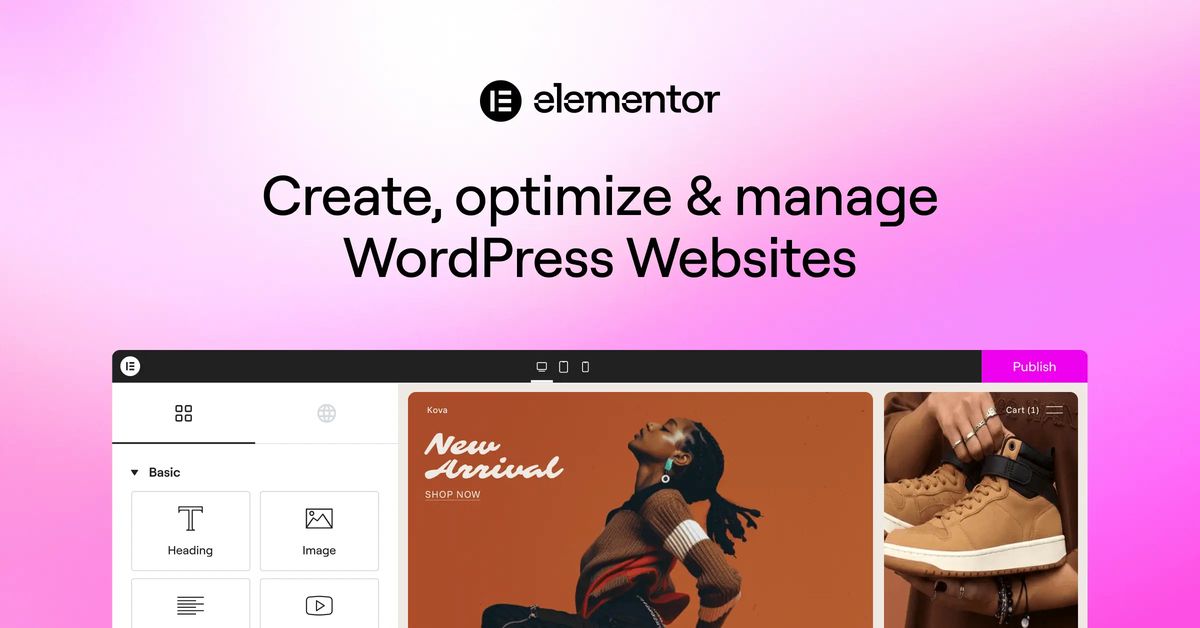
Elementor is the plugin that made WordPress editable by people who do not write code. This elementor review is about the part the marketing skips: what the free plugin actually covers, which three features push most sites to Pro, and what the builder costs you in page weight.
What Elementor is
A visual page builder that installs as a WordPress plugin. You drag widgets - headings, images, buttons, forms, posts - into columns and sections, and the front end is rendered from that structure. The free plugin includes 57 widgets, the basic theme builder pieces, responsive controls and a template library. Pro adds 85 widgets, the full Theme Builder for headers, footers and archive pages, a WooCommerce builder and the marketing widgets that agencies use daily.
It is not a theme and not a hosting product. Your theme still controls typography and global styles unless you build those in Elementor too, and your host still decides how fast any of it loads.
What you see before you sign up
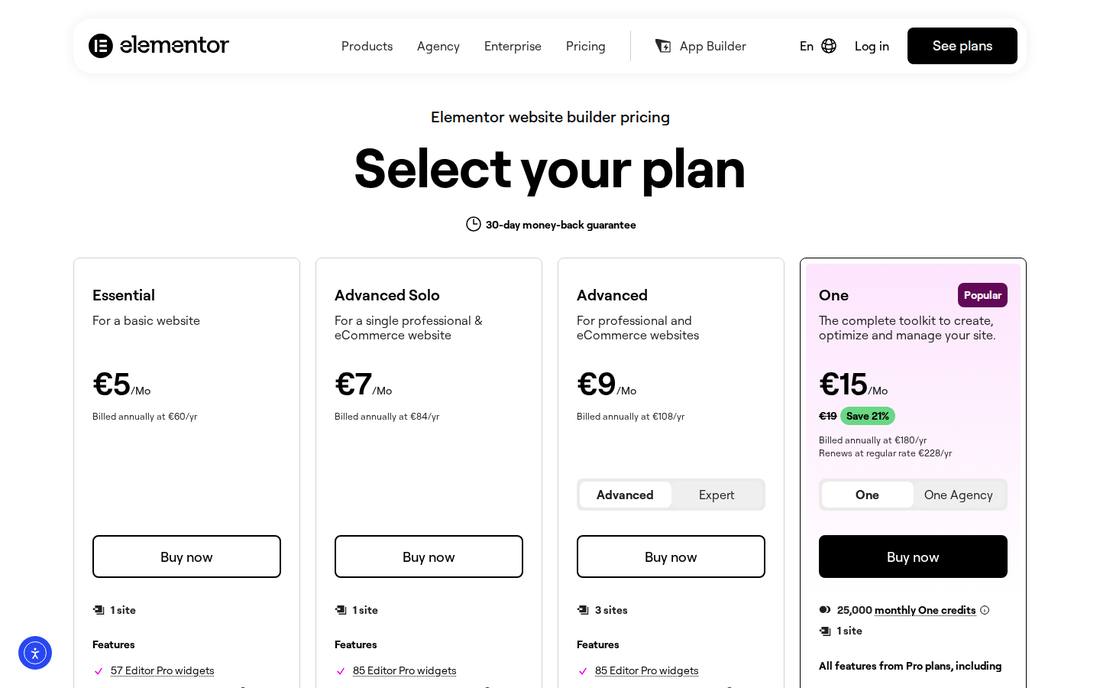
The homepage sells templates, which is the right pitch: a small business wants a finished page, not a widget catalogue. The pricing page is a per-site ladder with the annual price displayed monthly - 5 EUR a month billed as 60 a year - which is a common trick of arithmetic rather than deception, as long as you notice it. Advanced Solo at 84 EUR is the tier for one professional site; Expert covers three; Agency adds AI credits and client work.
We are not enrolled in Elementor's affiliate programme, so nothing here earns a commission; the affiliate disclosure explains how that will be marked if it changes.
What the free version really covers
More than most reviews admit. You can build a full marketing page, a landing page, an about page and a contact page with forms via a third-party plugin, and it will look like a modern site. What free cannot do is structural: no custom header and footer across the site, no archive templates, no WooCommerce product templates, no popups, no theme-level global styling.
That boundary is the honest answer to "do I need Pro". If your site is five pages with one template repeated, free is enough and 60 EUR is optional. The moment you want a different header on the shop, or product pages that look like your landing pages, you are buying Pro - not for the widgets but for the templates.
The performance question
Every page builder adds markup, CSS and JavaScript, and Elementor adds more than most. A page built from widgets carries the wrapper divs and per-element styles that the builder generates, and a page assembled from ten sections can weigh twice what a hand-coded equivalent does. That is a real cost and it is measurable in Lighthouse.
The mitigations are boring and effective: use the Flexbox container rather than nested sections, keep the widget count per page low, disable the unused features (Font Awesome, eicons, DOM optimiser conflicts), serve cached HTML, and compress images before upload. Most "Elementor is slow" complaints are a heavy page on shared hosting with uncompressed images, not the builder alone.
Where it fails
- Lock-in. Content lives in Elementor's structure; switching builders means rebuilding pages, and the HTML does not survive a theme change cleanly.
- Widget sprawl. Every extra plugin that adds Elementor widgets adds weight and update risk.
- Editing conflicts. Two people editing the same page in the builder overwrite each other, because the editor is a single document session.
- Design sameness. The template library is recognisable; a site assembled from it looks like the library.
- Nested containers from older builds are the most common source of layout bugs after an update.
Who it is for, and who should skip it
It fits small businesses, freelancers and agencies that need to hand a site to a client who will edit it, because the editing experience is the most approachable in WordPress. It fits anyone migrating from a site builder and unwilling to learn code.
Skip it if the site is content-heavy and design-light - the block editor plus a light theme is faster and cheaper. Skip it if performance is the product, unless you are prepared to keep pages disciplined. And skip it for a five-page brochure site where the free plugin already does everything; paying 60 EUR changes nothing for you.
How it compares with the other three
Against Divi, both are builders and the difference is licensing and feel: Divi bundles a theme and a lifetime-update model, Elementor is a plugin on a subscription with a free tier that actually works. Against Astra, they are not competitors but pairs - Astra is a fast theme, and many sites run Astra with Elementor, which is a reasonable combination if the page weight is watched. Against WP Rocket, no overlap: one builds pages, the other caches them, and they are commonly installed together.
The category is compared on /category/wordpress, and the test procedure behind a future score is in how we test.
What we have not tested - and will
Research-based review: public pages plus our own captures, no licence. Open questions:
- Page weight of the same layout built in Elementor, Divi and the block editor
- LCP impact on a cached site with and without the builder
- How many Pro widgets a typical business page actually uses
- Update stability across three minor WordPress releases
- Whether the AI credits produce copy a human would publish
Bottom line
Start with the free plugin and build one real page. If the only thing you miss is a site-wide header and footer, you will end up buying Pro for 60 EUR and it will be worth it. If you miss nothing, you have saved the subscription and the page weight.
The mistake is buying Pro for the widget count before building anything. The Template and Theme Builder features are the product; the extra widgets are the packaging.
Sources
- elementor.com/pricing/ - tiers, per-site licensing and annual prices, read 13 November 2026
- elementor.com/features/ - widget counts, Theme Builder, WooCommerce builder, read 13 November 2026
- elementor.com/affiliates/ - affiliate programme, read 13 November 2026
How a real build goes
Four steps, and the order matters. Set global fonts and colours first, because changing them later means touching every page. Build one page completely - hero, proof, offer, contact - and only then turn it into a template. Create the header and footer in the Theme Builder so they inherit everywhere. Then duplicate the page for the rest of the site and swap content.
Sites that go wrong skip the first step: they style each heading by hand, then discover the brand font changed and face forty pages of manual edits. Elementor supports global styles well; using them is a discipline, not a feature.
The WooCommerce case
This is where Pro stops being optional. Free Elementor can place a product grid on a page, but it cannot design the product page itself, the shop archive or the cart - those come with the WooCommerce builder in Pro. For a store, that is the whole reason to pay, and it is priced reasonably: 60 EUR a year against the cost of a custom theme.
The catch is weight again. A WooCommerce page built in Elementor carries the builder's CSS on top of WooCommerce's own, and product pages are the ones where speed pays back. Test the shop page, not the landing page, before committing.
A note on the free tier and upgrades
Free Elementor is not a trial - it does not expire and it is not crippled in time. That is unusual in this category and it is why so many sites start there. The upgrade is triggered by a structural need, not by a nag: the day you want one header for the blog and another for the shop, you buy Pro.
Renewals are at the listed price rather than a teaser rate, which is worth knowing when comparing with themes that discount the first year and double it after. For budgeting, treat 60 EUR a year as the real cost of a one-site licence from year one.
Who should not use a builder at all
If the site is a blog with a consistent template, the block editor plus a light theme produces the same result with a fraction of the weight, and it will still be maintainable in three years. Builders earn their price on pages that need layout that the block editor makes painful - complex heroes, pricing tables, multi-column marketing sections. That is the honest boundary, and it is worth drawing before you install anything.








Reader reviews
Loading reader ratings...