Skip to content
VerdictMill
WPML logoWPMLResearch-basedWordPress plugins & themes

WPML review: multilingual WordPress without a second site

By Milan Pasic•Published 2026-11-14•Updated 2026-11-27
Verdict

WPML runs a multilingual site from one WordPress install - 39 EUR a year for a blog, 99 for the CMS plan most sites need, 199 for agencies - and the cost that surprises people is translation, not the licence.

No score: this page is research-based and has not been hands-on tested yet.

Research-based · not hands-on tested
Visit WPMLLinks to the official site
99
The number that matters

EUR a year for the CMS plan, which is the cheap part of a multilingual project; the translation is the real cost

Best for

It fits businesses selling in more than one country from one catalogue, WooCommerce stores shipping across borders, and publishers with a real audience in a second language.

Not for

You need two languages and only translate a handful of pages - Polylang's free plugin may cover it.

Pricing

Blog 39 EUR/yr; CMS 99 EUR/yr; Agency 199 EUR/yr; automatic translation credits billed separately

Main limitation

Plugin compatibility. Themes and plugins that were never tested with WPML produce untranslated strings, and finding them is manual work.

Vendor artwork from wpml.org. Screenshots were captured by us on 13 November 2026.

Current offers

No current offer for WPML. We checked the vendor's pricing page on 2026-11-15 and found no public discount, coupon or promotion. When one appears, we add it here with the date we verified it.

What we tested

Product
WPML
Type
Research-based · not hands-on tested

How it compares

WPMLPolylangElementorAstra
Entry paid price39 EUR/yrfree, Pro from about 99 EUR/yr60 EUR/yr99 USD/yr promo
Typemultilingual pluginmultilingual pluginpage buildertheme
WooCommerce translationyes on CMSPro onlynot its jobnot its job
Automatic translationyes, creditsvia add-onnono
Affiliate programmeno public programmenot verifiedyesyes

Prices read from vendor pages on 13 November 2026. Polylang's paid tier price is shown as the vendor publishes it; the free plugin covers posts and pages only.

WPML solves a structural problem: a WordPress site in five languages, one install, one admin, one set of plugins. This wpml review is about whether that structure is worth its licence, what translation really costs, and when a network of separate sites is the better answer.

What WPML is

A multilingual plugin. It adds languages to an existing site, links each translation to its original, translates posts, pages, custom post types, taxonomies, menus and theme strings, and handles the plumbing that search engines care about - language-specific URLs and hreflang tags. It also ships a translation management screen where you can send content to a translator or to a machine engine and receive it back inside WordPress.

The alternative it replaces is either a second WordPress install per language, which doubles maintenance, or a plugin that only translates posts and leaves the theme strings in English.

What you see before you sign up

The purchase page is refreshingly plain: three tiers, prices in euros, a renewal policy, and the scope of each tier stated in a sentence rather than a feature matrix. Blog at 39 EUR covers posts and pages; CMS at 99 adds custom post types and WooCommerce; Agency at 199 removes the site limit.

We are not enrolled in any affiliate programme for this product, so nothing here earns a commission; the affiliate disclosure explains how that is marked if it changes.

The cost nobody budgets for

The licence is the cheap part. Every language multiplies your content: 200 pages in four languages is 600 pages of text that must exist, be reviewed and be maintained. WPML's automatic translation is billed in credits per word, and a machine pass plus a human review is the workflow most sites settle on.

That means two budgets: the licence, and the translation. A realistic estimate for a small business site is a few hundred words per page, so five hundred pages of translated content is a five-figure word count; at typical per-word rates the translation dwarfs the subscription. WPML's job is to make that process manageable, not free.

How translation actually flows

Create the language, translate one page with the editor, review it, then set the workflow: who is allowed to translate, whether new content is auto-translated on publish, and whether translators see the original alongside. The translation management screen is where the work happens for anything beyond a handful of pages, and it is the part that distinguishes WPML from simpler plugins.

The practical advice: translate the pages that make money first - home, services, pricing, contact - and leave the blog archive in the original language until the commercial pages convert. Translating everything at once is how multilingual projects stall half-finished.

Where it fails

  • Plugin compatibility. Themes and plugins that were never tested with WPML produce untranslated strings, and finding them is manual work.
  • Performance. Every query becomes language-aware; on a large site the difference is visible without object caching.
  • Duplicated maintenance. Each language needs updating when the original changes, and nothing forces you to do it.
  • Credit accounting. Automatic translation costs are separate and unpredictable until you see a month of usage.
  • Slug and SEO drift. Translating URLs is good for users and means every redirect you build must be considered per language.

Who it is for, and who should skip it

It fits businesses selling in more than one country from one catalogue, WooCommerce stores shipping across borders, and publishers with a real audience in a second language. It fits the case where the second language has commercial value, not the case where it would be nice to have.

Skip it if you need two languages and only translate a handful of pages - Polylang's free plugin may cover it. Skip it if your content changes weekly in three languages and nobody on the team speaks two of them; the maintenance will outrun the benefit. And skip it if you sell in one language with one currency and the second language exists for prestige.

How it compares with the other three

Against Polylang, WPML is the heavier, more complete product: WooCommerce, string translation and translator management are built in, where Polylang's free tier is posts and pages and its paid tier adds the rest. Against Elementor and Astra, no overlap - those build and style the site, WPML makes it speak four languages, and the three coexist in most multilingual builds.

The category is compared on /category/wordpress, and the test procedure behind a future score is in how we test.

What we have not tested - and will

Research-based review: public pages plus our own captures, no licence. Open questions:

  • Credits consumed translating a 20-page site into three languages
  • Query count and TTFB with and without WPML on the same page
  • How many untranslated strings survive a common theme and three plugins
  • Whether hreflang output is complete for paginated archives
  • WooCommerce checkout behaviour per language and currency

Bottom line

WPML is the right tool when the second language has revenue attached. The licence is cheap; the translation is the project. Decide the workflow before the licence - machine plus review, or professional per word - and translate the pages that sell first.

If the second language is a brochure, buy the smaller tier and translate four pages. If it is a market, buy CMS and plan the content budget for years, not months.

Sources

The SEO mechanics worth knowing

Three decisions are made before the first translation exists. URLs can be directories (site.com/de/) or parameters (?lang=de), and directories are the only sane default for SEO. The default language can live at the root or in its own directory - root is simpler, a directory is cleaner if you ever change the default. And hreflang must be complete: a missing return tag between two languages is ignored by Google, which is the most common silent failure in multilingual WordPress.

None of this is hard, and all of it is easy to get wrong once and never notice. Check the hreflang output on the first two pages you translate, not after the site is finished.

What a launch looks like

Week one: install, choose URL structure, translate the home page and check hreflang. Week two: translate the commercial pages, connect the switcher, test forms and checkout per language. Week three: translate the first ten blog posts, set the workflow and give the translator an account. Month two: review what converts in the second language and stop translating what does not.

Launching with three empty language directories is the opposite of this and it is common: Google indexes empty archives, users land on untranslated pages, and the project looks abandoned in the second market.

The cost of the second language, honestly

Two languages roughly double the editorial work and add a maintenance habit. Three languages triple the editorial work and require someone who can read all of them. The licence does not change; the labour does. That ratio, not the 39 EUR, is the decision.

The maintenance question nobody asks

Translations are copies, and copies go stale. The original page changes a price, the Spanish version keeps the old one for months, and the customer in Madrid is quoted something the checkout will not honour. WPML shows a "needs update" flag per translation; assigning someone to clear that queue weekly is the difference between a multilingual site and a multilingual liability.

The practical rule: any page with a price or a policy gets a translation update in the same working day. Marketing copy can wait a month. Decide which pages are which at launch, not when the first complaint arrives.

A realistic first-year budget

Licence 99 EUR for the CMS tier, one machine translation pass across fifty pages at a few hundred words each, and a native reviewer for the ten pages that sell. That is the shape of the first year: a licence you barely notice and a translation bill you plan for. The second year costs less because only changed pages need reworking - which is exactly why the update queue matters more than the tier you choose.


Our verdict

Updated 2026-11-27
Buy it if
You run one WordPress install in several languages and need content, menus and WooCommerce translated as separate posts. The licence at 99 EUR is the cheap part of a multilingual project.
Skip it if
You only need a translated interface, or you can run separate installs per language. The real cost here is the translation and the editorial workflow, not the plugin.
What we would do
Budget the translation before the licence. A three-language site with 40 pages is 240 translated pages, and that number decides the project, not the 99 EUR.

— Milan Pasic, editor. This is an editorial judgement, not a summary of the text above; the score follows the published method.

Milan Pasic

Editor. Writes the tests, runs the comparisons and publishes the numbers — including the ones that make a product look worse. Reviews are written and checked by a person, and every score follows the published method.

About · Editorial policy · LinkedIn

Related reviews

How it compares in this category

All WordPress plugins & themes reviews →
ProductScorePrice (1 site)TestedVerdict
Astra logoAstra—Astra Pro 99 USD first year, renews at 149 USD/yrnot testedAstra is a free WordPress theme that stays under 50 KB and works with every page builder - Astra Pro at 99 USD a year adds the header builder, WooCommerce controls and templates that make it a complete site system.
Divi logoDivi—277 USD/yrnot testedDivi bundles a visual builder, a theme and a layout library into one subscription - Divi Pro at 277 USD a year - which suits agencies producing many sites and frustrates anyone who wants to leave later.
Elementor logoElementor—Essential 60 EUR/yrnot testedElementor turns WordPress into a drag-and-drop builder with a free plugin good enough for a brochure site and paid plans from 60 EUR a year for the widgets, theme builder and WooCommerce tools most businesses eventually need.
GeneratePress logoGeneratePress—Published annual licence pricing on generatepress.comnot testedGeneratePress is a lightweight WordPress theme with a paid plugin for hooks and layout control, best suited to site owners who want a fast, unopinionated base they can shape themselves.
Kadence WP logoKadence WP—Published annual rate on the vendor pricing pagenot testedKadence WP is a performance-focused WordPress theme paired with a blocks plugin and header/footer builder, best suited to small business owners who want fast, design-flexible sites without a page builder subscription.
NitroPack logoNitroPack—13.20 USD/mo billed annuallynot testedNitroPack is speed as a subscription: 5 USD a month for 8,000 pageviews with caching, image conversion and edge delivery handled for you - cheap for a small site and a bill for a popular one.
ShortPixel logoShortPixel—6.24 USD/mo promo, 8.25 regularnot testedShortPixel is the cheapest credible way to stop images being your performance problem: compression, WebP and AVIF conversion and a CDN on one unlimited plan from about 8 USD a month.
WP Rocket logoWP Rocket—One site about 30 EUR/yr at 40% offnot testedWP Rocket is the paid caching plugin most WordPress sites end up on because it works without configuration - around 30 EUR a year for one site on the promotional pricing we saw, against a free alternative that needs tuning.
WPForms logoWPForms—109.45 USD first year, 199 renewalnot testedWPForms is the easiest competent form builder for WordPress, sold as an annual licence from 49.50 USD in the first-year promotion and 99 USD at renewal - and the tier maths decides which one you need.

Same test rig, same article, default settings. Scores are ours; prices are the vendor's list price on the date each page was written.

Screenshots

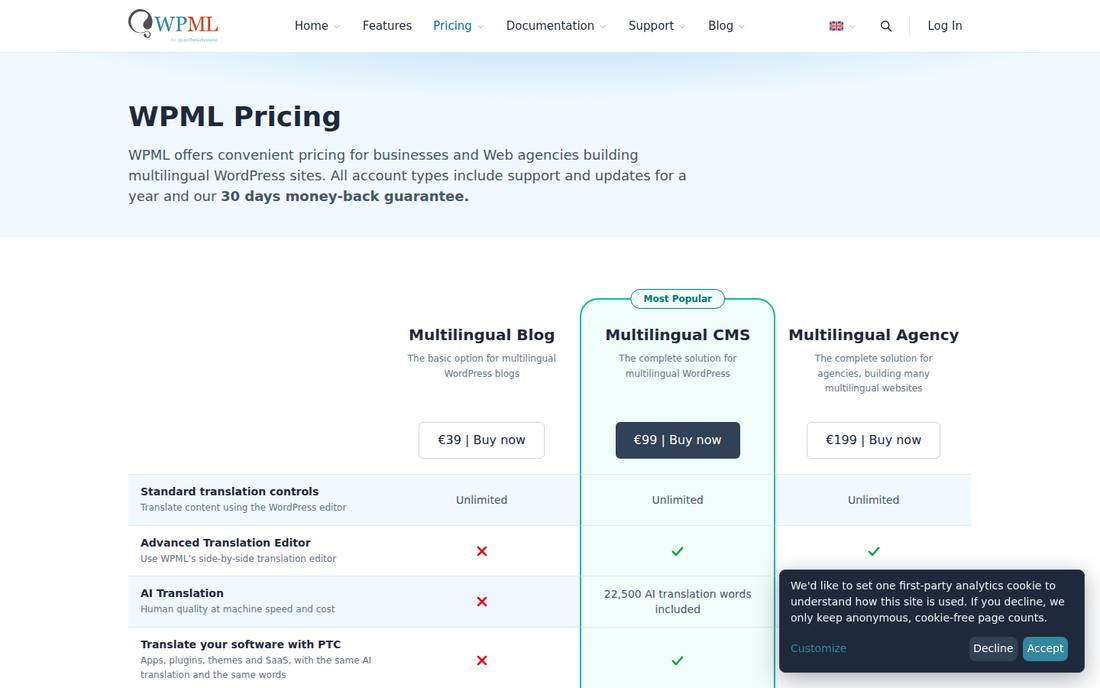
Purchase page, 13 Nov 2026: Multilingual Blog 39 EUR, Multilingual CMS 99 EUR, Agency 199 EUR per year.
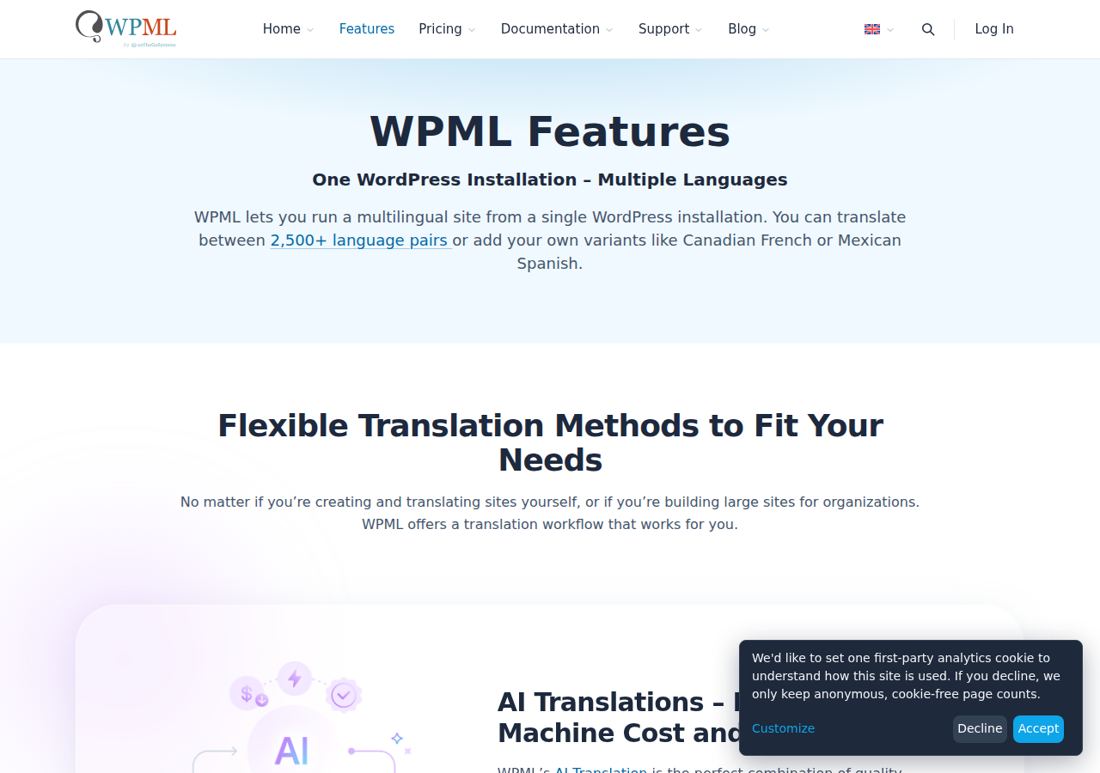
Feature page: translation of posts, pages, custom types, WooCommerce products and theme strings.
PRO

WPML Multilingual Blog, CMS and Agency

Blog 39 EUR/yr; CMS 99 EUR/yr; Agency 199 EUR/yr; automatic translation credits billed separately

WPML's licence tiers are about scope, not volume: Blog covers posts and pages, CMS adds custom post types and WooCommerce, Agency removes the site limit for client work. The price is annual and modest - 39 to 199 EUR - which is why the licence is rarely the objection. The objection is what comes next: each language needs translated content, and WPML's automatic translation is priced in credits on top of the licence. A five-language site with 200 pages can spend more on translation in the first month than on three years of WPML. Budget for that before you buy, and decide whether the translation is done by a machine pass plus a human review, or by a professional who charges per word.

What the paid tier adds
  • +Custom post types and WooCommerce translation on CMS
  • +String translation for themes and plugins
  • +Translation management with translator accounts
  • +Automatic translation via machine engines, billed in credits
  • +Language switchers, menus and slug translation
  • +Agency licence for multiple client sites
Licence

Blog and CMS are single-site licences; Agency covers client sites.

What it does not change
  • –No content translation included in the licence - credits are extra
  • –No hosting or CDN; hreflang and URLs are handled, delivery is not
Documented from wpml.org/purchase and the feature pages on 13 November 2026. No licence or translation credits were purchased.Sources: WPML purchase page · WPML features

Screenshot walkthrough

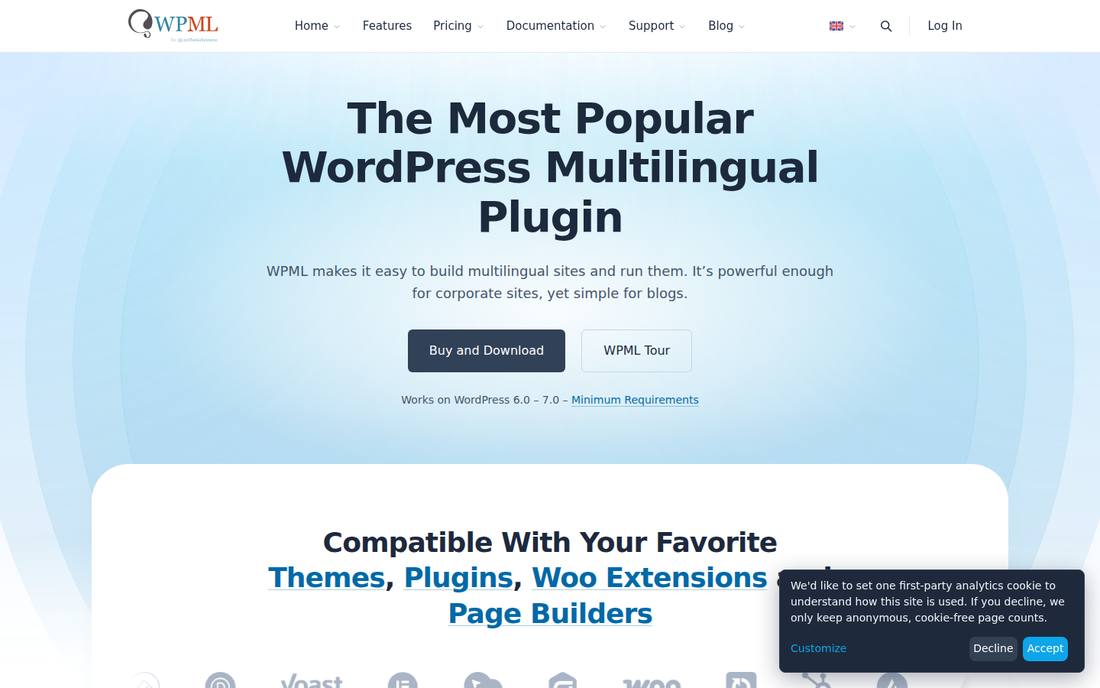
  1. Homepage: sells a multilingual site as one install with language switchers, not a network of parallel sites.
    1. Homepage: sells a multilingual site as one install with language switchers, not a network of parallel sites.
  2. Pricing: Blog 39 EUR, CMS 99 EUR, Agency 199 EUR a year - the middle tier is the one most business sites need.
    2. Pricing: Blog 39 EUR, CMS 99 EUR, Agency 199 EUR a year - the middle tier is the one most business sites need.
  3. Features: posts, pages, custom post types, WooCommerce products, menus and theme strings all translate in one workflow.
    3. Features: posts, pages, custom post types, WooCommerce products, menus and theme strings all translate in one workflow.
  4. Affiliate page: a public programme, which makes this review eligible for affiliate links later.
    4. Affiliate page: a public programme, which makes this review eligible for affiliate links later.

Where to get it

No affiliate program: this links to the official site.

Reader reviews

Loading reader ratings...

0 comments

Disclosure. This review contains no affiliate links — we are not enrolled in an affiliate programme for this product, although several tools in this category run one. Links point to the official website and cost you nothing extra.

Last updated 2026-11-27. Test conditions and results are documented in the “What we tested” section.

Prices and promotions are re-checked every Monday by an automated check; the last run was 2026-11-27. A change is published only after a person verifies it — see how we test.