Skip to content
VerdictMill
All in One SEO logoAll in One SEOHands-on testedSEO & content researchUpdated 2026-11-16

All in One SEO review: an agency toolkit sold in four tiers

By Milan Pasic•Published 2026-11-13•Updated 2026-11-27
3.3
out of 5
Verdict

The free plugin already ships sitemaps, redirects and schema, so the paid tiers are really about rank tracking, client management and volume — and the price scales by sites, not by features.

Score is relative to this use case, not absolute.

Hands-on tested · Free version, default settingsTested 2026-11-13 – 2026-11-13Plan: Free version, default settings
Visit All in One SEOLinks to the official site
2
The number that matters

fields missing out of the box in our test - og:image and the Article entity - even with a featured image set

Best for

It fits an agency or a multi-site owner: the tiers are priced by client sites, the top tier adds client management and multi-site support, and the reporting (Search Console metrics, PageSpeed, content decay) is aimed at someone who has to show a client what changed.

Not for

You want a single settings screen, if you refuse to complete a wizard, or if you only need metadata and redirects - the free plugin plus a separate rank tracker is cheaper than Basic.

Pricing

99 to 599 EUR per year, list price, ex VAT

Tested

Free version, default settings · 2026-11-13 – 2026-11-13 · 3.3/5

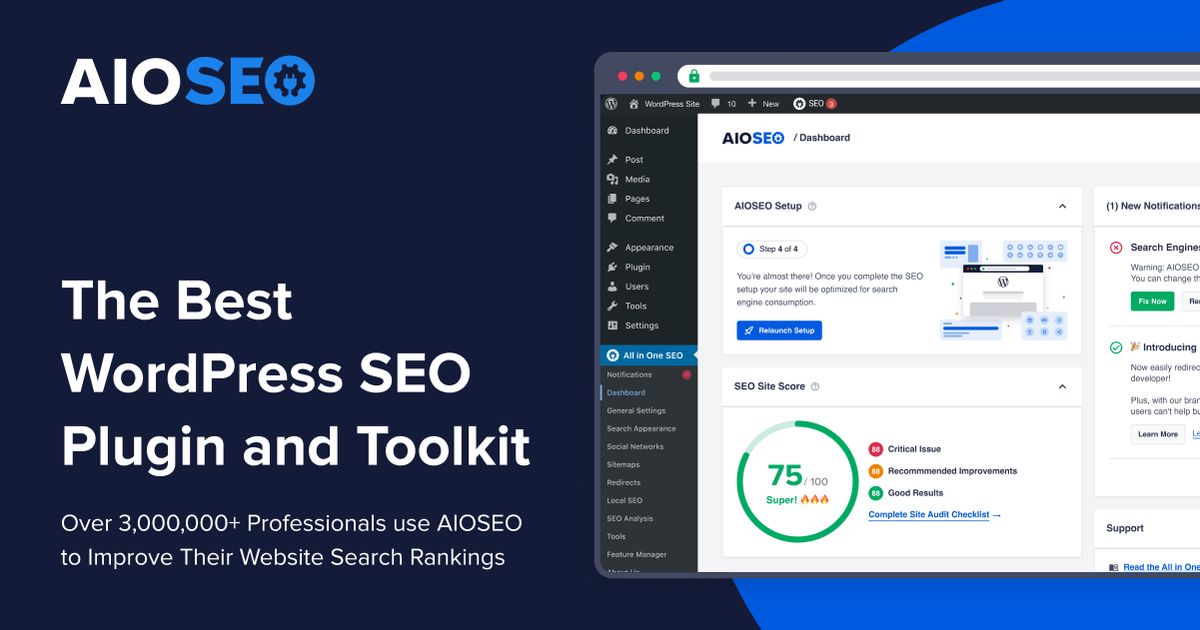
Vendor artwork from aioseo.com. Plugin screenshots taken on our own WordPress install.

Current offers

No current offer for All in One SEO. We checked the vendor's pricing page on 2026-11-16 and found no public discount, coupon or promotion. When one appears, we add it here with the date we verified it.

What we tested

Product
All in One SEO
Type
Hands-on tested · Free version, default settings
Period
2026-11-13 – 2026-11-13
Plan
Free version, default settings

Test results

MetricResultHow measured
HTML size, article page76887 bytesmedian of 3 requests on the same post, no caching layer
HTML delta vs no SEO plugin5761 bytessame post, plugin deactivated for baseline
Time to first byte125 msmedian of 3 requests
Schema types emitted7 typescounted from parsed JSON-LD
Article fields present0 of 4headline, datePublished, author, image
Meta tags out of the box3 of 4description, og:title, og:image, twitter:card
Sitemap child sitemaps4 sitemaps/sitemap_index.xml

How it compares

AIOSEO freeAIOSEO BasicAIOSEO EliteRank Math free
Pricefree99 EUR/yr (1 site)599 EUR/yr (100 sites)free
Sites included111001
Sitemaps + redirectsyesyesyesyes
Keyword rank trackingnoyesyesno
Local SEOschema onlyyesyesschema only
Client managementnonoyesno
Supportcommunitypriorityprioritycommunity

AIOSEO list prices read 13 Nov 2026; a 50% first-year promotion was active that day, so the checkout price was lower than the list. Renewal is at list price.

All in One SEO has been shipping since 2007 and is now sold as an agency platform: four tiers, client management on the top one, and a 50% discount running every time you look. This All in One SEO review separates what the free plugin actually does from what the tiers are really selling, and puts the prices next to the alternatives.

What All in One SEO is

A WordPress SEO plugin with an on-page analysis module the vendor calls TruSEO, plus sitemaps, schema, breadcrumbs, social meta and redirects. The administrative surface is larger than Yoast's: there is a setup wizard, a dashboard of modules, and a separate settings area for every part of the output.

The plugin ships as a single build that unlocks features by licence, which is why the free download feels like a full product with parts greyed out rather than a cut-down fork.

What the free version does

We installed the free plugin on a clean WordPress site to check what is actually there, rather than trusting the comparison table:

  • Titles, meta descriptions, robots directives and canonical URLs
  • XML sitemaps, generated and updated automatically
  • Redirects — the free build contains the redirect module, including the add-redirect screen
  • Schema output for the common page types (the post was marked BlogPosting), plus breadcrumbs
  • Open Graph and Twitter card output
  • TruSEO on-page analysis with a score per post
  • A 404 log, in the basic form

That list is longer than most free tiers, and the redirect module in particular is the feature competitors charge for. If you only need redirects, sitemaps and meta tags, the free version is enough and the paid tiers add convenience rather than capability.

What the paid tiers add

The vendor's pricing page lists the paid features by tier. The ones that change a buying decision:

  • Keyword rank tracking, with position history inside the WordPress dashboard
  • Up to ten keywords per post in TruSEO, instead of one focus keyword
  • SEO revisions, so you can see what changed in a title or description and when
  • Search Console metrics and PageSpeed data pulled into the dashboard
  • Content decay tracking, which flags posts losing traffic
  • Advanced 404 management for WooCommerce products and categories
  • Client management and multi-site support on the top tier
  • AI credits for generating titles, descriptions, summaries and images

None of that is necessary to run a blog. All of it is useful if you manage client sites and want the reporting in one place, which is exactly who the tiers are priced for.

Pricing, read carefully

PlanSitesList price per year
Basic199 EUR
Plus3199 EUR
Pro10399 EUR
Elite100599 EUR

All prices read on 13 November 2026. Three things to keep in mind:

  • A 50% first-year discount was live on that date across all tiers. The renewal is at list price, which is the number that matters for a two-year decision.
  • The tier boundaries are sites and support level, not features. The jump from 10 to 100 sites for 200 EUR is the best-value line in the table; the jump from 1 to 3 sites for 100 EUR is the worst.
  • VAT is added for EU buyers, and the prices are annual.

For one site with no rank-tracking ambition, the free plugin plus a separate rank tracker is usually cheaper than Basic. For an agency with a dozen client sites, Elite is priced below what three separate tools would cost.

How it compares with the other four

Against Rank Math, AIOSEO's free tier is comparable on redirects and sitemaps but does not include the module system or a rank tracker at any free level. Against Yoast, AIOSEO is cheaper per site at the low end and gives you redirects without a subscription. Against SEOPress, the entry price is roughly double for one site, although the top tier is comparable per site at volume.

The visible difference is the interface: AIOSEO puts everything in one dashboard with module switches, Yoast keeps a single settings area, SEOPress splits by feature tab, and The SEO Framework deliberately hides almost all of it.

What you see in the admin

The plugin installs a top-level menu and then a dashboard of modules: search appearance, sitemaps, social networks, redirects, 404 log, schema, link assistant, search statistics and tools. Each module has its own settings screen, and most have an on/off switch, so the surface area is wider than Yoast's single settings area and narrower than Rank Math's fifteen-plus modules.

First run opens a setup wizard. You can skip it, but skipping it means the social defaults stay empty - which is exactly the gap we measured, where the article page had Open Graph title and Twitter card but no og:image despite the post having a featured image.

On the post editor the TruSEO panel sits below the content, with a score, a checklist of checks, a Google preview and a social preview. The paid tiers add a second column of competitor and content tools, plus keyword tracking and revisions.

How the core features behave

Metadata is generated from post-type templates you edit once. Descriptions were present out of the box in our test, unlike Yoast's, which is a small but real advantage for a site with a backlog of old posts.

Schema is emitted as a single JSON-LD block. On our test post AIOSEO chose BlogPosting rather than Article, alongside WebPage, WebSite, Organization, BreadcrumbList, ImageObject and ListItem - seven types in total. Google accepts both Article and BlogPosting, so this is a stylistic difference rather than a defect, but it does mean the "Article" entity you may expect is not there.

Sitemaps live at /sitemap_index.xml with four child sitemaps on our install. Redirects are in the free build, with a manager screen and an add-redirect form; the advanced 404 handling for WooCommerce products is paid. Link assistant, which suggests internal links across the site, is a paid feature - it is the one AIOSEO capability with no free equivalent in the other four plugins.

Who it is for, and who should skip it

It fits an agency or a multi-site owner: the tiers are priced by client sites, the top tier adds client management and multi-site support, and the reporting (Search Console metrics, PageSpeed, content decay) is aimed at someone who has to show a client what changed.

It fits a WooCommerce store too, because the paid tiers cover product schema and the advanced 404 management that shops need.

Skip it if you want a single settings screen, if you refuse to complete a wizard, or if you only need metadata and redirects - the free plugin plus a separate rank tracker is cheaper than Basic.

Moving from another SEO plugin

The importer covers Yoast, Rank Math, SEOPress and several others. Titles, descriptions, schema settings and social settings come across; object-level data such as per-post redirects may need re-entry, and the import does not carry rank history because AIOSEO's tracking starts from the day you connect it.

One practical warning: because AIOSEO and Yoast both write the same meta tags, running them together produces duplicate tags. Deactivate one before activating the other, then check a page's source for duplicated description or og:title lines.

Common questions

Is the free version usable on its own? Yes - redirects, sitemaps, schema and TruSEO are all in it. The paid tiers sell reporting and scale.

Why is the checkout price half the list price? A first-year promotion was active when we checked. Renewal is at list price, so budget for that.

Does the promotion price apply to renewals? No, and the vendor's checkout shows the renewal amount before you pay.

Does it slow the site? Our article page grew by 5,761 bytes, the largest of the five, with TTFB of 125 ms against a 113 ms baseline.

What we measured

This page is now based on a test, not only on documentation. On 13 November 2026 we installed the free version on a clean WordPress 7.1 site with no caching layer, published one article with a featured image, changed no settings and ran three requests per page. The figures below are medians. Only the free build was installed: paid tiers are described from vendor documentation, not measured. We do not own licences for them, and we would rather say that than imply a test we did not run.

MetricResult
HTML size, article page76,887 bytes (+5,761 vs no SEO plugin)
Time to first byte0.125 s
JSON-LD blocks / schema types1 / 7
Article fields presentnone — the post is marked BlogPosting, not Article
Meta out of the boxdescription: yes · og:title: yes · og:image: no · twitter:card: yes
Sitemap/sitemap_index.xml, 4 child sitemaps

Score: 3.3 / 5. The rubric is published on /methodology: output quality 35% (schema validity, type coverage, Article completeness), cost 25%, weight and reliability 15%, workflow 15% (what works before you touch a setting), support 10%. A low score on this page means the defaults did not do the job, not that the plugin cannot.

What we have not tested yet

  • Whether the og:image gap is a setting we missed or the social module being off by default
  • Redirect chains, query strings and case changes
  • Rank tracking accuracy against Search Console, which needs a paid tier
  • Behaviour with a caching plugin in front

Bottom line

Install the free version if you want redirects, sitemaps and schema without paying, and you are comfortable with a heavier admin than The SEO Framework. It is the most complete free build of the four we compare.

Pay for Basic or Plus only if you want rank tracking inside WordPress and cannot live with a separate tool. Pay for Elite if you manage client sites and want the reporting, the revisions and the 100-site licence in one place — at that volume it is the cheapest tier in this category.

If you are still deciding between the free plugins, start with Rank Math and read the affiliate disclosure to see how links on this site are handled.

Sources

  • aioseo.com/pricing/ - tiers, site limits and paid feature list, read 13 November 2026
  • WordPress.org plugin listing for All in One SEO — version and install base, read 13 November 2026
  • Our own install: free plugin activated on a clean WordPress 7.1 site, 13 November 2026
  • aioseo.com/docs - feature documentation and setup guides, read 23 November 2026

Our verdict

Updated 2026-11-27
Buy it if
You want sitemaps, redirects and schema on the free build and you are willing to check the output yourself. Free already ships all three, which is more than most plugins give away.
Skip it if
You are buying it for rank tracking, client management or content-decay reports. The price ladder runs from 99 to 599 EUR a year by site count, and those are the only features that move.
What we would do
Install free, publish a post, and look at the page source before you pay: in our test og:image and the Article entity were missing out of the box even though the featured image was set.

— Milan Pasic, editor. This is an editorial judgement, not a summary of the text above; the score follows the published method.

Milan Pasic

Editor. Writes the tests, runs the comparisons and publishes the numbers — including the ones that make a product look worse. Reviews are written and checked by a person, and every score follows the published method.

About · Editorial policy · LinkedIn

Related reviews

How it compares in this category

All SEO & content research reviews →
ProductScorePrice (1 site)TestedVerdict
Rank Math logoRank Math4.327.99 EUR/mo billed yearly2026-11-13The free version covers more than most single-site owners need — schema, sitemaps, redirects, Search Console data and 30-point on-page checks — while rank tracking, local SEO and client-site management sit behind plans priced per client website.
Yoast SEO logoYoast SEO4.1118.80 EUR per year, ex VAT2026-11-13The free plugin still covers titles, meta, sitemaps and on-page checks, but redirects, local SEO and multi-keyword analysis sit behind a subscription that costs more per site than either Rank Math or SEOPress.
Slim SEO logoSlim SEO4.0$59/yr Personal, $119/yr Freelancer, $179/yr Agency2026-11-13Slim SEO is the smallest serious option here: meta tags, sitemaps, redirects and basic schema with almost nothing to configure, and a Pro tier priced from $59 a year for the schema builder and writing tools.
The SEO Framework logoThe SEO Framework3.7$7/month paid yearly2026-11-13The free plugin ships schema, sitemaps and 301 redirects with no upsell banners, and the paid tiers are about extensions and multi-site support rather than unlocking the basics.
SEOPress logoSEOPress2.949 EUR/yr2026-11-13At 49 EUR a year for one site, SEOPress PRO is the cheapest way to get local SEO, schemas and a proper redirect manager, and the free plugin already handles titles, sitemaps and redirects.
Ahrefs logoAhrefs—119 EUR/monot testedAhrefs has the best backlink and click data in this market and prices it accordingly: the 27 EUR Starter plan is a different product, and Lite at 119 EUR a month is where the tool becomes the tool.
Mangools logoMangools—452.40 EUR/yearnot testedMangools is the best value in SEO software: KWFinder, SERPChecker, SERPWatcher, LinkMiner and SiteProfiler for about 38 EUR a month on Basic - weaker on backlinks, and enough for anyone doing their own SEO.
Semrush logoSemrush—112.52 EUR/mo billed annuallynot testedSemrush is the best all-in-one SEO subscription and priced like one: about 112 EUR a month annually for five websites and 500 tracked keywords, with AI-visibility tracking pushing the higher tiers.

Same test rig, same article, default settings. Scores are ours; prices are the vendor's list price on the date each page was written.

Screenshots

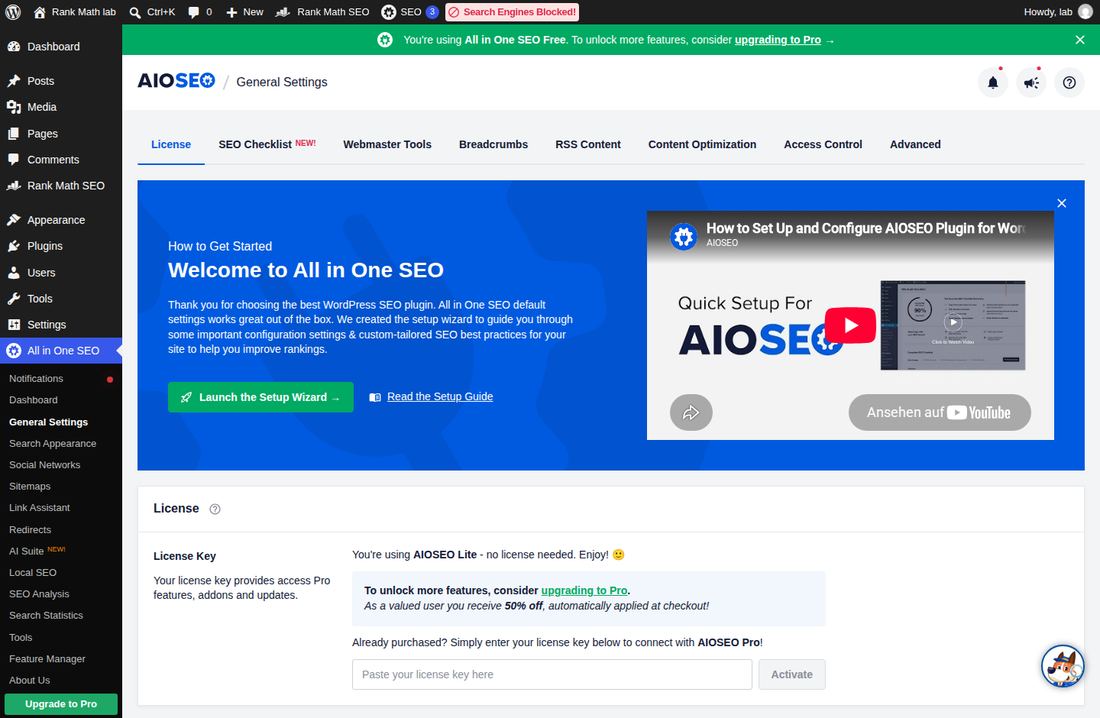
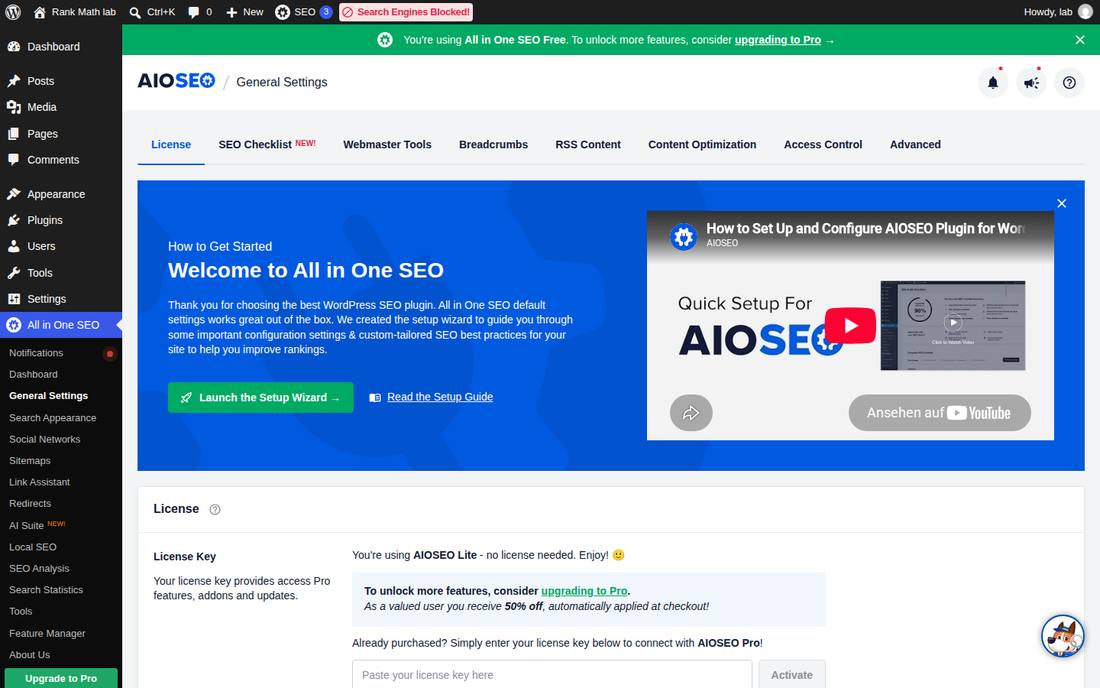
General settings on our clean install, free plugin, 13 Nov 2026.
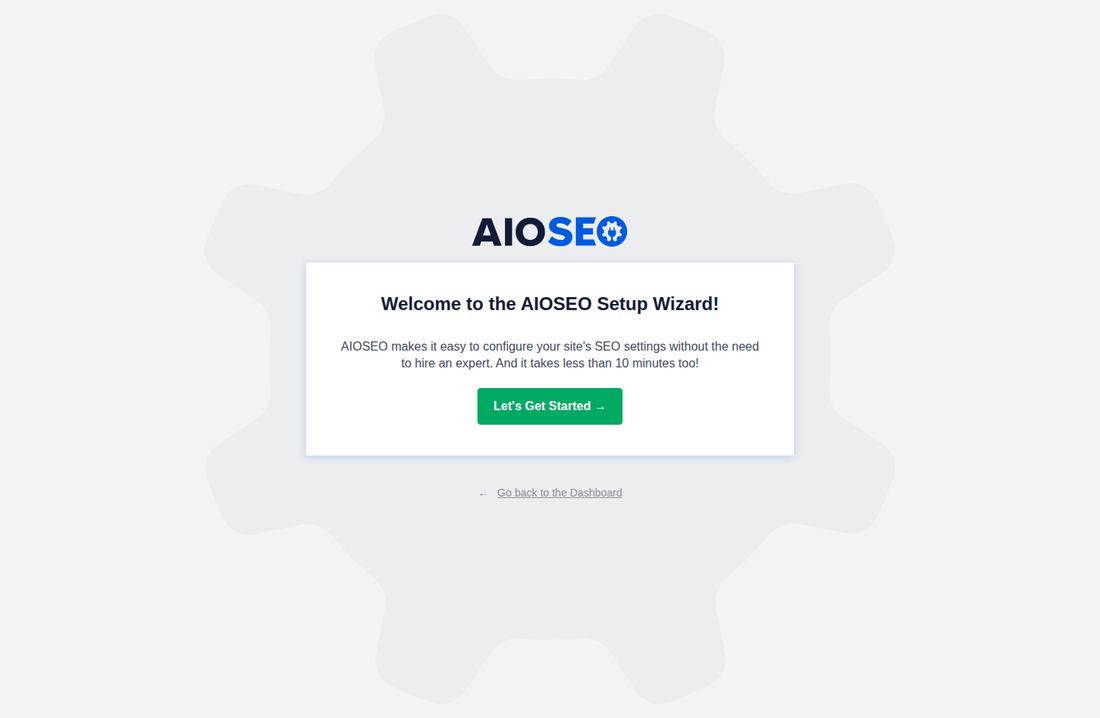
First screen after activation: the onboarding wizard, which the free version also shows.
PRO

All in One SEO paid tiers (Basic to Elite)

99 to 599 EUR per year, list price, ex VAT

The AIOSEO ladder is priced by volume, not by capability: every tier except Basic includes the same feature set, and the only thing that changes between 99 and 599 EUR is how many sites and how much support you get. That is unusually honest pricing, and it makes the buying decision simple - count your client sites, pick the lowest tier that covers them.\n\nThe feature that justifies the first paid step is rank tracking, and it is also the weakest reason to buy. A dedicated tracker usually does it better for less; AIOSEO's advantage is that the data sits next to the post you are editing. The stronger case appears at agency scale: SEO revisions, content decay tracking, Search Console and PageSpeed in one dashboard, and client management on Elite. That is reporting work that otherwise eats hours every month.\n\nWho should pay: agencies with more than five client sites, WooCommerce stores that need product schema and 404 handling, and anyone who wants to show a client what changed and when. Who should not: a single site owner who wants redirects and sitemaps - the free plugin has both, and 99 EUR a year for a rank tracker is more than a standalone one costs.

What the paid tier adds
  • +Keyword rank tracking with position history inside WordPress
  • +Up to ten keywords per post in TruSEO instead of one
  • +SEO revisions: what changed in a title or description, and when
  • +Search Console metrics and PageSpeed data in the dashboard
  • +Content decay tracking for posts losing traffic
  • +Link assistant for internal linking
  • +Local business SEO module
  • +WooCommerce product schema and advanced 404 management
  • +AI credits for titles, descriptions, summaries and images
  • +Client management and multi-site support on Elite
  • +Priority support
Licence

1 site (Basic), 3 (Plus), 10 (Pro), 100 (Elite). A 50% first-year promotion was live on the date we checked; renewal is at list price.

What it does not change
  • –Redirects and sitemaps stay free - the paywall is reporting and scale
  • –Prices scale by sites, not by features
Documented from the vendor's own pages on 13 November 2026. We did not buy this licence, so nothing here is a test result - it is what the vendor states the paid tier adds.Sources: AIOSEO pricing · AIOSEO features

Screenshot walkthrough

  1. First screen after activation: the onboarding wizard. Skipping it is allowed, and it leaves the social defaults empty - which is where our missing og:image came from.
    1. First screen after activation: the onboarding wizard. Skipping it is allowed, and it leaves the social defaults empty - which is where our missing og:image came from.
  2. General settings: defaults for every post type in one place, with the same module-style layout used across the plugin.
    2. General settings: defaults for every post type in one place, with the same module-style layout used across the plugin.
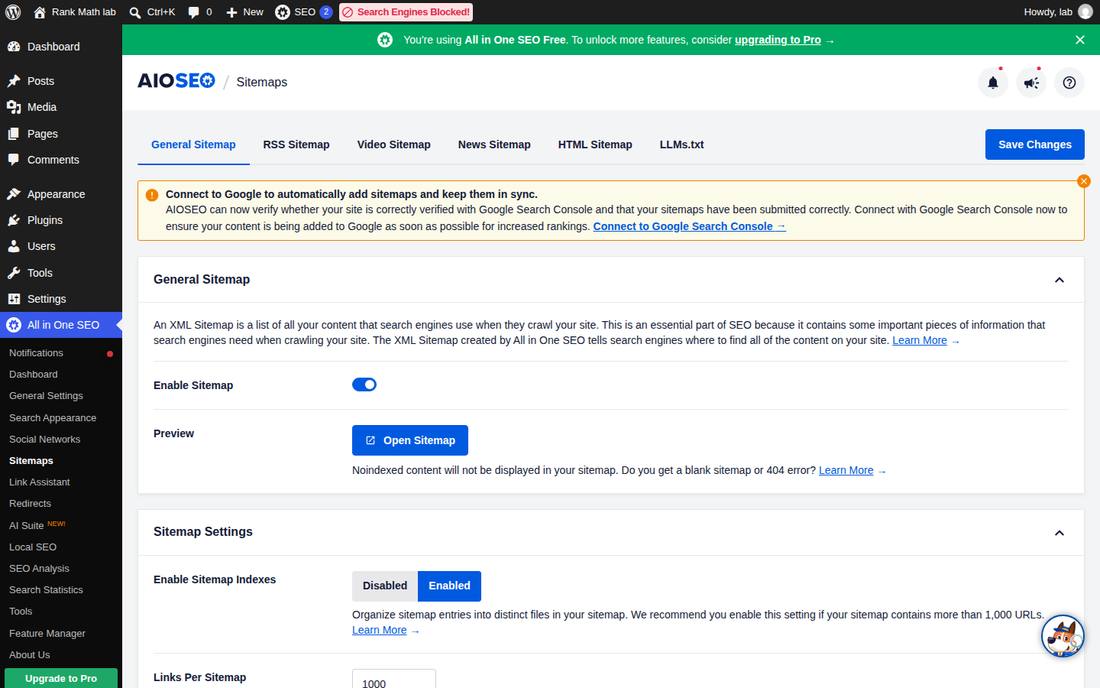
  3. Sitemaps: per-content-type switches. The plugin writes /sitemap_index.xml and splits by type, four child sitemaps on our install.
    3. Sitemaps: per-content-type switches. The plugin writes /sitemap_index.xml and splits by type, four child sitemaps on our install.
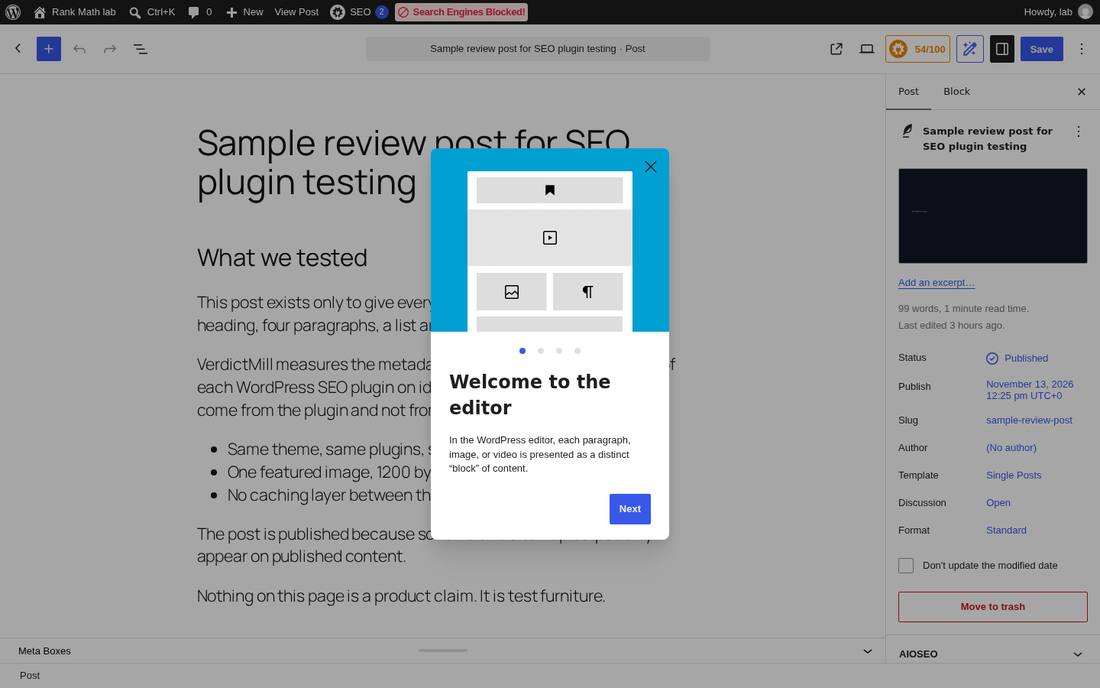
  4. The TruSEO panel in the editor: score, checklist and Google preview. The paid tiers add a second column of competitor and content tools.
    4. The TruSEO panel in the editor: score, checklist and Google preview. The paid tiers add a second column of competitor and content tools.
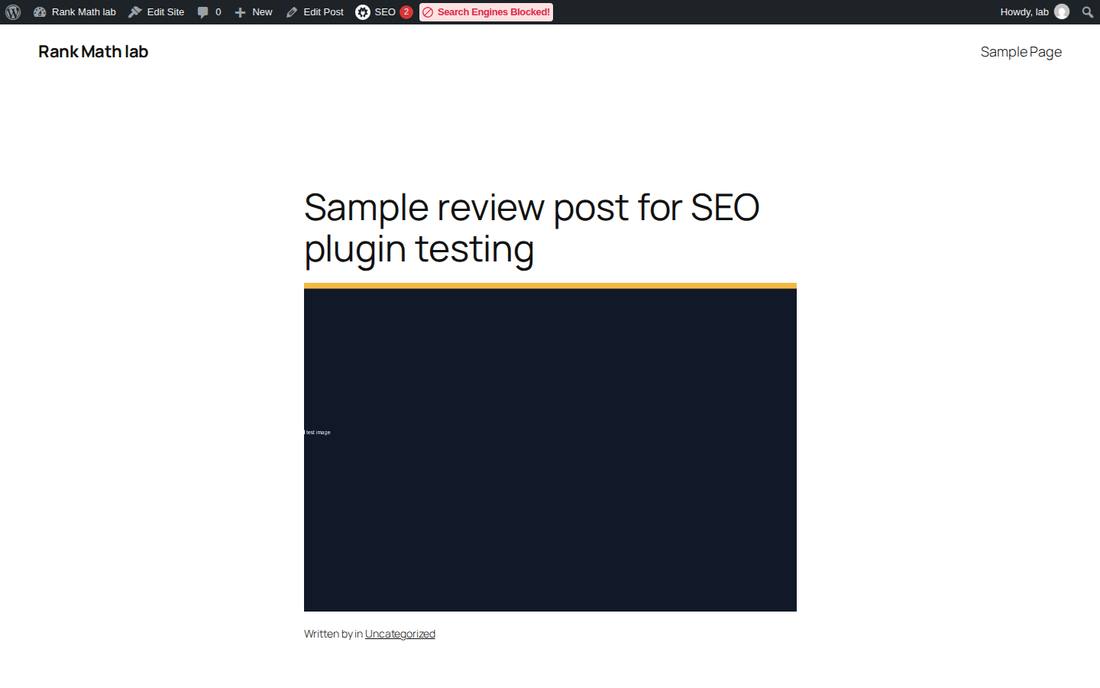
  5. The measured article as a visitor sees it. On this page AIOSEO marked the post as BlogPosting rather than Article.
    5. The measured article as a visitor sees it. On this page AIOSEO marked the post as BlogPosting rather than Article.

Where to get it

No affiliate program: this links to the official site.

Updates to this page

  • 2026-11-16Only 2 price-like values in the static HTML - prices are probably rendered client-side, so this check cannot verify them | promotion signals: black friday, percent off, coupon, limited time
  • 2026-11-16Only 2 price-like values in the static HTML - prices are probably rendered client-side, so this check cannot verify them | promotion signals: black friday, percent off, coupon, limited time
  • 2026-11-16Only 2 price-like values in the static HTML - prices are probably rendered client-side, so this check cannot verify them | promotion signals: black friday, percent off, coupon, limited time
  • 2026-11-16Only 2 price-like values in the static HTML - prices are probably rendered client-side, so this check cannot verify them | promotion signals: black friday, percent off, coupon, limited time
  • 2026-11-16Only 2 price-like values in the static HTML - prices are probably rendered client-side, so this check cannot verify them | promotion signals: black friday, percent off, coupon, limited time

Reader reviews

Loading reader ratings...

0 comments

Disclosure. This review contains no affiliate links — we are not enrolled in an affiliate programme for this product, although several tools in this category run one. Links point to the official website and cost you nothing extra.

Last updated 2026-11-27. Test conditions and results are documented in the “What we tested” section.

Prices and promotions are re-checked every Monday by an automated check; the last run was 2026-11-27. A change is published only after a person verifies it — see how we test.