

Yoast SEO is the plugin most people mean when they say SEO plugin. It has been in the WordPress repository since 2010, it outputs structured data and sitemaps without configuration, and its traffic-light analysis taught a generation of writers what a meta description is. This Yoast SEO review looks at what the free version does in 2026, where the paid version starts, and whether the subscription is worth 118.80 EUR a year for one site.
What Yoast SEO is
A plugin that handles titles and meta descriptions, canonical URLs, robots directives, XML sitemaps, breadcrumbs, Open Graph and Twitter cards, and a fixed set of schema types. It adds two analysis panels to the editor: one for SEO, one for readability. It imports settings from other SEO plugins, which is why switching away from it is usually painless: the export side is well documented.
The free version is not a demo. On a single site with no redirect requirements, it will run for years without a subscription, and that is exactly why so many sites still use it.
What the free version does
- Titles, meta descriptions and snippet previews for posts, pages, archives and taxonomies
- Canonical URLs, robots meta, and noindex controls per content type
- XML sitemaps, generated automatically and submitted to Google and Bing
- Breadcrumbs, with a block and a shortcode for themes
- Structured data output for the page types Yoast supports, plus FAQ and HowTo blocks
- SEO and readability analysis with a per-post score
- Open Graph and Twitter card output
- Import from All in One SEO, Rank Math, SEOPress and several retired plugins
What the free version does not include is the part that breaks sites over time: redirects when a URL changes, a second and third keyphrase per article, internal link suggestions, and local business data.
Where the paid version starts
Yoast SEO Premium is sold per site, at 118.80 EUR per year excluding VAT (price read on 13 November 2026). One subscription covers one domain; agencies buy several or negotiate bulk pricing.
The Premium bundle includes three plugins that used to be separate purchases: Local SEO, News SEO and Video SEO. On that basis alone the price is defensible for a local business or a publisher, because the same features separately cost more than the bundle.
Premium adds, according to the vendor's own description:
- Redirects, including bulk import by CSV, and a prompt when a published URL changes
- Up to five keyphrases per post, with synonyms and word forms in more than 20 languages
- Internal link suggestions, so orphaned posts get found
- Bulk editing of titles and descriptions, with AI drafting that you review before it saves
- Content planner and AI-assisted drafting features
The money question is simple: if your site never moves a URL and you do not need local business markup, the free version does the job. If you migrate content, rename slugs, or run a business with locations, you will end up paying, and the redirects alone justify it.
Pricing, read carefully
| Plan | Sites | Price |
|---|---|---|
| Free | unlimited | 0 |
| Premium | 1 per subscription | 118.80 EUR per year, ex VAT |
Three details that change the effective cost: the subscription is per site rather than per seat, VAT is added for EU buyers, and the local SEO, news and video plugins are only licensed while the subscription is active. Let it lapse and the markup keeps working, but the features stop, which is the same pattern every commercial SEO plugin uses.
How it compares with the other four
Against Rank Math, Yoast is the more conservative product: fewer modules, less surface area, no rank tracking and no local SEO in the free version. Against SEOPress, Yoast is roughly two and a half times the price per site for a similar bundle. The SEO Framework beats both on the free tier if you want schema and redirects without paying anything, at the cost of a smaller ecosystem and less hand-holding.
The honest summary: Yoast sells clarity. The interface is the most opinionated of the five, the analysis is easier to explain to a client, and the documentation is the deepest. You pay for that clarity, not for features.
What you see in the admin
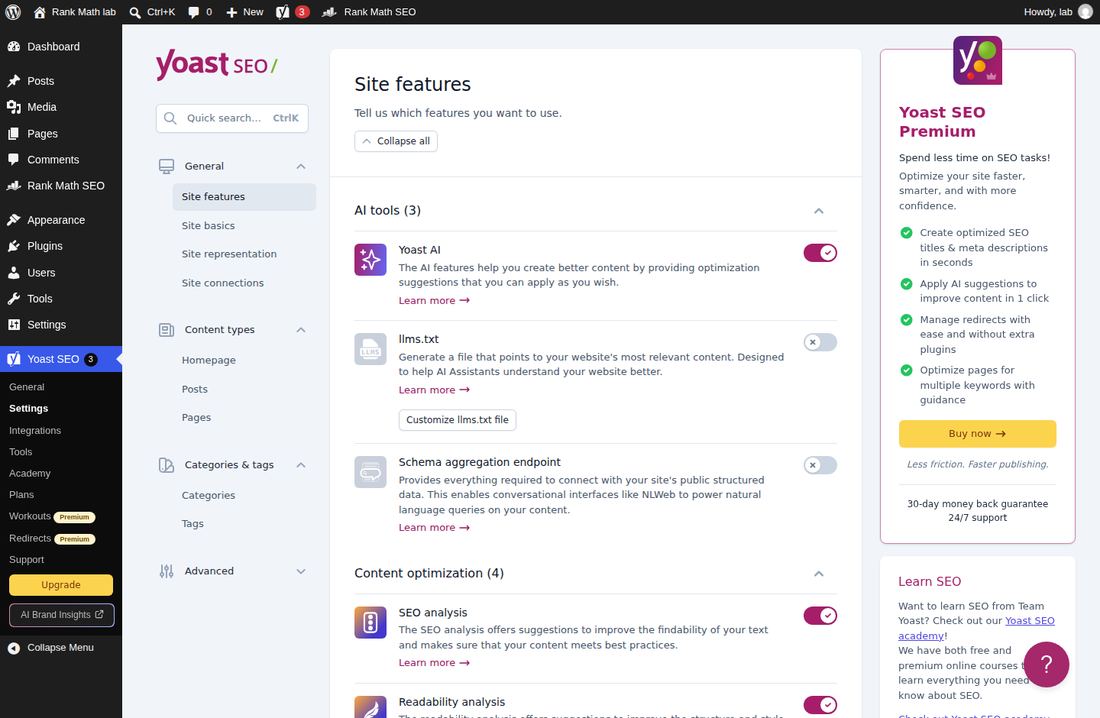
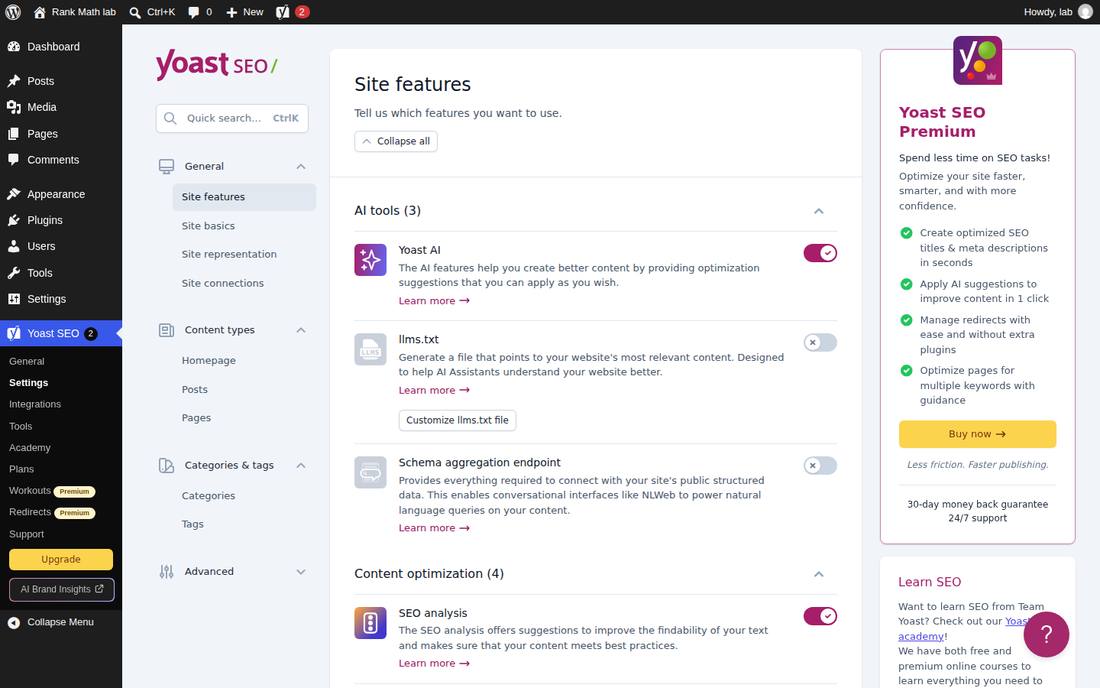
The plugin adds one top-level menu, and inside it a single settings area split into tabs: site basics and site representation, social profiles, content types, taxonomies, and advanced settings for breadcrumbs and the like. You do not configure output per post; you configure templates once, and every new article inherits them.
On the post editor there is a Yoast panel below the content with two tabs, SEO and readability, a Google snippet preview, a focus keyphrase field, and collapsible sections for social previews and schema. In the free version that panel has one keyphrase slot; Premium turns it into five, adds synonyms, and adds internal-link suggestions.
Two structural details that are easy to miss: Yoast builds and maintains its own database table of "indexables" - one row per URL - which is what makes the analysis and the internal-link suggestions fast on large sites, and it is also why removing the plugin leaves tables behind unless you clean up. And the plugin ships a block for breadcrumbs and blocks for FAQ and HowTo, so structured content can be added without touching code.
How the core features behave
Titles and descriptions are generated from templates with variables, and the snippet preview shows truncation as you type. Descriptions are not written automatically in the free version beyond a fallback, which is why our test post ended up with no meta description until the setup wizard is completed - a real-world detail worth knowing before you publish 200 articles.
Schema is generated automatically for the page types Yoast supports, and on our test it produced eleven distinct types including a complete Article entity with headline, date, author and image. That is the richest default output of the five plugins we tested. Per-page schema editing sits in Premium.
Sitemaps live at /sitemap_index.xml and split by content type; our install produced four child sitemaps. Redirects are Premium only, which is the single most common reason people upgrade after a migration.
Who it is for, and who should skip it
It suits a writer or a small team that wants one opinionated workflow: write, check the lights, publish. It also suits agencies that hand a site to a client, because the interface is the easiest of the five to explain on a call.
Skip it if you migrate content regularly and will not pay for Premium, if you need local business markup on a budget, or if you want rank tracking inside WordPress - Yoast does not track rankings at any tier.
Moving from another SEO plugin
The importer handles All in One SEO, Rank Math, SEOPress and several retired plugins. Titles, descriptions, robots settings, social settings and schema settings are carried over; rank history, redirect logs and plugin-specific options that have no equivalent are not. Deactivating Yoast does not delete your content metadata, but your titles revert to whatever the theme outputs, so keep a copy of the templates before you switch.
Common questions
Is the free version enough for a blog? Yes, if you never move URLs. The missing pieces are redirects, extra keyphrases and local data.
Can I use one subscription on two sites? No. Premium covers one site or domain; bulk pricing is available at checkout.
Does it slow the site down? On our test the article page grew by 3,930 bytes and TTFB was 115 ms, against 113 ms baseline. That is not the reason to avoid it.
What happens if I stop paying? The schema and metadata that is already in the database keeps working, but the plugin features behind the licence stop.
What we measured
This page is now based on a test, not only on documentation. On 13 November 2026 we installed the free version on a clean WordPress 7.1 site with no caching layer, published one article with a featured image, changed no settings and ran three requests per page. The figures below are medians. Only the free build was installed: paid tiers are described from vendor documentation, not measured. We do not own licences for them, and we would rather say that than imply a test we did not run.
| Metric | Result |
|---|---|
| HTML size, article page | 75,056 bytes (+3,930 vs no SEO plugin) |
| Time to first byte | 0.115 s |
| JSON-LD blocks / schema types | 1 / 11 |
| Article fields present | headline, datePublished, author, image — 4/4 |
| Meta out of the box | description: no · og:title: yes · og:image: yes · twitter:card: yes |
| Sitemap | /sitemap_index.xml, 4 child sitemaps |
Score: 4.1 / 5. The rubric is published on /methodology: output quality 35% (schema validity, type coverage, Article completeness), cost 25%, weight and reliability 15%, workflow 15% (what works before you touch a setting), support 10%. A low score on this page means the defaults did not do the job, not that the plugin cannot.
What we have not tested yet
- Redirect chains and query strings — the redirect module is not in the free plugin, so there was nothing to test
- Behaviour with a caching plugin in front (our lab has none, deliberately)
- Non-English content: whether the analysis scores hold up
- What the Premium AI drafting actually produces, since we tested the free build only
Bottom line
Install the free version if you have one site, no redirect needs and no locations. It is still the least surprising SEO plugin to hand to a writer who has never opened a settings screen.
Pay for Premium if you migrate content regularly, run a local business, or need more than one keyphrase per article — and treat the bundled Local SEO, News and Video plugins as the real reason the price makes sense. If you mainly want redirects and schema for less money, look at Rank Math or SEOPress before you buy.
Sources
- yoast.com/wordpress/plugins/seo/ - product page, read 13 November 2026
- yoast.com/wordpress/plugins/seo/pricing/ - Premium price and inclusions, read 13 November 2026
- WordPress.org plugin listing for Yoast SEO — version and install base, read 13 November 2026
Affiliate note: this page contains no affiliate links to Yoast. If that changes, the affiliate disclosure explains how we mark it.








Reader reviews
Loading reader ratings...