
Skip to content
VerdictMill
Slim SEO logoSlim SEOHands-on testedSEO & content research

Slim SEO review: the plugin that refuses to have settings

By Milan Pasic•Published 2026-11-13•Updated 2026-11-27
4.0
out of 5
Verdict

Slim SEO is the smallest serious option here: meta tags, sitemaps, redirects and basic schema with almost nothing to configure, and a Pro tier priced from $59 a year for the schema builder and writing tools.

Score is relative to this use case, not absolute.

Hands-on tested · Free version, default settingsTested 2026-11-13 – 2026-11-13Plan: Free version, default settings
Visit Slim SEOLinks to the official site
4.6
The number that matters

KB added to the page in our test - the smallest footprint of the five SEO plugins we measured

Best for

It fits the site owner who does not want to learn an SEO plugin: a brochure site, a blog with one author, a small shop that only needs clean metadata and a sitemap.

Not for

You need Product, FAQ, HowTo or LocalBusiness markup, if you run a local business with multiple locations, if you need rank tracking, or if you expect an analysis panel that scores your writing - Slim SEO has none of those, by design.

Pricing

$59/yr Personal, $119/yr Freelancer, $179/yr Agency (USD, renewal at regular price)

Tested

Free version, default settings · 2026-11-13 – 2026-11-13 · 4.0/5

Plugin banner from the WordPress.org listing, used for identification. Screenshot of the plugin taken on our own install.

Current offers

No current offer for Slim SEO. We checked the vendor's pricing page on 2026-11-13 and found no public discount, coupon or promotion. When one appears, we add it here with the date we verified it.

What we tested

Product
Slim SEO
Type
Hands-on tested · Free version, default settings
Period
2026-11-13 – 2026-11-13
Plan
Free version, default settings

Test results

MetricResultHow measured
HTML size, article page75684 bytesmedian of 3 requests on the same post, no caching layer
HTML delta vs no SEO plugin4558 bytessame post, plugin deactivated for baseline
Time to first byte108 msmedian of 3 requests
Schema types emitted9 typescounted from parsed JSON-LD
Article fields present3 of 4headline, datePublished, author, image
Meta tags out of the box4 of 4description, og:title, og:image, twitter:card
Sitemap child sitemaps3 sitemaps/sitemap.xml

How it compares

Slim SEO freeSlim SEO ProRank Math freeRank Math Business
Pricefreefrom $59/yrfree27.99 EUR/mo billed yearly (100 sites)
Settings screensalmost none, on purposeadds schema builder and tools15+ modules to switch15+ modules
Sitemaps + redirectsboth freebothbothboth
SchemaArticle, Breadcrumb, WebSite30+ types, visual builder18 predefined types18 + 6 extra + custom builder
Rank trackingnononoyes
Local SEOnonot the core offerschema onlyincluded
SupportWordPress.org forumvendor supportcommunity24/7 priority

Slim SEO Pro prices read from the vendor's product page on 13 Nov 2026, in USD, annual, with renewal at the regular price. Site limits per tier are shown at checkout and were not verified by us.

Slim SEO starts from an argument rather than a feature list: SEO plugins have too many options, so this one automates the decisions and gives you almost nothing to configure. That pitch is either exactly what you want or a deal-breaker, and this Slim SEO review is mostly about which one it is for your site.

What Slim SEO is

A free WordPress SEO plugin maintained by the team behind Falcon and GretaThemes. It outputs meta tags, Open Graph and Twitter cards, XML sitemaps, breadcrumbs and a small set of schema types, and it manages redirects. The main screen is a short checklist of modules with on/off switches; there is no title-template editor to get lost in, because the plugin writes sensible defaults for you.

The free build we installed contains meta tags, breadcrumbs, sitemaps, redirects, image alt automation, link attributes and a notification module. That is a smaller feature surface than the other four plugins, and it is advertised as a feature.

What the free version does

Checked on our own install, not from the sales page:

  • Titles and meta descriptions, generated automatically and editable per post
  • Open Graph and Twitter card output
  • XML sitemaps, generated and updated without configuration
  • Redirects, with a redirect screen in the free plugin
  • Schema output for Article, BreadcrumbList and WebSite — and deliberately not much beyond that
  • Breadcrumbs, insertable with a function or shortcode
  • Automatic image alt text from the file name or the post title
  • No ads inside the admin, no upgrade wall on every screen

The schema limit is the honest trade-off. If you need Product, FAQ, HowTo or LocalBusiness markup, this plugin will not generate it for you, and that is where the paid tier and its competitors come in.

Where the paid version starts

The vendor sells Slim SEO Pro from $59 a year (Personal), $119 a year (Freelancer) and $179 a year (Agency) — prices read on 13 November 2026, in USD, annual, with renewal at the regular price. Site limits per tier are shown at checkout; we did not verify them.

What Pro adds, per the vendor's product page:

  • A visual schema builder with 30+ pre-built schema types
  • A writing assistant for content optimisation
  • Integration features that the free plugin leaves out
  • Priority support instead of the WordPress.org forum

That is a narrower paid offer than Rank Math's or AIOSEO's: no rank tracking, no local SEO module, no client management. The Pro tier exists to add schema depth and writing help, not to turn the plugin into a platform.

Pricing, read carefully

TierPrice per yearWhat changes
Free0meta, sitemaps, redirects, basic schema
Personal$59schema builder, writing assistant
Freelancer$119higher site limit, same features
Agency$179highest site limit

Renewal is stated at the regular price, so there is no second-year discount cliff to plan for. The whole pricing page is a fraction of the length of Rank Math's, which is consistent with the product's philosophy.

How it compares with the other four

Against Rank Math and All in One SEO, Slim SEO gives up features to gain simplicity: no modules beyond a handful, no rank tracking, no local SEO. Against The SEO Framework, it is even more minimal — TSF still gives you a full schema graph and per-entity control, while Slim SEO gives you three schema types and no schema settings.

Against SEOPress, the free tiers are close on metadata, sitemaps and redirects; SEOPress is more configurable and has a serious paid upgrade path, Slim SEO is faster to set up and has less to break.

The right way to choose between them is by what you will never touch. If you will never edit a schema template or a robots directive, Slim SEO's defaults are the ones you want. If you might, the other four give you the escape hatch.

Our methodology explains why we do not score a plugin we have not tested, and the Rank Math review shows the same comparison table applied to the biggest free tier in the category.

What you see in the admin

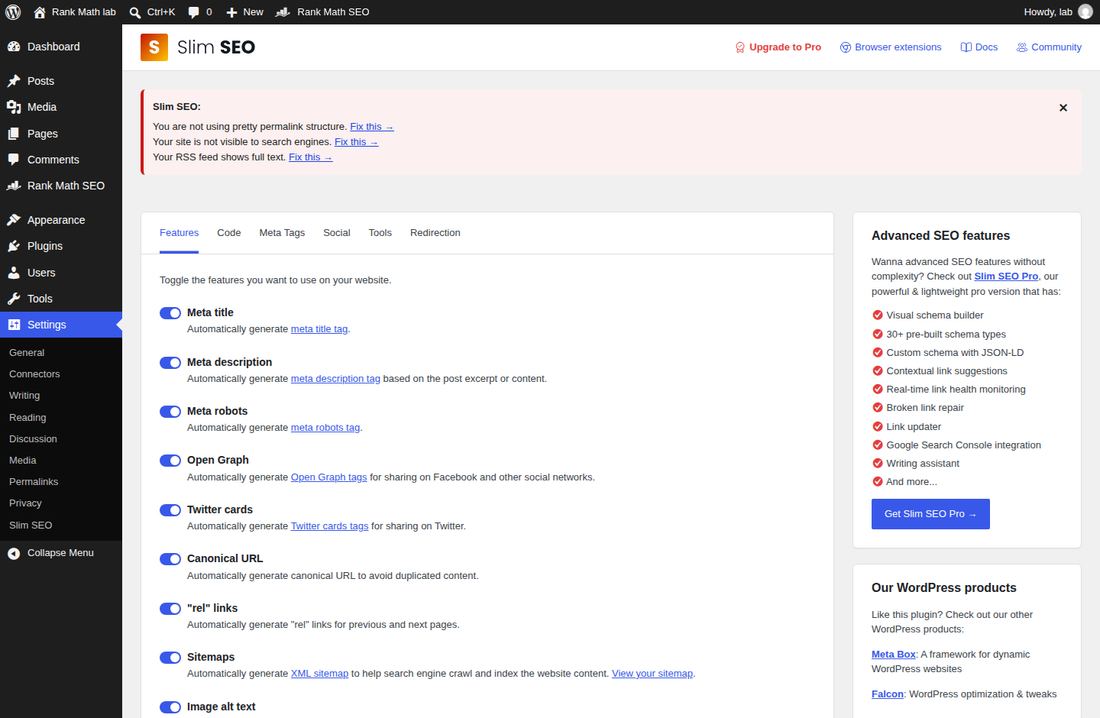
The plugin adds one menu item and one screen. The screen is a list of modules with toggles: meta tags, sitemaps, redirects, breadcrumbs, image alt text, link attributes, and a notification module, each with a one-line description. There is no wizard, no dashboard of scores, and no place to build a title template from scratch.

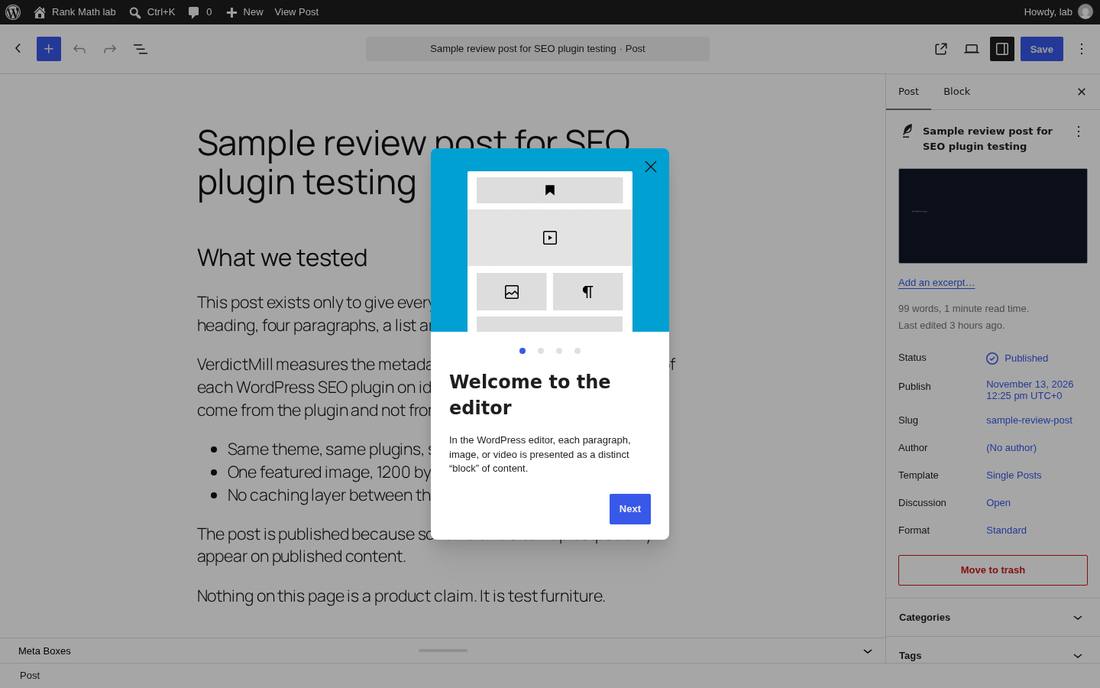
On the post editor the meta box is equally short: a title field, a description field, a robots selector and a social preview. For most posts you will not open it at all, because the plugin fills the fields from the post title, the excerpt and the featured image.

That restraint is the product. Where Rank Math gives you fifteen modules and Yoast gives you five settings tabs, Slim SEO gives you a checklist and expects you to leave it alone. The consequence is visible in our measurements: the plugin emitted nine schema types without configuration, but there is no screen anywhere to change what those types are.

How the core features behave

Metadata was complete out of the box - description, Open Graph title and image, Twitter card - generated from the post itself, with no template editing required.

Schema is deliberately limited: Article, BreadcrumbList, WebSite and supporting types, nine in total on our test. The Article entity had headline, datePublished and image but no author field, which is the one gap that matters for publisher-heavy sites and the one thing the Pro schema builder is meant to fix.

Sitemaps are at /sitemap.xml rather than an index, with three child sitemaps on our install. Redirects work in the free build, and image alt text is filled automatically from the file name or the post title - a small feature that saves real time on a photo-heavy site.

Who it is for, and who should skip it

It fits the site owner who does not want to learn an SEO plugin: a brochure site, a blog with one author, a small shop that only needs clean metadata and a sitemap. It also fits a developer who wants to hand a client a site with almost nothing to misconfigure.

Skip it if you need Product, FAQ, HowTo or LocalBusiness markup, if you run a local business with multiple locations, if you need rank tracking, or if you expect an analysis panel that scores your writing - Slim SEO has none of those, by design.

Moving from another SEO plugin

The plugin includes a migration module that reads settings from Yoast, Rank Math, All in One SEO and SEOPress. Titles and descriptions come across; because Slim SEO has fewer settings than the others, there is less to map and less to break, but anything that depended on a feature the plugin does not have (schema templates, local business data) will simply not exist afterwards.

Common questions

Is it really free? The plugin is free and has no locked features inside the free build. Pro is a separate purchase from 59 USD a year that adds a schema builder and a writing assistant.

Does it do redirects? Yes, in the free plugin, with a dedicated screen.

Can I add schema types it does not support? Not through the interface. You can add JSON-LD manually in the theme or with a separate plugin.

Does it slow the site? It added 4,558 bytes to the article page, with TTFB of 108 ms - mid-range, not the lightest despite the name.

What we measured

This page is now based on a test, not only on documentation. On 13 November 2026 we installed the free version on a clean WordPress 7.1 site with no caching layer, published one article with a featured image, changed no settings and ran three requests per page. The figures below are medians. Only the free build was installed: paid tiers are described from vendor documentation, not measured. We do not own licences for them, and we would rather say that than imply a test we did not run.

MetricResult
HTML size, article page75,684 bytes (+4,558 vs no SEO plugin)
Time to first byte0.108 s
JSON-LD blocks / schema types1 / 9
Article fields presentheadline, datePublished, image — 3/4, no author
Meta out of the boxdescription: yes · og:title: yes · og:image: yes · twitter:card: yes
Sitemap/sitemap.xml, 3 child sitemaps

Score: 4.0 / 5. The rubric is published on /methodology: output quality 35% (schema validity, type coverage, Article completeness), cost 25%, weight and reliability 15%, workflow 15% (what works before you touch a setting), support 10%. A low score on this page means the defaults did not do the job, not that the plugin cannot.

What we have not tested yet

  • Whether the missing author field is a bug or a deliberate choice, and how to add it
  • Redirect behaviour on chains
  • Behaviour with a caching plugin in front
  • Whether the Pro schema builder is worth $59 compared with hand-written JSON-LD

Bottom line

Install the free plugin if you want SEO handled with almost no configuration, and your content does not need Product, FAQ or LocalBusiness markup. It is the least intimidating option in this comparison, and the one least likely to be misconfigured by a non-specialist.

Pay for Pro only if you need the schema builder or the writing assistant. If you need rank tracking or local SEO, this is the wrong plugin — go to SEOPress or Rank Math instead.

Sources

  • slimseo.com - product description and feature list, read 13 November 2026
  • wpslimseo.com/products/slim-seo-pro/ - Pro tiers and prices, read 13 November 2026
  • WordPress.org plugin listing for Slim SEO — version, install base and readme, read 13 November 2026
  • Our own install: free plugin activated on a clean WordPress 7.1 site, 13 November 2026

Our verdict

Updated 2026-11-27
Buy it if
You want meta tags, sitemaps and redirects with almost nothing to configure. It added 4.6 KB to the page in our test, the smallest footprint of the five, and the settings fit on one screen.
Skip it if
You need custom schema types or control over individual fields. Free ships three schema types and its Article output has no author property.
What we would do
Use the free build and pair it with a dedicated schema plugin if markup matters, or pay for Pro only when you want the visual schema builder and link tools.

— Milan Pasic, editor. This is an editorial judgement, not a summary of the text above; the score follows the published method.

Milan Pasic

Editor. Writes the tests, runs the comparisons and publishes the numbers — including the ones that make a product look worse. Reviews are written and checked by a person, and every score follows the published method.

About · Editorial policy · LinkedIn

Related reviews

How it compares in this category

All SEO & content research reviews →
ProductScorePrice (1 site)TestedVerdict
Rank Math logoRank Math4.327.99 EUR/mo billed yearly2026-11-13The free version covers more than most single-site owners need — schema, sitemaps, redirects, Search Console data and 30-point on-page checks — while rank tracking, local SEO and client-site management sit behind plans priced per client website.
Yoast SEO logoYoast SEO4.1118.80 EUR per year, ex VAT2026-11-13The free plugin still covers titles, meta, sitemaps and on-page checks, but redirects, local SEO and multi-keyword analysis sit behind a subscription that costs more per site than either Rank Math or SEOPress.
The SEO Framework logoThe SEO Framework3.7$7/month paid yearly2026-11-13The free plugin ships schema, sitemaps and 301 redirects with no upsell banners, and the paid tiers are about extensions and multi-site support rather than unlocking the basics.
All in One SEO logoAll in One SEO3.399 to 599 EUR per year, list price, ex VAT2026-11-13The free plugin already ships sitemaps, redirects and schema, so the paid tiers are really about rank tracking, client management and volume — and the price scales by sites, not by features.
SEOPress logoSEOPress2.949 EUR/yr2026-11-13At 49 EUR a year for one site, SEOPress PRO is the cheapest way to get local SEO, schemas and a proper redirect manager, and the free plugin already handles titles, sitemaps and redirects.
Ahrefs logoAhrefs—119 EUR/monot testedAhrefs has the best backlink and click data in this market and prices it accordingly: the 27 EUR Starter plan is a different product, and Lite at 119 EUR a month is where the tool becomes the tool.
Mangools logoMangools—452.40 EUR/yearnot testedMangools is the best value in SEO software: KWFinder, SERPChecker, SERPWatcher, LinkMiner and SiteProfiler for about 38 EUR a month on Basic - weaker on backlinks, and enough for anyone doing their own SEO.
Semrush logoSemrush—112.52 EUR/mo billed annuallynot testedSemrush is the best all-in-one SEO subscription and priced like one: about 112 EUR a month annually for five websites and 500 tracked keywords, with AI-visibility tracking pushing the higher tiers.

Same test rig, same article, default settings. Scores are ours; prices are the vendor's list price on the date each page was written.

Screenshots

Slim SEO dashboard on our clean install, 13 Nov 2026. This is the whole main screen.
Vendor banner from the WordPress.org plugin page.
PRO

Slim SEO Pro

$59/yr Personal, $119/yr Freelancer, $179/yr Agency (USD, renewal at regular price)

Slim SEO Pro is the narrowest paid tier in this comparison, and it is honest about it: a visual schema builder, 30+ schema types, custom JSON-LD, link suggestions, link health monitoring, a writing assistant and support. There is no attempt to become a platform, and no local SEO, rank tracking or client management hiding in a higher tier.\n\nThat makes the decision unusually simple. If your content needs Product, FAQ, HowTo or LocalBusiness markup and you do not want to maintain JSON-LD by hand, 59 USD a year is the cheapest route to a schema builder in this category - cheaper than jumping to Rank Math Business or Yoast Premium for the same job. If your schema needs are already covered by the free plugin's Article, Breadcrumb and WebSite output, Pro adds very little.\n\nThe risks are the same as the free plugin's, one level up: you are buying into a small team's product with a smaller ecosystem, and the paid features are extensions to a philosophy of doing less. Who should pay: single-site owners who need more schema types and want to stay on one simple screen. Who should not: agencies, local businesses and anyone who wants rank tracking - this is the wrong product for all three.

What the paid tier adds
  • +Visual schema builder
  • +30+ pre-built schema types, including the ones the free plugin leaves out
  • +Custom schema with JSON-LD
  • +Contextual link suggestions
  • +Real-time link health monitoring and broken link repair
  • +Writing assistant for content optimisation
  • +One year of updates and vendor support
Licence

Site limits per tier are shown at checkout; we did not verify them.

What it does not change
  • –No local SEO module, no rank tracking, no client management
  • –The one-screen philosophy stays - Pro adds fields, not dashboards
Documented from the vendor's own pages on 13 November 2026. We did not buy this licence, so nothing here is a test result - it is what the vendor states the paid tier adds.Sources: Slim SEO Pro product page · Slim SEO (WordPress.org)

Screenshot walkthrough

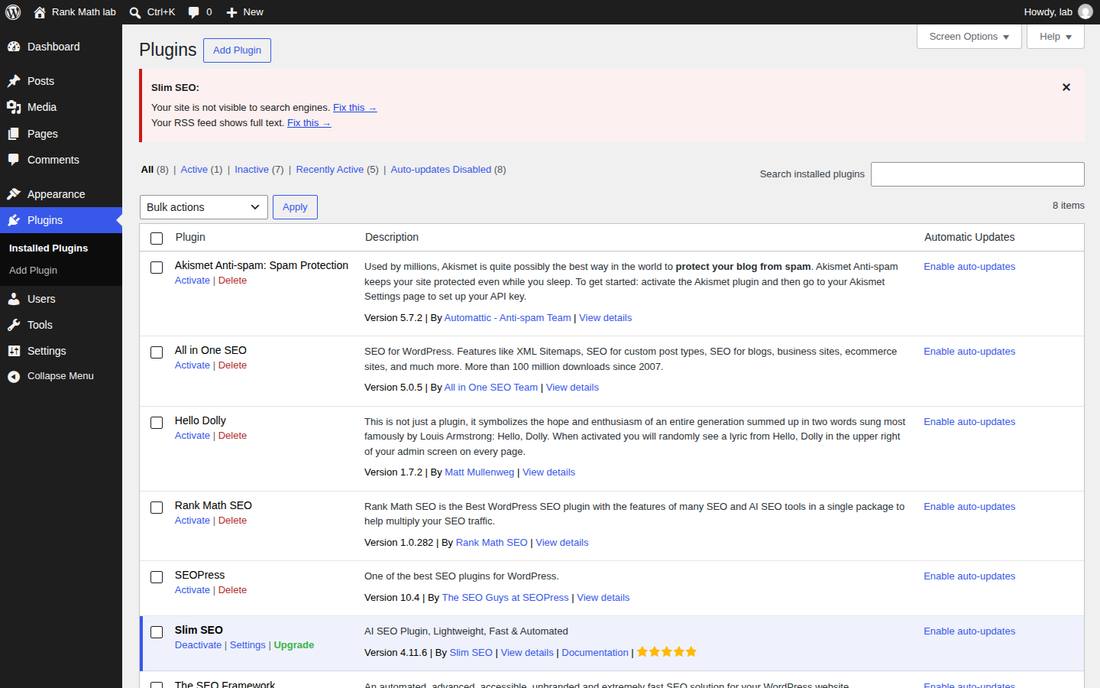
  1. The plugins screen: one plugin, no add-ons to install, no companion extension. The whole product is in the single row.
    1. The plugins screen: one plugin, no add-ons to install, no companion extension. The whole product is in the single row.
  2. The entire main screen: a list of modules with toggles - meta tags, sitemaps, redirects, breadcrumbs, image alt, link attributes.
    2. The entire main screen: a list of modules with toggles - meta tags, sitemaps, redirects, breadcrumbs, image alt, link attributes.
  3. The editor meta box: title, description, robots and social preview. Most posts never need it opened, because the plugin fills the fields itself.
    3. The editor meta box: title, description, robots and social preview. Most posts never need it opened, because the plugin fills the fields itself.
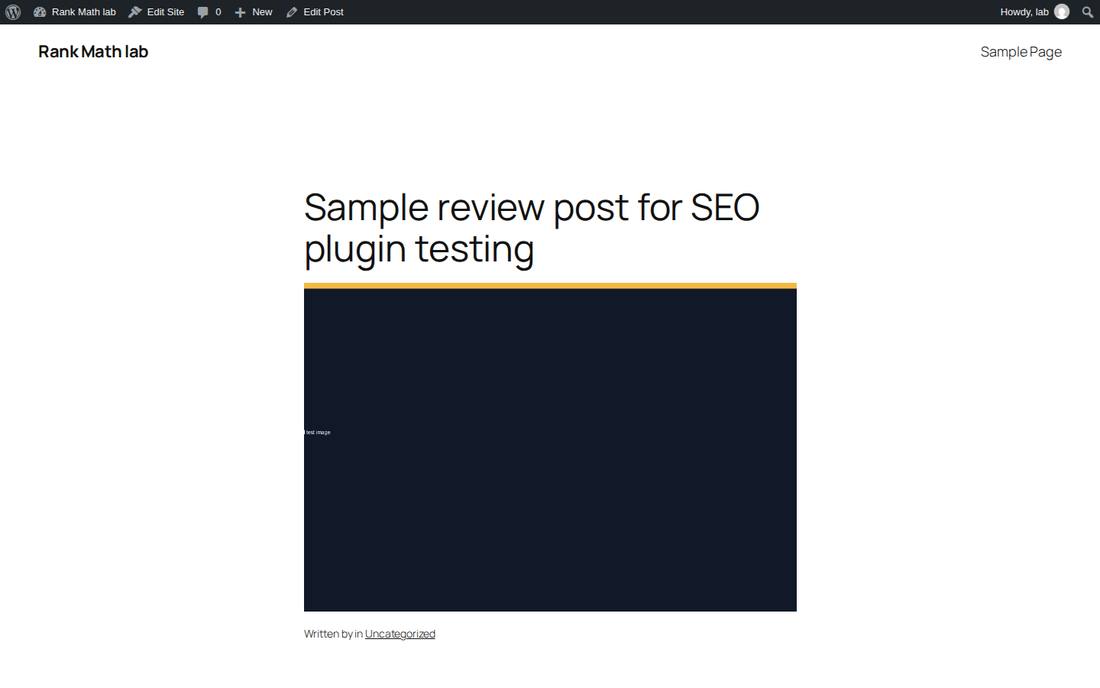
  4. The measured article. Its Article schema had headline, date and image but no author field.
    4. The measured article. Its Article schema had headline, date and image but no author field.

Where to get it

No affiliate program: this links to the official site.

Reader reviews

Loading reader ratings...

0 comments

Disclosure. This review contains no affiliate links — we are not enrolled in an affiliate programme for this product, although several tools in this category run one. Links point to the official website and cost you nothing extra.

Last updated 2026-11-27. Test conditions and results are documented in the “What we tested” section.

Prices and promotions are re-checked every Monday by an automated check; the last run was 2026-11-27. A change is published only after a person verifies it — see how we test.