
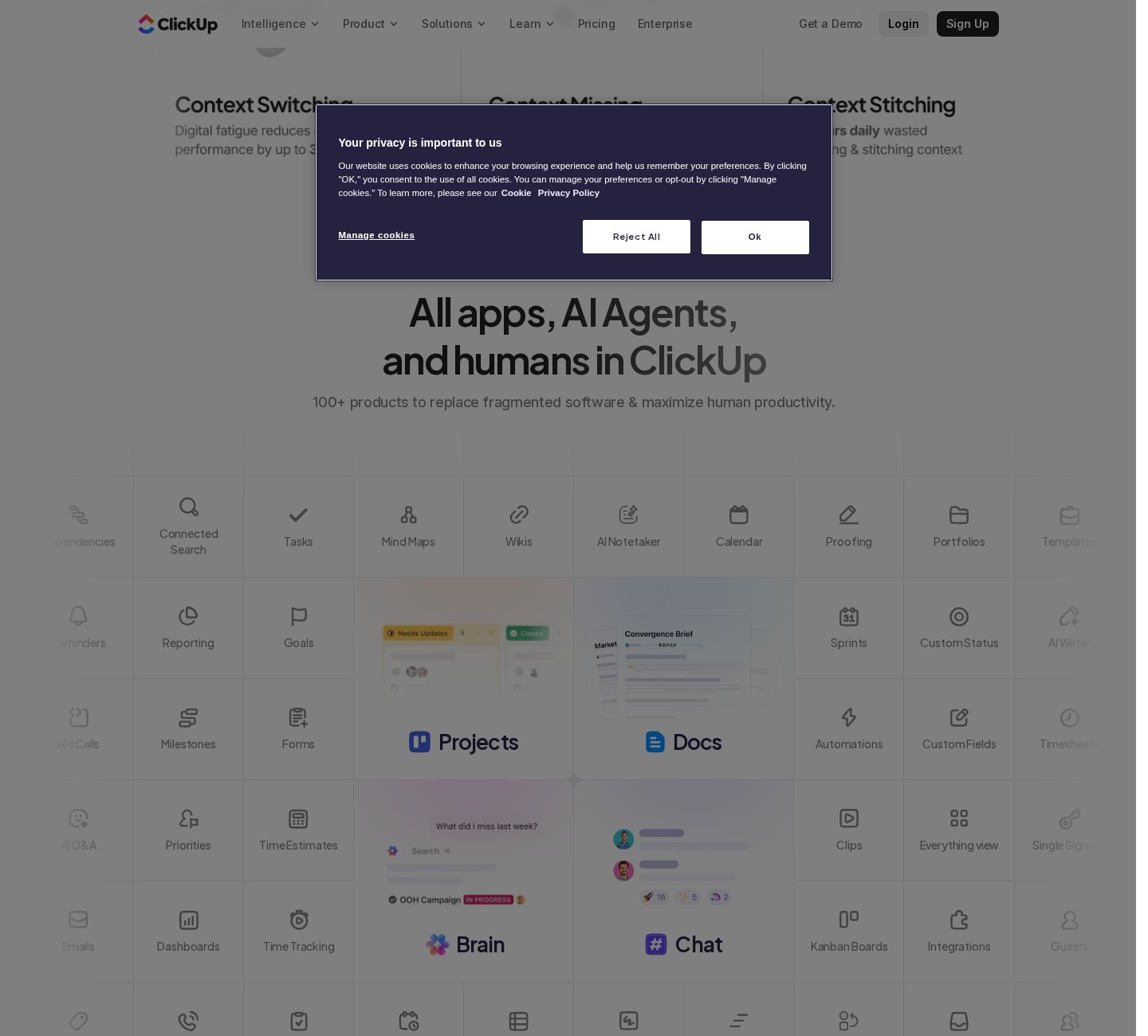
This ClickUp review is about the workspace that tries to replace everything: tasks, docs, whiteboards, chat, goals, time tracking and now AI agents, priced at 9 USD per user for Core and 17 for Business. It is the broadest productivity tool in this comparison and the one where the question is not "can it do this" but "will your team actually configure it".
Prices are from clickup.com/pricing, read 24 November 2026, USD per user per month with annual billing, against regular monthly prices. No workspace was created, so this is a research-based review with no score - the rule is in how we test.
What ClickUp is
A project management platform with a philosophical position: one tool instead of five. Tasks and subtasks, multiple views of the same data (list, board, calendar, Gantt, timeline), docs that live beside tasks, whiteboards, chat, goals and dashboards, and an automation builder.
The Free Forever plan is unusually complete for a free tier - unlimited tasks and subtasks, unlimited free members with limited permissions - which is why so many small teams start here and why the migration to a paid tier happens later than expected.
Pricing, precisely
| Plan | Price (annual) | Regular monthly | Notable |
|---|---|---|---|
| Free Forever | 0 | - | unlimited tasks, unlimited free members |
| Core | 9 USD/user | 12 USD | unlimited storage and spaces, unlimited Gantt, forms, chat |
| Business | 17 USD/user | 25 USD | more automations, AI features, dashboards, guests |
| Enterprise | quoted | - | SSO, advanced permissions, dedicated support |
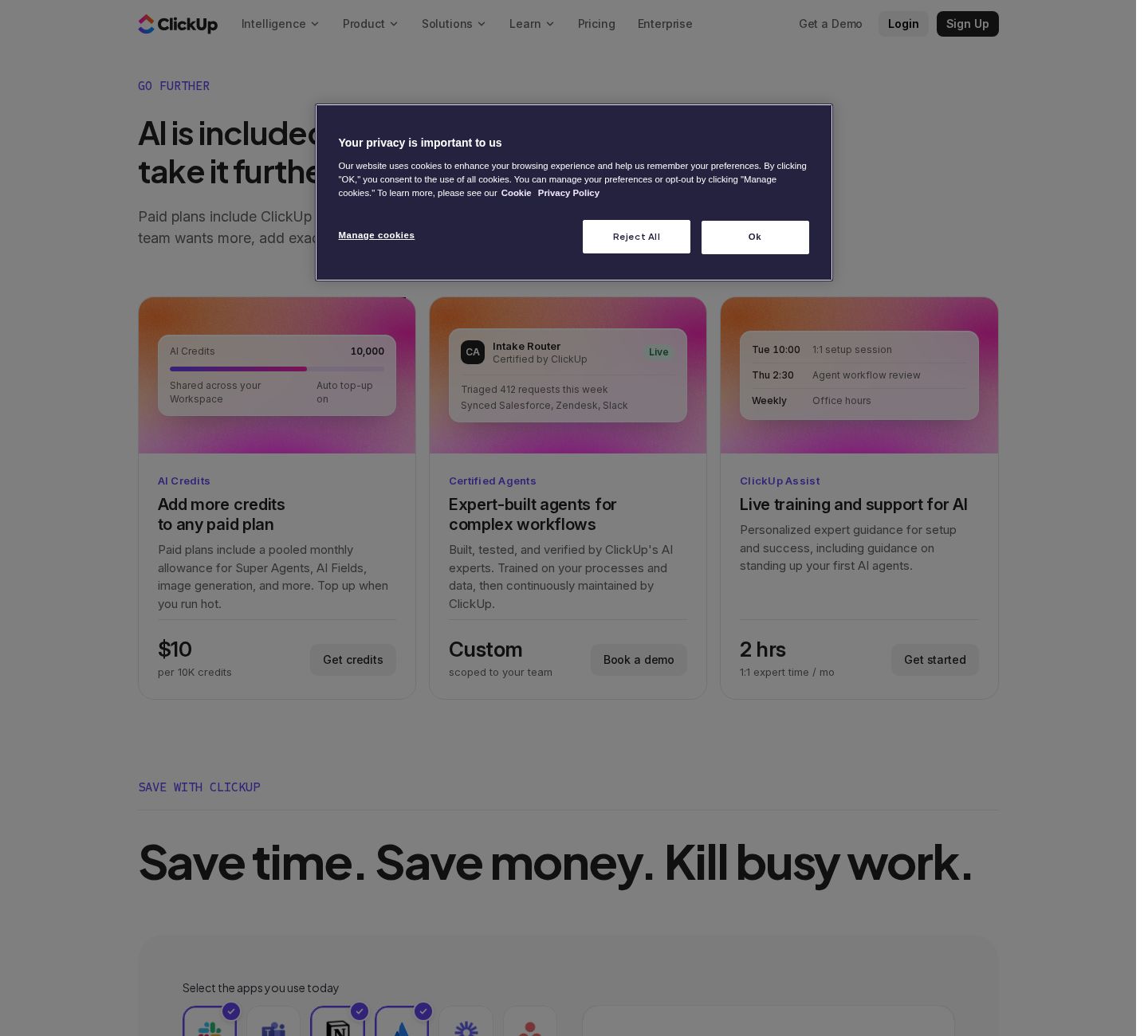
The pricing detail that matters is the gap between annual and monthly - 25% on Core, 32% on Business - because the annual commitment is the only way to get the advertised number. The second detail is that Business is where most of the AI lives: the free and Core tiers include limited AI usage, and the features marketed on the homepage (agents, AI knowledge management) are gated by plan and by a monthly allowance.
The third detail is seats. ClickUp bills per user, and unlike some competitors it does not let you buy five seats and share them - every person who needs to edit is a seat.
What it does well
Views over the same data. The same task list can be a board for the standup, a Gantt for the client, a calendar for the deadline and a dashboard for the manager - without duplicating records. This is the feature that makes ClickUp genuinely better than a simple task list, and the reason people tolerate its complexity.
Custom fields and statuses. A workflow can be shaped to how the business works rather than the other way round, which is the difference between adoption and abandonment.
Docs and tasks in one place. Meeting notes attached to the project, with action items that become tasks. Unremarkable in theory, and a real reduction in tab-switching in practice.
Automation without code. "When a task moves to this status, assign it to this person and post to that channel" - the kind of rule a small team would otherwise do by hand.
Where it fails
- Complexity is the product and the problem. A team that does not spend a day configuring it ends up with a messy workspace and quietly returns to a spreadsheet.
- Performance on large workspaces. Heavy lists and many custom fields slow the interface, and it is a common complaint among long-term users.
- AI is gated and metered, so the features on the homepage are not what the 9 USD tier delivers.
- Per-seat pricing without a shared-seat option makes it expensive for teams with occasional users.
- Notifications are difficult to tame, which produces the classic outcome: people mute them and miss the one that mattered.
How it compares
| Free tier | Entry paid | Unit | Best at | |
|---|---|---|---|---|
| ClickUp | unlimited tasks, free members | 9 USD/user annual | per seat | breadth in one tool |
| Notion | generous personal free | about 10 USD/user | per seat | docs and databases |
| Asana | free for 10 users | about 11 USD/user | per seat | clarity and adoption |
| Trello | free boards | about 5 USD/user | per seat | simple kanban |
The honest comparison: Notion if your work is documents that behave like databases, Asana if you want a tool the team will use without training, ClickUp if you want one subscription to replace three and will do the setup work.
Who should buy it
A small business replacing three subscriptions. Tasks, docs and chat for 9 USD a user is cheaper than Asana plus Notion plus a chat tool.
A team with a distinctive workflow. Custom statuses and fields are worth the setup day if the process is not generic.
Anyone starting from zero. Free Forever covers a team of five for as long as the workflow stays simple.
Who should not
A team that will not do the configuration - the tool rewards investment and punishes neglect. A marketing team needing AI as the centre of the product rather than a gated extra. And a large organisation where SSO and granular permissions are mandatory: Enterprise pricing requires a sales conversation that surprises people.
Questions people ask
Is Free Forever really unlimited? Tasks and subtasks, yes; storage and some views are limited, and free members have restricted permissions.
Why is annual so much cheaper? The annual discount is 25% on Core and 32% on Business; monthly is the price without the commitment.
Are the AI features included? Partially - there is an allowance, and the deeper agent features sit on Business and above.
Can I share seats between people? Practically no: every editor is a seat, so plan for the real number of people who will edit.
Is there a migration path from Asana or Trello? Yes, importers exist for the common tools, and the mapping of fields is the part that needs attention.
What we have not tested - and will
The checks that would produce a score, all needing a workspace:
- Setup time for a five-person team, from blank workspace to a working board
- Perceived speed with 2,000 tasks, ten custom fields and four views
- Whether the automation builder handles a rule a small business actually needs, without support
- AI allowance in practice: how many useful outputs before the cap
- Notification tuning: whether a user can get to a manageable inbox in under an hour
- Mobile app behaviour for a quick status change
- Export completeness, which decides how painful leaving would be
Bottom line
ClickUp is the broadest productivity tool here and one of the cheapest per user: 9 USD for Core, 17 for Business, both requiring annual billing, with a free tier that a small team can genuinely run on. The cost is configuration and the risk is complexity.
If you will spend a day shaping it to your workflow, it replaces three tools. If nobody will, buy the simpler tool and keep the subscription you already have - because an unconfigured ClickUp is a more expensive spreadsheet.
Every vendor link on this site is disclosed in the affiliate disclosure; a commission never changes a score. Our rules are in the editorial policy, and the rest of the reviews are in the review index.
One practical test before committing a team
Create a test workspace, build one project with three custom fields and two views, then invite the least technical person on the team for fifteen minutes. If they can find today's tasks without a walkthrough, the tool will survive; if they ask where anything is, that is the honest answer about adoption - and a cheaper plan does not fix it.
On the AI features specifically
Every productivity tool in 2026 ships an AI layer, and the useful question is where it sits in the workflow. In ClickUp the AI is attached to the existing objects - summarise this task, draft this doc, find what the team agreed last month - rather than being a separate assistant you go to. That makes it useful for the person already inside the workspace and invisible to everyone else, which is a fair description of most AI features in project management.
Sources
All pages read on 24 November 2026:
- ClickUp homepage: clickup.com - tasks, docs, whiteboards, chat, goals, AI features
- ClickUp pricing: clickup.com - Free Forever with unlimited tasks and free members, Core 9 USD per user (12 regular), Business 17 USD (25 regular), Enterprise quoted, annual billing required for advertised prices








Reader reviews
Loading reader ratings...