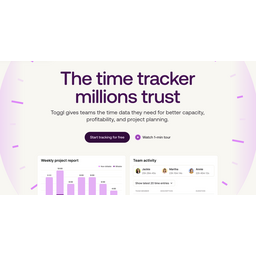
This Toggl Track review is about the tool that answers the most uncomfortable question in a small business: where did the week actually go. Sixteen euros a user on Premium, nine on Starter, free for a couple of people - and the value shows up in the second month, when the numbers contradict what everyone believed about their own time.
Prices are from toggl.com/pricing, read 24 November 2026, EUR per user per month. No account was created, so this is a research-based review with no score - the rule is in how we test.
What Toggl Track is
A timer with reporting. Start a timer, type what you are doing and pick a project; stop it when you finish. The product is deliberately one button wide - there is no invoicing, no project management, no client portal - and the reporting is where the subscription earns its place: hours by project, by client, by person, billable versus non-billable, and estimates against actuals.
That focus is why it survives next to all-in-one tools. A timer inside a project management app is a feature nobody remembers to press; a timer that lives in the menu bar with one shortcut is a habit.
Pricing, precisely
| Plan | Price | For |
|---|---|---|
| Free | 0 | up to a limited number of users, timers, tasks, boards, calendar integrations, personal reports |
| Starter | 9 EUR/user/mo | billing accuracy, team-level reporting |
| Premium | 16 EUR/user/mo | profitability, labour costs, fixed-fee projects, dashboards, capacity |
| Enterprise | quoted | SSO, advanced controls |
The tier logic is honest and easy to explain: Starter is for billing, Premium is for margin. If your problem is invoicing the right hours to the right client, nine euros a user solves it. If your problem is knowing whether a client is actually profitable after the hours the team spent, that is the sixteen-euro tier, and it is the only tier where Toggl tells you something you could not work out yourself.
The free plan covers a two-person business indefinitely, which is why the product spreads by word of mouth among freelancers before a company ever evaluates it.
What it does well
Friction of zero. A shortcut, a description, a project, done. The mobile app and the browser extension carry the same shortcut, and the calendar integration can turn a meeting into a time entry without typing. A tool used twenty times a day has to be frictionless, and this is the part competitors most often get wrong.
Reports that answer a question. Billable hours by client for the month; the ratio of internal work to client work; estimate against actual on a fixed-fee project. These are the numbers a business argues about, and Toggl presents them without a report builder.
Profitability on Premium. Labour costs applied to hours turn "we billed 40 hours" into "this client earned us 300 EUR after cost". That is the feature that changes which clients you keep.
Team capacity. Who is over-allocated next week, based on tracked hours rather than optimistic plans.
Where it fails
- It is only a timer. No invoices, no expenses, no project planning - you will keep your other tools.
- Adoption is the whole battle. One person not tracking makes team reports wrong, and the tool cannot enforce it.
- Retroactive entry is tedious, so people guess at the end of the day and the data degrades quietly.
- Premium is where the useful analysis sits, so the cheaper tier can feel like a stopgap rather than a solution.
- Per-user pricing on a team of ten is 160 EUR a month for time tracking, which needs a business case.
How it compares
| Free tier | Entry paid | Unit | Best at | |
|---|---|---|---|---|
| Toggl Track | limited users | 9 EUR/user/mo | per user | frictionless timers and client reporting |
| Clockify | unlimited users on free | about 4 EUR/user | per user | free tier breadth |
| Harvest | no free tier | about 12 USD/user | per user | invoicing built in |
| Motion | trial | 19 USD/seat annual | per seat | scheduling work automatically |
The comparison is usually Toggl against Clockify on price and against Harvest on invoicing. Toggl wins on the timer and on reporting depth at Premium; Harvest wins if you want invoices out of the same tool; Clockify wins if you need many users at no cost and can live with a busier interface.
Who should buy it
An agency billing by the hour. Starter fixes the invoicing argument; Premium shows which clients are actually worth keeping.
A freelancer with three clients. The free plan covers it, and the monthly report ends the guessing about where the week went.
A business quoting fixed fees. Estimate against actual on Premium is the only reliable way to price the next project.
Who should not
A team that will not track consistently - partial data is worse than none because it looks authoritative. A business that needs invoices generated from the tracked hours: Harvest does that in one tool. And a five-person team that needs capacity planning more than time recording, where a scheduler is the better buy.
Questions people ask
How many users on the free plan? A limited number, currently small - enough for a freelancer or a pair, not for a team; check the current cap before planning around it.
Does it invoice? No. It produces the hours; invoicing is a separate tool or an export.
What is the real difference between Starter and Premium? Billing versus profitability: labour costs, fixed-fee projects, dashboards and capacity sit on Premium.
Can hours be entered later? Yes, manually or by dragging on the calendar view, and retroactive entry is where data quality usually drops.
Does it work offline? The mobile app queues entries and syncs; long offline periods can create duplicates worth checking.
What we have not tested - and will
The measurements that would produce a score, all needing an account:
- Data completeness after a month with a five-person team, the number that decides whether reports are usable
- Timer accuracy across devices, including a laptop sleeping mid-session
- Whether the calendar integration creates duplicates when a meeting is moved
- Report quality for a fixed-fee project against a real budget
- Labour-cost configuration effort, which is the hidden work of Premium
- Export formats for accounting, and whether they need cleaning
- Behaviour when a user is removed: do their hours stay in reports
Bottom line
Toggl Track is the best timer in this category and the reporting is why you pay: 9 EUR a user for billing accuracy, 16 for profitability, free for a freelancer. The limits are its narrowness and the discipline it demands from everyone on the team.
If the problem is knowing where the hours go and which clients pay for themselves, this is the tool. If it is invoicing, Harvest. If it is scheduling, Motion - and if you are not going to make tracking a habit, save the money and guess, because bad data is worse than no data.
Every vendor link on this site is disclosed in the affiliate disclosure; a commission never changes a score. Our rules are in the editorial policy, and the rest of the reviews are in the review index.
One note on making the data trustworthy
Time tracking fails quietly: one person forgets a day, the client report is wrong, and nobody trusts the tool afterwards. Two rules prevent most of it - track at the moment of work rather than from memory, and review the week every Friday for entries that look implausible. Fifteen minutes on a Friday is cheaper than a month of reports nobody believes.
The pricing question, answered plainly
If the tracked hours are used to invoice clients, Starter at 9 EUR pays for itself the first time it corrects an under-billed month. If the hours are used to decide which clients to keep, Premium at 16 EUR is the tier, and it should be justified against one lost client rather than against the subscription.
Sources
All pages read on 24 November 2026:








Reader reviews
Loading reader ratings...