This Notion review is about the workspace that most small teams try and many abandon: documents and databases in one place, free for individuals and 9.50 EUR per seat for a team, with the value coming from how you set it up rather than from what it ships with.
Prices are from notion.com/pricing, read 24 November 2026, EUR per seat per month. No workspace was created, so this is a research-based review with no score - the rule is in how we test.
What Notion is
A document editor with a database engine underneath. Every page can be a note, a wiki article, a list, a table, a board or a calendar - the same content, different views - and pages nest inside pages, which is why a workspace can be organised as a company handbook, a project tracker and a client portal without switching tools.
The comparison that matters is with ClickUp: ClickUp assumes tasks are the atom and everything else hangs off them, Notion assumes a page is the atom and a task is a row in a database that a page owns. Teams that think in documents find Notion natural; teams that think in work items find it fussy.
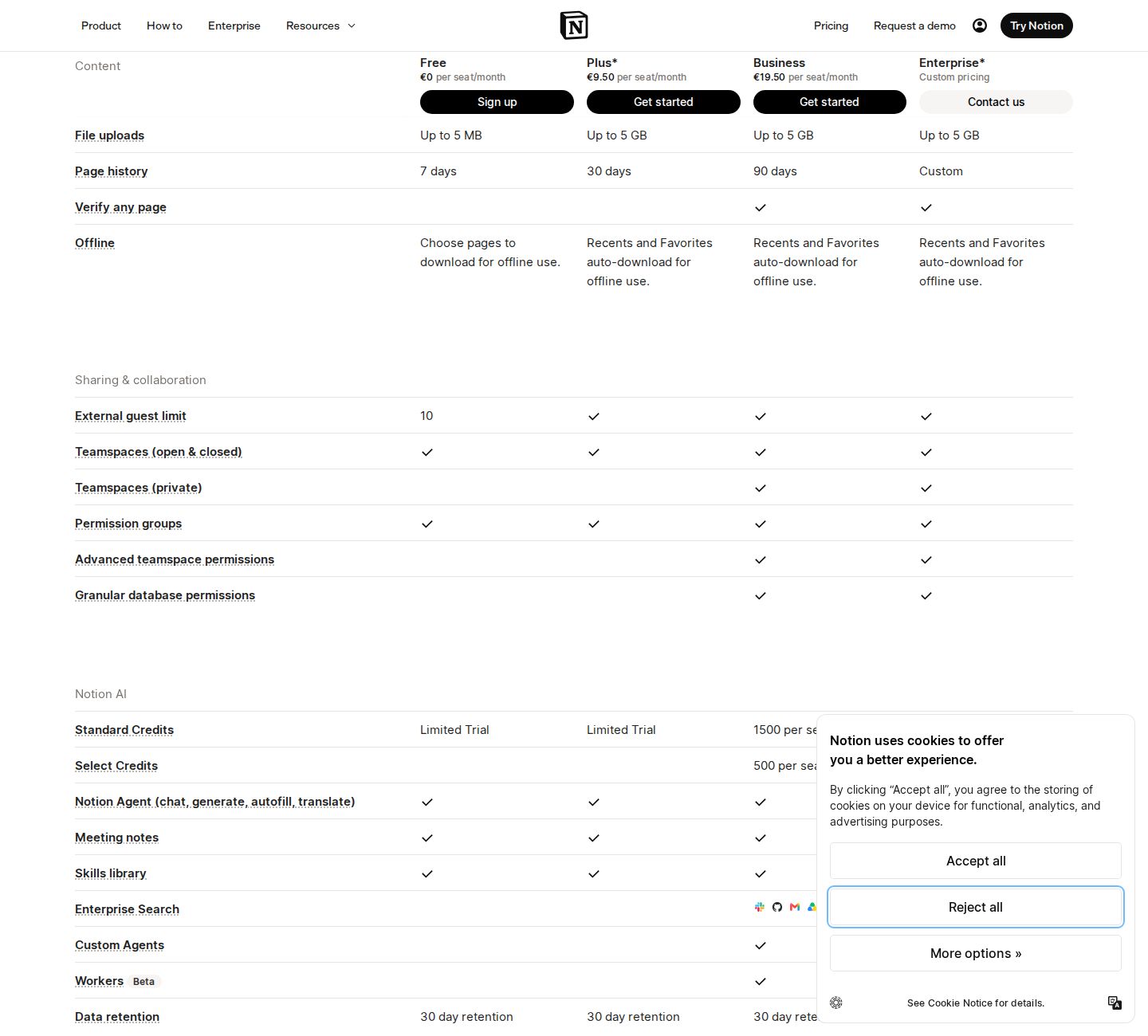
Pricing, precisely
| Plan | Price | Who it is for |
|---|---|---|
| Free | 0 | individuals organising personal projects |
| Plus | 9.50 EUR/seat/mo | small teams working together, AI trial, basic forms |
| Business | 19.50 EUR/seat/mo | growing businesses, advanced permissions, analytics |
| Enterprise | quoted | SSO, audit log, advanced security |
The structure to understand is per-seat on the workspace, not per guest: clients and contractors can usually be added as guests with limited access at no charge, which is what makes the model bearable for a business with many outside collaborators.
The jump from Plus to Business is where the honest decision happens: 10 EUR more per seat buys permissions, analytics and the security features a company needs as it grows, and nothing a five-person team will notice. Most small businesses are on Plus and stay there.
What it does well
One object, many views. A database of clients can be a table for the admin, a board for the sales pipeline and a calendar for renewal dates - no duplicated records, no export. When this clicks, it replaces a spreadsheet, a CRM and a project tracker at once.
Templates that are genuinely reusable. A meeting note, a client onboarding checklist, a content brief: build it once, duplicate the page, and the structure is there. For a small business this is the difference between documentation that happens and documentation that does not.
Guests. Clients and freelancers can see one page and nothing else, which turns Notion into a lightweight portal without a second tool.
The honest strength is writing: long documents, specs and handbooks are pleasant to produce here, and most competitors make prose feel like a form field.
Where it fails
- It can become a project in itself. The freedom to build any structure means teams spend a week designing a system instead of doing work.
- Databases are slower than a spreadsheet at a few thousand rows, and formulas are less capable than Excel's.
- No real time tracking, no Gantt dependencies, no workload planning - the operations layer is thin.
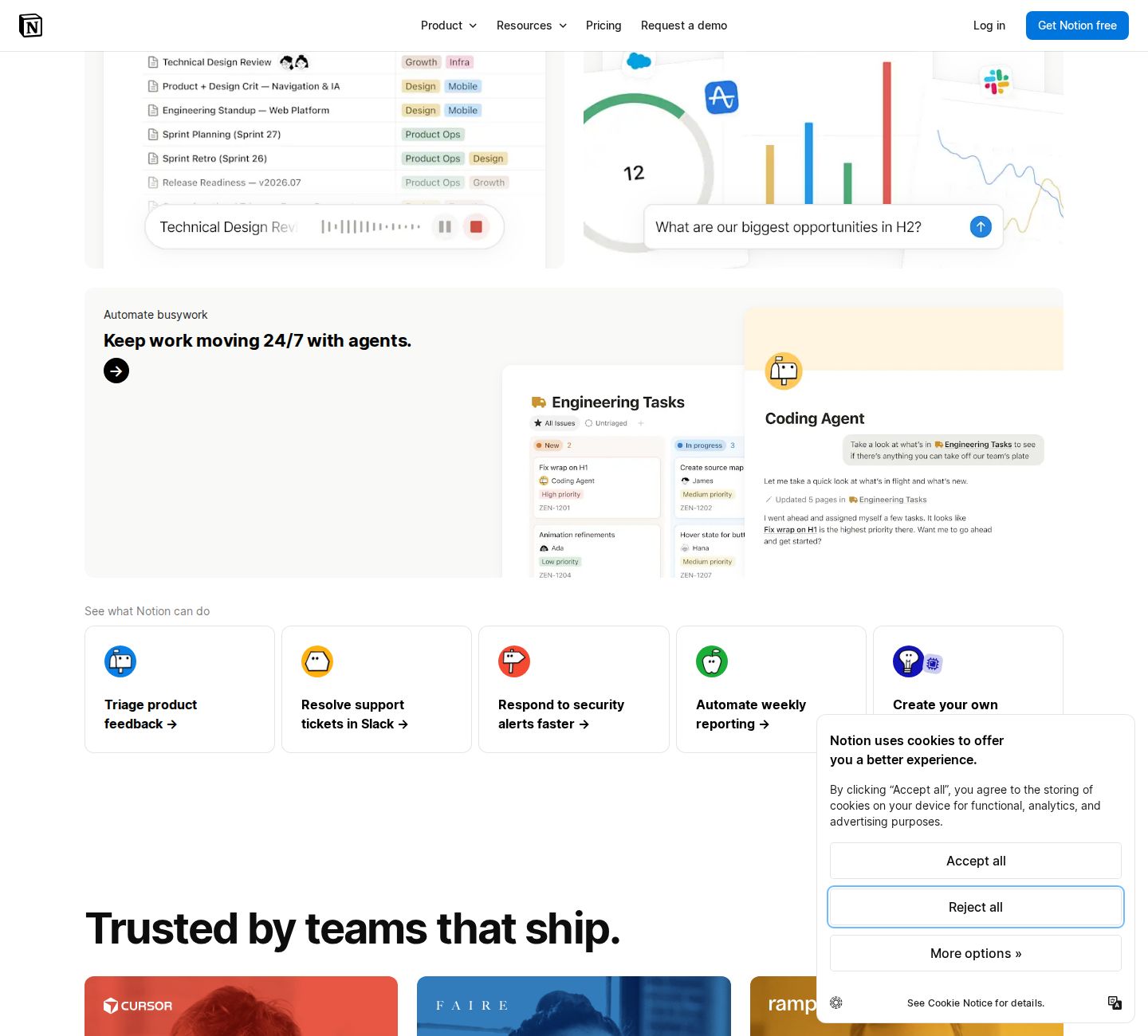
- AI is a trial on Plus and a paid add-on, so the features on the homepage are not what 9.50 EUR delivers.
- Search across a large workspace is mediocre, and people duplicate pages instead of finding them.
How it compares
| Free tier | Entry paid | Unit | Best at | |
|---|---|---|---|---|
| Notion | individuals, unlimited pages | 9.50 EUR/seat | per seat | documents that behave like databases |
| ClickUp | unlimited tasks, free members | 9 USD/user annual | per seat | tasks and views |
| Airtable | 1,000 records per base | about 20 USD/seat | per seat | structured operational data |
| Google Docs | free | about 6 USD/seat | per seat | collaborative writing, nothing more |
The comparison that decides it is Notion against Airtable for data and against ClickUp for tasks. Notion sits between them: strong enough to hold a small database, weak enough that a company with real operational data outgrows it.
Who should buy it
A small team that writes for a living. Proposals, specs, handbooks and client notes in one place with a database behind them is a good deal at 9.50 EUR.
A business that has outgrown Google Docs but does not want a project management tool with a hundred features it will never configure.
An agency publishing work to clients. Guests on a page are the cheapest client portal on the market.
Who should not
A team that needs workload planning, dependencies and time tracking - ClickUp or a dedicated PM tool. A business with 20,000 rows of operational data, where Airtable is the correct engine. And anyone who will not clean up after themselves: an unmaintained Notion becomes a maze within a quarter.
Questions people ask
Is the free plan usable for a business? For an individual, yes; a team needs Plus for shared permissions and unlimited file uploads.
Are guests charged? Generally not for limited-access guests, which is why client portals work on Plus.
Is Notion AI included? There is a trial on Plus and a paid add-on; check the current price before assuming it is bundled.
Can it replace a CRM? For a small pipeline, yes, with a database and a board view. Beyond a few hundred contacts, a real CRM is better.
Is it slow? Large pages with many databases load slower than a native app, and it is the most common complaint from long-term users.
What we have not tested - and will
The checks that would produce a score, all needing a workspace:
- Time for a team of four to reach a working structure they keep using after a month
- Load time on a page with five linked databases and 2,000 rows
- Search quality across 500 pages, including whether duplicates are found
- Guest permissions tested with a real client account
- AI add-on value measured on real documents rather than a demo
- Export fidelity to Markdown and CSV, which decides how painful leaving is
- Mobile app behaviour for capture on the go
Bottom line
Notion is the best writing-and-structure tool for a small team and a poor project manager: 9.50 EUR per seat buys documents that behave like databases, with guests included and no per-row charges. The cost is the setup work and the discipline to keep it tidy.
Buy it if your work produces documents and you want the data next to them. If your work produces tasks, ClickUp is the better shape - and if your work produces rows, Airtable.
Every vendor link on this site is disclosed in the affiliate disclosure; a commission never changes a score. Our rules are in the editorial policy, and the rest of the reviews are in the review index.
One note on the setup cost
The honest cost of Notion is not the subscription, it is the two days someone spends deciding where things go. A simple rule that works: one database per object type (clients, projects, articles), one page per project, and no nesting deeper than three levels. Teams that break that rule end up with a workspace nobody can search, and then they blame the tool - which is unfair to the tool and a very common way to waste 9.50 EUR a seat.
How to judge it in a week
Build one real thing - a client database with a board view and a template page - and use it for five working days. If by Friday you are opening Notion by habit rather than by discipline, the structure is right; if you are still moving pages around, the problem is the structure, not the tool, and no plan upgrade fixes it.
Sources
All pages read on 24 November 2026:
- Notion homepage: notion.com - pages, databases, views, guests, AI features
- Notion pricing: notion.com - Free for individuals, Plus 9.50 EUR per seat per month with AI trial and basic forms, Business 19.50 EUR with advanced permissions, Enterprise quoted









Reader reviews
Loading reader ratings...