
Skip to content
VerdictMill
Pictory logoPictoryResearch-basedAI video & avatarsUpdated 2026-11-27

Pictory review: turning long recordings into short clips

By Milan Pasic•Published 2026-11-14•Updated 2026-11-27
Verdict

Pictory is the reverse of the other AI video tools: you bring footage you already recorded, and it finds the quotable moments, cuts them into short clips and adds captions - from 12.50 USD a month billed annually, with 24,000 credits.

No score: this page is research-based and has not been hands-on tested yet.

Research-based · not hands-on tested
Visit PictoryLinks to the official site
12.50
The number that matters

USD a month billed annually on Starter, with 24,000 credits shared across transcription, captions and the AI studio

Best for

It fits podcasters, webinar hosts, course creators and consultants who record long conversations and need short clips for social - the audience that already has a library and no editor.

Not for

You have nothing to upload: generation is not the point here.

Pricing

12.50 USD/mo billed annually (29 monthly), 24,000 credits; higher tiers add credits, seats and brand kits

Main limitation

Selection without context. It cannot know which sentence matters to your audience, only which one is self-contained.

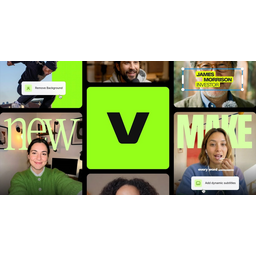
Vendor artwork from pictory.ai. Screenshots were captured by us on 13 November 2026.

Current offers

No current offer for Pictory. We checked the vendor's pricing page on 2026-11-16 and found no public discount, coupon or promotion. When one appears, we add it here with the date we verified it.

What we tested

Product
Pictory
Type
Research-based · not hands-on tested

How it compares

PictoryInVideoDescriptFliki
Entry paid price12.50 USD/mo yearly, 24k credits10 EUR/seat/mo yearly16 USD/mo yearly24 EUR/user/mo
Inputyour long videoa text promptyour recordingsa script or blog post
Core jobfind and cut highlightsassemble stock footageedit by transcriptgenerate narrated video
Auto captionsyesyesyesyes
Affiliate programmeyesyesyesyes

Prices read from vendor pages on 13 November 2026, annual billing where two figures exist. Pictory's higher tiers are not quoted because the page did not expose them to our capture.

Most AI video tools want to make something from nothing. This pictory review is about the opposite job: you already have an hour of footage and need ten clips that people will actually watch.

What Pictory is

A tool for repurposing. You upload a long video, Pictory transcribes it, scores the transcript for sentences that stand on their own, and cuts clips around them. Each clip arrives with captions burned in, a vertical or square framing option, and a text-based editor where deleting a sentence deletes the corresponding video. It also does the adjacent jobs - script to video with stock footage, blog post to video, auto captions on anything you bring.

The description matters because it changes who should buy it. Nothing here generates a presenter or invents footage; the value is in selection speed.

What you see before you sign up

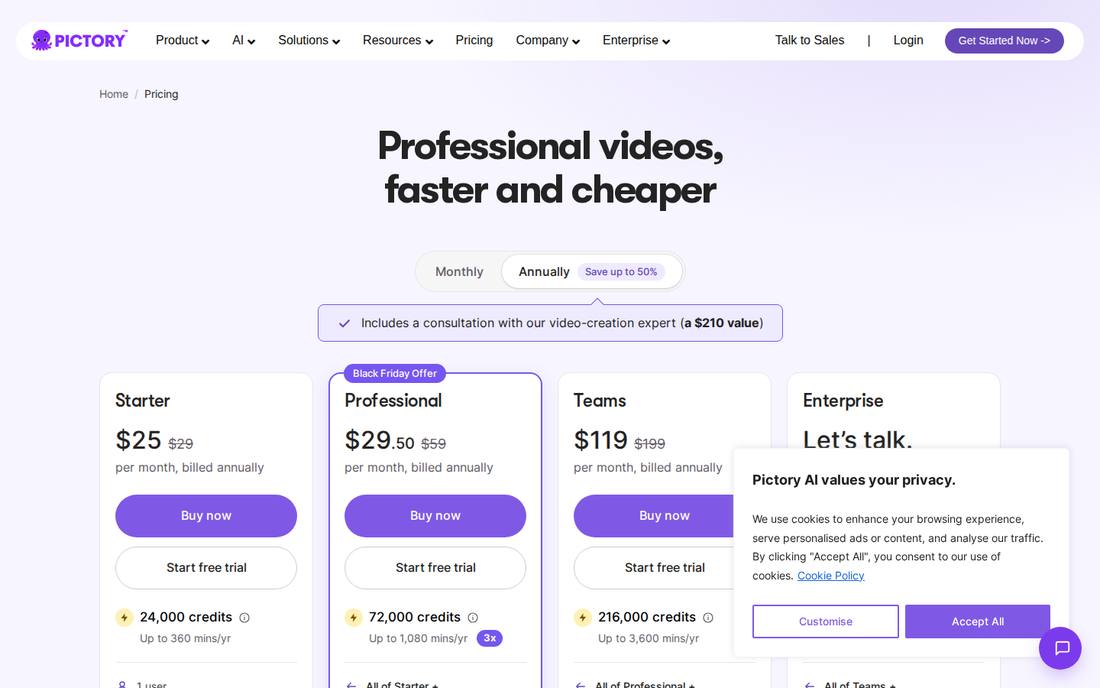
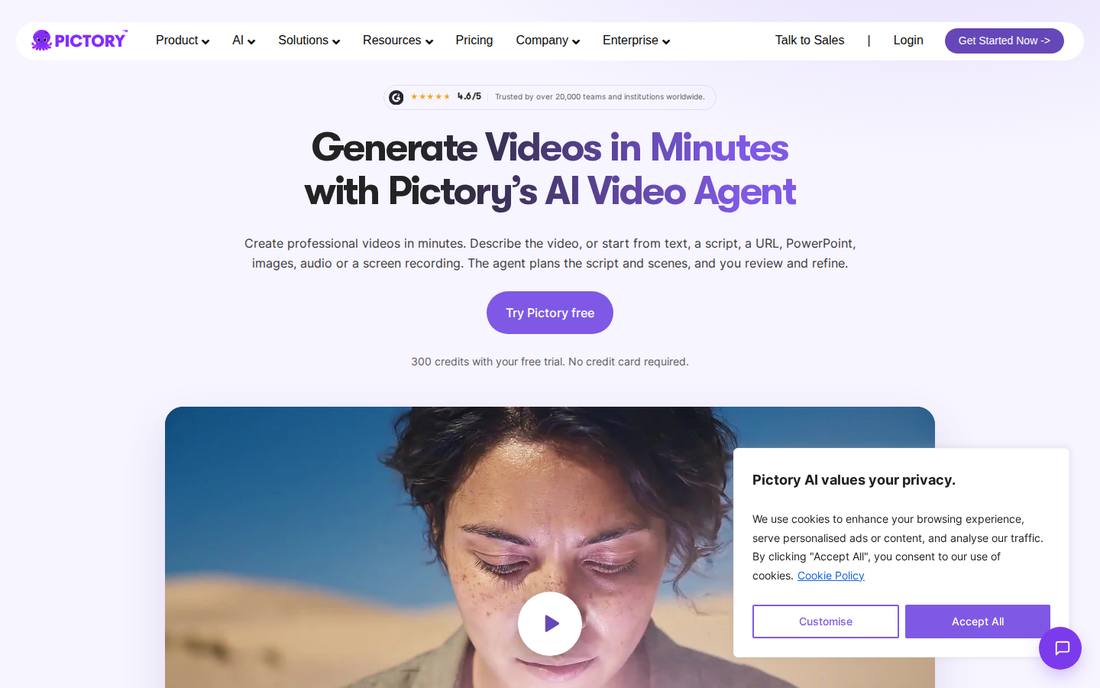
The homepage shows webinars and interviews being cut into shorts, which is the honest demo. The pricing page is where the first surprise sits: Pictory now bills in credits rather than minutes, so the question is no longer how long your recording is but how many credits the work consumes. Starter is 12.50 USD a month billed annually against 29 USD monthly, and includes 24,000 credits; Professional is 17.50 against 59, with 72,000; Teams is 59.50 against 199, with 216,000. The annual discount is steep - nearly 60% - and that is the trade: a year of commitment for a price a project cannot get.

We are not enrolled in Pictory's affiliate programme, so nothing here earns us a commission; the affiliate disclosure explains how that is marked if it changes.

How the highlight extraction actually behaves

It works best on talking-head footage with a clean transcript: interviews, webinars, podcast recordings, course modules. It works worst on anything where the meaning is visual - a product demo, a screen recording where the value is on screen while the narrator says something generic. The model scores sentences, so a sentence that sounds complete but references something you cannot see is exactly the sentence it will pick.

Budget for review, not for correction. The cuts are usually sensible and the first three seconds are usually wrong: a clip that starts mid-thought dies in the feed. Trimming the start is the highest-value minute you will spend per clip.

What a real workflow looks like

Upload, wait for transcription, review the suggested clips, trim the openings, choose the aspect ratio and caption style, export. Then - and this is the step people skip - watch each clip without sound, because most viewers will. If it does not make sense muted, the captions are doing the work and they need fixing.

The second workflow is script-to-video, which is weaker: a paragraph becomes stock footage with a synthetic voice, and the result looks like every other generated explainer. It exists because buyers asked for it, not because it is the reason to subscribe.

Where it fails

  • Selection without context. It cannot know which sentence matters to your audience, only which one is self-contained.
  • Visual content. Demos, screencasts and anything where the frame carries the meaning are poorly served.
  • Credits are the real limit, and they are shared. Transcription, captions, images and the agent all spend from the same balance, so a busy month can be consumed by features you did not buy the tool for.
  • Caption styling is basic. Fine for social, thin for anything with a brand system.
  • No generation of footage. If you have nothing to upload, this tool has nothing to do.

Who it is for, and who should skip it

It fits podcasters, webinar hosts, course creators and consultants who record long conversations and need short clips for social - the audience that already has a library and no editor. It fits a marketing team with a webinar programme, where one recording should produce a month of posts.

Skip it if you have nothing to upload: generation is not the point here. Skip it if your content is visual - product demos and screencasts are better cut by hand or in Descript. And skip it if you publish one video a quarter, because the transcription allowance will expire between projects.

How it compares with the other three

Against InVideo, the direction is reversed: InVideo generates forward from a prompt, Pictory cuts backward from footage. Against Descript, both work from a transcript, and Descript is the deeper editor while Pictory is the faster clipper - if you need to produce a polished long video, Descript; if you need ten shorts from an existing one, Pictory. Against Fliki, there is no overlap: Fliki builds narrated video from text, Pictory finds moments in speech you already recorded.

The category is compared on /category/ai-video, and the test procedure behind a future score is in how we test.

The economics of repurposing

At 12.50 USD a month on the annual Starter plan, a single webinar producing eight clips works out at roughly a dollar fifty per published short, before your time - and the same plan bought monthly costs 29. Nothing else in this category reaches that number, because nothing else starts from footage you already paid to record.

The trap is the credit allowance. Transcription, caption generation, AI Studio images and the video agent all draw on the same 24,000 credits, and a two-hour recording with two revisions spends them before a single clip is approved. A tier that looks generous for ten clips a month looks thin for a weekly podcast, and credits are shared across every AI feature rather than ring-fenced per task. Price the credits, not the exports.

Captions are the product more than the clips

Most short-form video is watched muted, and Pictory's burned-in captions are the reason a clip survives the feed. They are also the part most likely to embarrass you: names, product terms and numbers miscarry, and a wrong number in a caption is worse than no caption. The habit worth building is a two-minute caption pass per clip before anything is scheduled.

What we have not tested - and will

Research-based review: public pages plus our own captures, no account. Open questions:

  • How many clips from a 60-minute interview survive a human review as publishable
  • Credits consumed by a two-hour upload with two revisions, split by transcription versus caption generation
  • Caption accuracy on the same 40-term technical vocabulary used across this category
  • Export quality and file size at the Starter tier
  • Whether re-uploading a clip for a fix consumes additional allowance

Bottom line

Pictory is the right buy if you already record and the bottleneck is editing time. Start monthly, run one real recording through it, and count how many clips you would actually publish - that number, not the feature list, tells you whether the subscription is worth 29 USD a month - or 12.50 if you are willing to commit to a year.

If you have nothing to upload, buy InVideo or Fliki. If you need a presenter, buy HeyGen or Synthesia. If you need to edit the long video itself, buy Descript.

Sources

  • pictory.ai/pricing - Starter 12.50 USD billed annually (29 monthly, 24,000 credits), Professional 17.50 (59, 72,000), Teams 59.50 (199, 216,000), credits shared across AI features, read 22 November 2026
  • pictory.ai/features - highlight extraction, captions and text-based editing, read 13 November 2026
  • pictory.ai/affiliate - affiliate programme, read 13 November 2026

The clip nobody watches

The dirty secret of repurposing tools is that most extracted clips are never published. The tool can find a self-contained sentence; it cannot know that the sentence was the boring part of a good conversation. A realistic yield from a 60-minute interview is eight to twelve candidates and three to five clips worth posting, which is still a good return - but it changes how you buy the tool. Pay for the recordings you make, not for the clips you imagine.

The fix is a rule, not a feature: keep only clips where something is at stake. An opinion, a number, a disagreement, a mistake admitted. Everything else is a summary of a conversation nobody wanted summarised.

What it does not replace

It does not replace an editor for the long video - if the webinar itself needs cutting, that is Descript or a proper non-linear editor. It does not replace caption QA; every clip needs a two-minute human pass. And it does not replace a publishing plan: ten clips in a folder is not distribution, and the tool stops exactly where distribution begins.

A note on the free trial

The trial is measured in minutes of processed video, which is the right unit for this product: you can put a real recording through it and see whether the cuts are worth publishing, before any money changes hands. Use the trial on your messiest recording rather than your best one - a clean studio interview flatters any tool, while a two-person Zoom call with crosstalk is the honest test of the transcription and the selection together.

If the output from the messy recording is usable, everything else about the product is a pricing decision. If it is not, no tier fixes it.

Our verdict

Updated 2026-11-27
Buy it if
You already have long recordings - webinars, interviews, courses - and want them cut into short clips with captions. At 12.50 USD a month billed annually - 24,000 credits - it replaces an hour of manual editing per video.
Skip it if
You are starting from a blank page. It is a repurposing tool, not a generator, and without source footage it has nothing to work on.
What we would do
Feed it your worst-recorded webinar first. If the clip selection is usable on difficult audio, it will be fine on the good ones; if not, you have learned that in one day instead of one quarter.

— Milan Pasic, editor. This is an editorial judgement, not a summary of the text above; the score follows the published method.

Milan Pasic

Editor. Writes the tests, runs the comparisons and publishes the numbers — including the ones that make a product look worse. Reviews are written and checked by a person, and every score follows the published method.

About · Editorial policy · LinkedIn

Related reviews

How it compares in this category

All AI video & avatars reviews →
ProductScorePrice (1 site)TestedVerdict
Fliki logoFliki—Standard 24 EUR/user/monot testedFliki turns a script or a blog post into a narrated video with stock footage and one of the largest voice libraries in this category - 24 EUR a user per month for 180 credits and videos up to 15 minutes.
HeyGen logoHeyGen—Freenot testedHeyGen turns a script into a talking-head video with an avatar and a cloned voice - free to try, 29 USD a month to publish, 149 USD for teams - and the quality gap to the cheap end of the market is obvious.
InVideo logoInVideo—Starter 20 EUR/seat/mo, or 10 EUR/seat/mo billed yearlynot testedInVideo turns a text prompt into a narrated video assembled from stock footage - 10 EUR per seat a month billed yearly - which makes it the cheapest way to publish volume, and the one where every video looks slightly familiar.
Opus Clip logoOpus Clip—29 USD/mo or about 14.50 USD/mo yearlynot testedOpus Clip does one job deeply - it ranks the moments in a long recording and cuts them into captioned vertical clips - for 15 USD a month with no annual commitment on the entry tier.
Synthesia logoSynthesia—79 EUR a month, or 588 EUR a yearnot testedSynthesia turns a script into a presenter-led video in 140+ languages, with a free tier of 500 credits and paid plans from 19 EUR a month, or 144 EUR a year with four months free - the corporate counterpart to HeyGen's creator focus.
VEED logoVEED—11 EUR/user/mo billed yearlynot testedVEED is the cheapest credible browser editor for small teams: 11 EUR a month billed yearly for 1080p exports, subtitles, stock footage and a brand kit, with AI features that are useful rather than decorative.

Same test rig, same article, default settings. Scores are ours; prices are the vendor's list price on the date each page was written.

Screenshots

Pricing page, 13 Nov 2026: Starter at 12.50 USD per month billed annually with 24,000 credits, shown against the 29 USD monthly price.
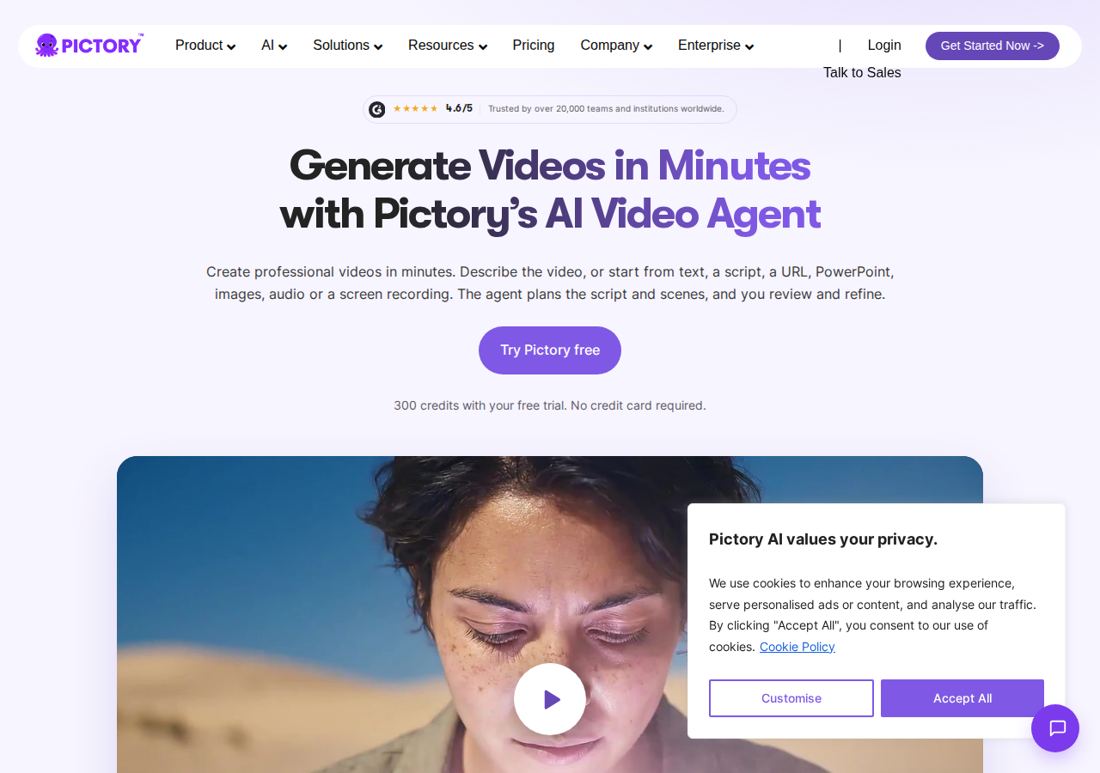
Feature page: script to video, blog to video, and the highlight extraction that the product is known for.
PRO

Pictory Starter and above

12.50 USD/mo billed annually (29 monthly), 24,000 credits; higher tiers add credits, seats and brand kits

Pictory sells one idea at three depths: take long footage, find the good parts, publish them with captions. Starter at 12.50 USD billed yearly - 24,000 credits - covers the case most buyers have - a webinar or interview that should become ten clips - and the annual discount is small enough (25 against 29) that monthly is a reasonable way to test it first. What the higher tiers add is volume: more hours of transcription, more exports, brand kits and team seats. The number to watch is not the price but the transcription allowance, because every minute you upload is processed before any clip exists, and a two-hour recording spends it before you have decided whether the output is any good.

What the paid tier adds
  • +Watermark-free export and higher resolution
  • +More hours of video processed per month
  • +Brand kits with fonts, colours and logos
  • +Voiceover generation and stock library access
  • +Team seats on the upper tiers
Licence

Per account with transcription hours per tier; team features on higher plans.

What it does not change
  • –No generative presenter or avatar; it edits footage you supply
  • –No cinematography or shot design - it selects, it does not create scenes
Documented from pictory.ai/pricing on 13 November 2026, quoting the annual-billing Starter price shown on the page. No paid account was created.Sources: Pictory pricing · Pictory features

Screenshot walkthrough

  1. Homepage: positioned around reusing what you already recorded - webinars, interviews, long videos - not generating from nothing.
    1. Homepage: positioned around reusing what you already recorded - webinars, interviews, long videos - not generating from nothing.
  2. Pricing: Starter 12.50 USD billed annually with 24,000 credits annually, 29 monthly, with the annual figure highlighted as the offer.
    2. Pricing: Starter 12.50 USD billed annually with 24,000 credits annually, 29 monthly, with the annual figure highlighted as the offer.
  3. Features: text-based editing of video, auto captions, voiceover generation and stock footage as a fallback layer.
    3. Features: text-based editing of video, auto captions, voiceover generation and stock footage as a fallback layer.
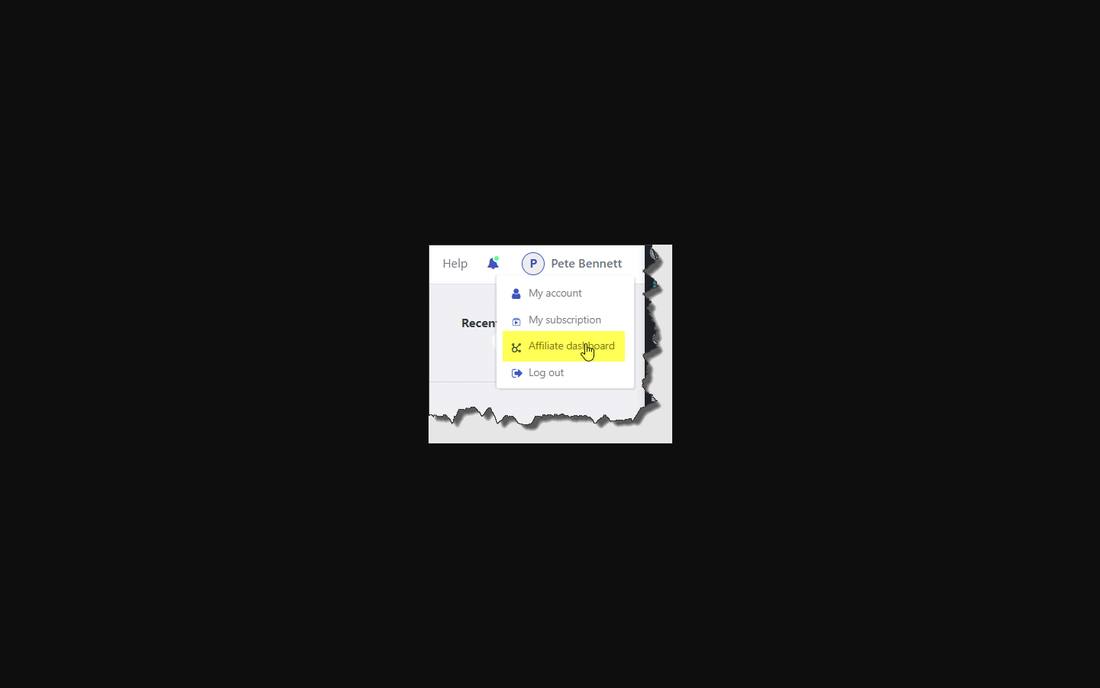
  4. Affiliate page: a public programme, so this review can carry affiliate links once we are enrolled.
    4. Affiliate page: a public programme, so this review can carry affiliate links once we are enrolled.

Where to get it

No affiliate program: this links to the official site.

Updates to this page

  • 2026-11-27Price check: the vendor page no longer shows all quoted figures (12.5, 29, 24000) and now lists 25, 210, 12, 29, 14, 17. Verified 2026-11-27 from https://pictory.ai/pricing; our test snapshot stays as published.
  • 2026-11-26Price check: the vendor page no longer shows all quoted figures (12.5, 29, 24000) and now lists 25, 210, 12, 29, 14, 17. Verified 2026-11-26 from https://pictory.ai/pricing; our test snapshot stays as published.
  • 2026-11-23Price check: the vendor page no longer shows all quoted figures (12.5, 29, 24000) and now lists 25, 210, 12, 29, 14, 17. Verified 2026-11-23 from https://pictory.ai/pricing; our test snapshot stays as published.
  • 2026-11-16Quoted figures still on the vendor page | promotion signals: black friday, percent off, free trial
  • 2026-11-16Quoted figures still on the vendor page | promotion signals: black friday, percent off, free trial
  • 2026-11-16Promotion detected on the vendor page: black friday, percent off, free trial. Checked 2026-11-16; the review text is not affected.
  • 2026-11-15Promotion detected on the vendor page: black friday, percent off, free trial. Checked 2026-11-15; the review text is not affected.

Reader reviews

Loading reader ratings...

0 comments

Disclosure. This review contains no affiliate links — we are not enrolled in an affiliate programme for this product, although several tools in this category run one. Links point to the official website and cost you nothing extra.

Last updated 2026-11-27. Test conditions and results are documented in the “What we tested” section.

Prices and promotions are re-checked every Monday by an automated check; the last run was 2026-11-27. A change is published only after a person verifies it — see how we test.