
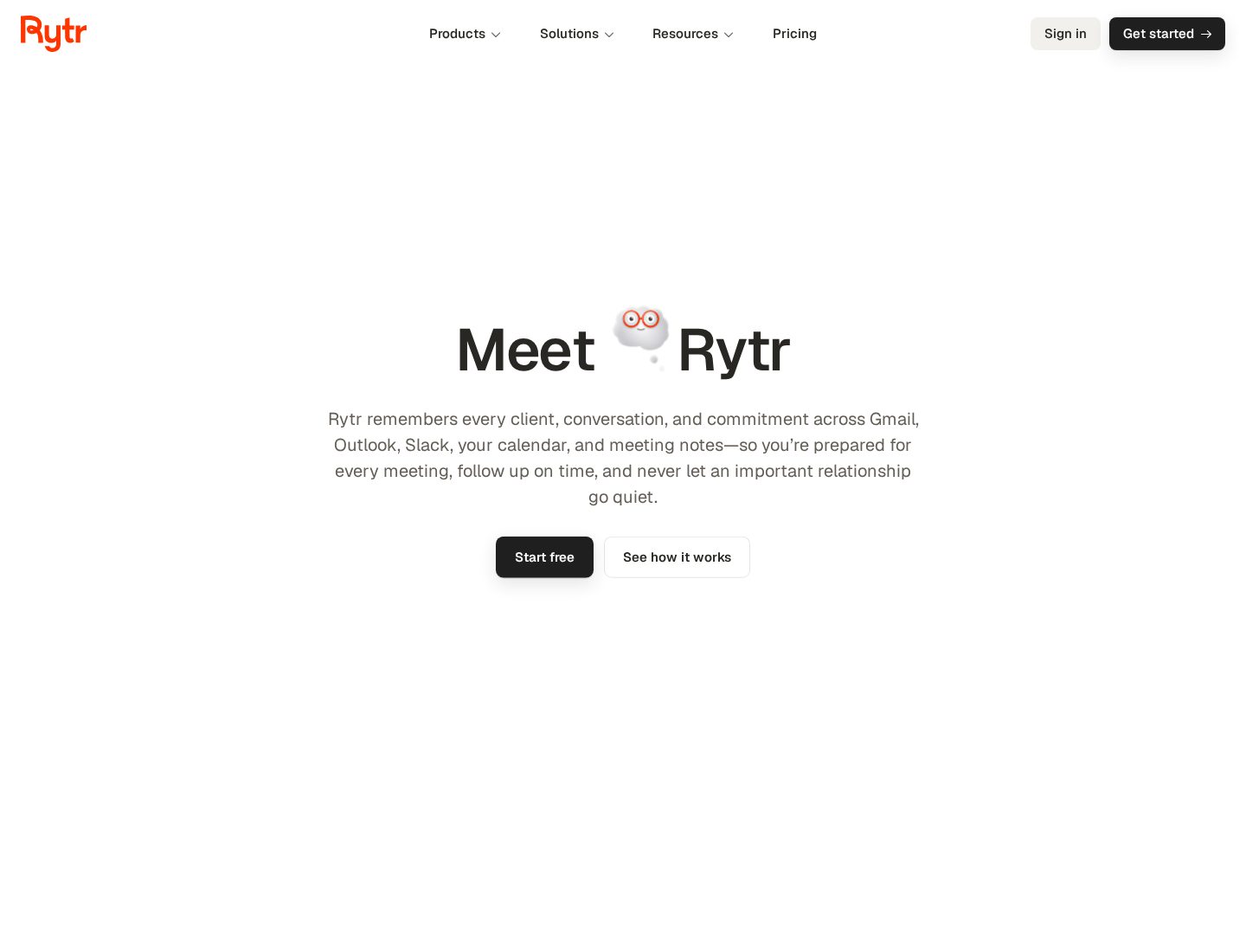
Most pages ranking for this product still describe the Rytr of 2023: a writing assistant with 40+ use cases and a 9 USD unlimited plan. That description is now half the story. In 2026 the vendor sells Rytr as an AI relationship manager, and the writing assistant has been demoted to one of two halves. The pricing page still starts at zero and still includes unlimited writing for 9 USD a month, which is why this rytr review is worth reading carefully rather than skipping on the assumption that nothing changed.
Everything below records what the vendor's own pages said on 16 November 2026, what those numbers mean at realistic volumes, and what we could not verify without an account. No hands-on test has been run, so this page carries no score - see our methodology for why that distinction matters here.
What Rytr is now
The product is two halves that share one memory:
- Engage - relationship memory. It reads the tools you connect, keeps a per-person picture of what was discussed and what was promised, and produces a daily briefing of who needs you today.
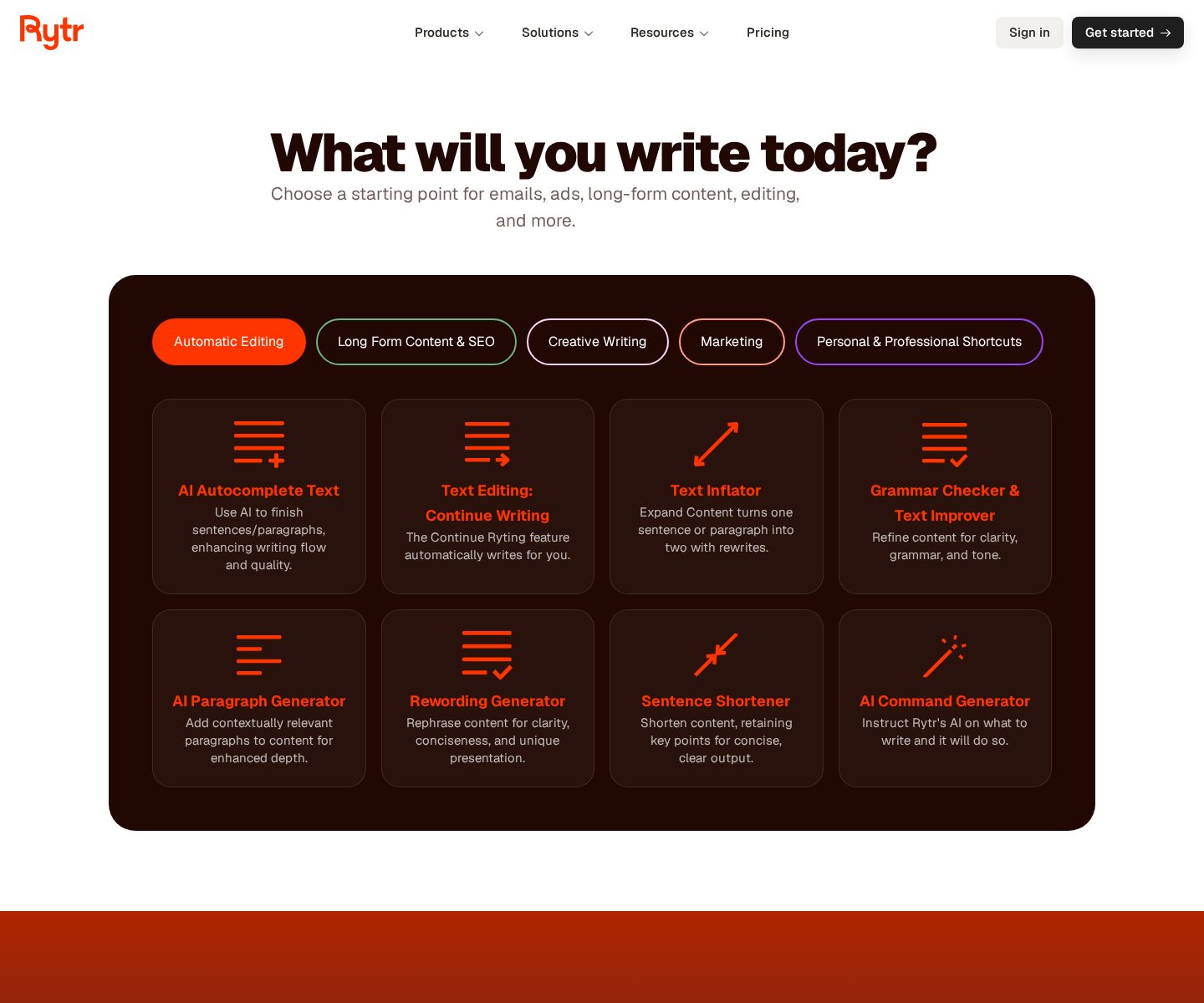
- Create - the writing assistant. Drafts, rewrites, tone and language control, and 40+ writing use cases across emails, posts and ads.
- The browser extension - puts both halves on the page you are already on, including Gmail and Slack.
The vendor's own sentence is that "Engage and Create work from the same memory". That is the entire thesis: the context that tells you what to write also tells you who to write it to. Judged as a writing tool, that is a feature. Judged as a purchase, it changes what you are buying, because most of the pricing now meters relationships rather than words.
What you see before you sign up
The free plan is not a demo window that closes after seven days. It is a permanent tier with hard monthly caps:
- 10,000 characters per month
- 1 connected source (one inbox, one calendar, one Slack workspace - pick one)
- 25 active relationships
- 25 Engage actions per month
- 3 person research runs
- daily briefing
- 40+ writing use cases and 30+ languages
That is enough to judge the writing side in a week and enough to judge the relationship side for about a day. Twenty-five relationships is roughly one freelancer's active client list; 25 actions is one action per working day. Both numbers tell you what the free tier is for: proving the concept, not running on it.
The free plan, converted into real volume
Ten thousand characters sounds generous until you convert it. At a normal English ratio of five to six characters per word, that is roughly 1,600 to 2,000 words a month - two blog intros and a handful of emails. Our arithmetic, not the vendor's claim, and it is worth checking against your own writing before you rely on it.
The caps that matter more are the relationship ones. A connected source is read once, but the count of active relationships is a monthly snapshot: if you talk to 40 people in a month, the free plan covers 25 of them and the briefing quietly describes a narrower world than the one you work in.
What the writing side still does
The Create half is the part with a track record, and the feature list is unchanged in substance: 40+ use case templates, tone and voice controls, rewrite and improve, 30+ languages, and the extension that works inside whatever editor you already use. What is missing from the pages we read is any statement about the underlying model, any API for programmatic use, and any seat-based pricing for a two-person team. None of those is a dealbreaker on its own; together they say the writing product is being maintained rather than developed.
Pricing, read carefully
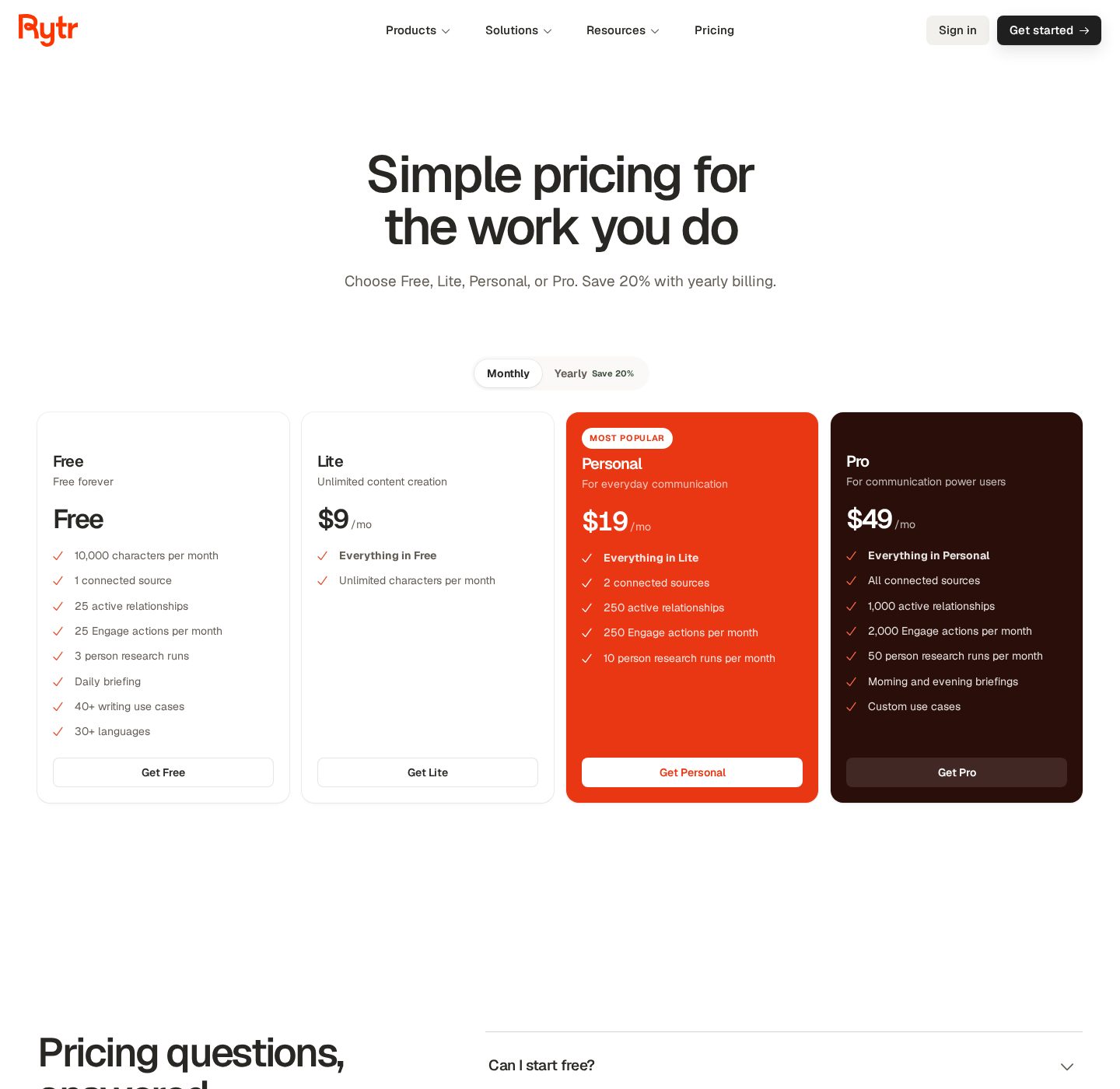
All figures are the vendor's, read on 16 November 2026, in USD. The yearly column is our arithmetic from the vendor's "save 20% with yearly billing" statement, not a quoted price.
| Plan | Monthly | Yearly, per month | Characters | Connected sources | Active relationships | Engage actions | Research runs |
|---|---|---|---|---|---|---|---|
| Free | 0 | 0 | 10,000/mo | 1 | 25 | 25/mo | 3 |
| Lite | 9 | ~7.20 | unlimited | 1 | 25 | 25/mo | 3 |
| Personal | 19 | ~15.20 | unlimited | 2 | 250 | 250/mo | 10/mo |
| Pro | 49 | ~39.20 | unlimited | all | 1,000 | 2,000/mo | 50/mo |
Two things fall out of that table immediately. First, writing is unlimited from 9 USD. If you only want the writing assistant, the cheapest paid plan already gives you everything the top plan gives you, and the three more expensive plans buy relationships, not words. Second, the only difference between Free and Lite is the character limit - every relationship cap stays at 25 on both. The metering that decides whether the tool is useful to you starts at Personal.
What each plan actually buys
The jump from Lite to Personal is a ten-dollar jump for eight features that are really three: two connected sources instead of one, 250 relationships instead of 25, and 250 Engage actions instead of 25. In practice that is the difference between a tool that knows about one inbox and one that can hold your calendar and your mail at the same time - which is the minimum for a briefing to be worth reading at 8am.
Pro at 49 USD adds the rest: every connected source rather than two, 1,000 relationships, 2,000 actions, 50 research runs a month, a second briefing in the evening, and custom use cases. The evening briefing is the interesting item, because it implies the morning one is a fixed format rather than a schedule you set.
Nothing on the page prices a team. "Teams and Enterprise" appear in the navigation with identity controls, onboarding and support, and no figure anywhere; the footer of the pricing page offers only the four individual plans. If you are an agency buying for three people, the honest answer is that you cannot calculate the cost from public information.
What it replaces on a small team
The comparison that matters is not Rytr versus another writing tool. It is Rytr at 19 or 49 USD versus the thing it claims to replace: a personal CRM, a notes app, and the discipline to reread your own thread before a call. The pitch is that it fills itself in from mail, Slack, calendar and meeting notes, so there is no data entry - and that is the one claim on the site we find plausible and unverifiable at the same time. A CRM you never update is worthless; a CRM that reads your inbox is only worth something if what it extracts is accurate. Until we run it against a month of real threads, we cannot say which of those it is, and neither can the vendor's marketing pages.
Where it falls short
The support content is the weakest signal on the site. The blog's most recent post is dated 7 September 2023 - three years old at the time of writing - while the product has clearly moved since. A buyer reading those posts learns about a writing assistant that no longer matches the pricing page. The help center is current, but the gap tells you where the company's attention goes.
Delivery of the daily briefing is by text message or iMessage, with email listed as "coming soon". For a tool whose value is arriving before you think to ask, that is a real constraint: it works, but only on the phone number you connected, and only where SMS delivery is reliable.
Two vocabulary problems matter more than they look. "Engage actions" and "person research runs" are not defined on the pricing page - the FAQ explains what each plan includes, not what counts as one action. When a metered plan does not define the unit, the buyer carries the risk of finding out. We list that in the questions below and in what we have not tested rather than guessing.
Cheaper and more expensive alternatives
If the writing half is what you want, the market around it is crowded and the prices are recorded in our own reviews rather than copied from vendor blogs:
- Copy.ai at 24 USD a month billed yearly (29 monthly) sells workflows, not sentences - more system than a solo writer needs, and it has no free plan on the page.
- Jasper at 59 USD a month billed yearly (69 monthly) sells brand voice and team controls, with no free-forever tier either.
- Writesonic from 79 USD a month sells SEO articles and AI-visibility monitoring, which is a different job entirely.
If what you want is the relationship half, the alternatives are not writing tools at all: a personal CRM, a notes app with a daily review habit, or a human assistant. Rytr's own comparison pages point at Town, ChatGPT, Claude, Caddy, Instinct and Wabi, which is the clearest statement of who it now thinks it competes with.
Questions we get
Is Rytr free? Yes, permanently, with 10,000 characters a month and 25 relationships. It is a real tier, not a trial.
Is Rytr still a writing tool? Yes - 40+ use cases, 30+ languages, tone control - but the writing side is no longer what the company leads with. Unlimited writing at 9 USD is the cheapest part of the product.
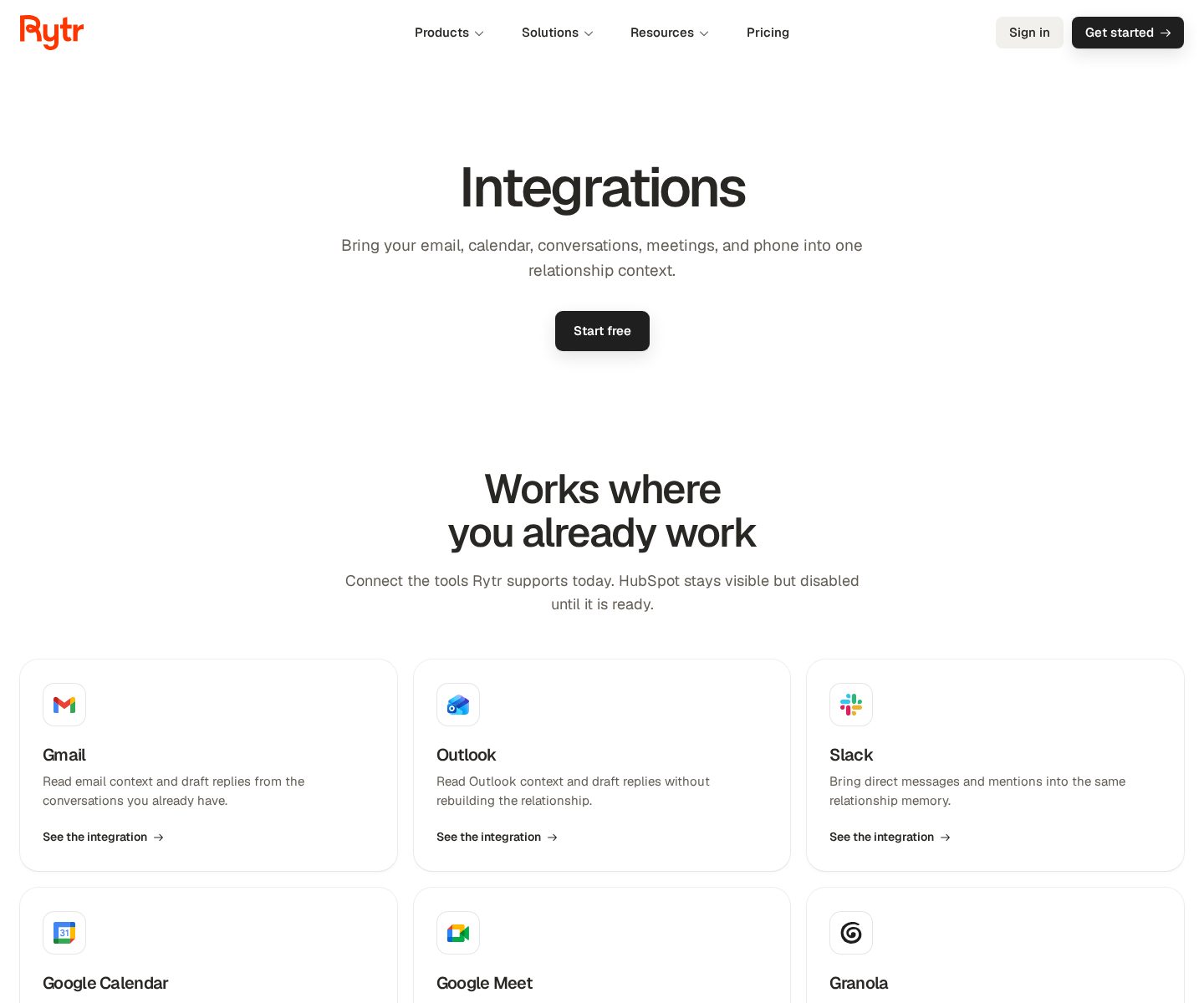
Does it read my Gmail? It connects to the sources you authorise: Gmail, Outlook, Slack, Google Calendar, Google Meet, Granola and text messaging. The vendor states that nothing sends without your approval and that you can disconnect a source and request deletion of what it learned.
Is it a CRM? The vendor calls it "a personal CRM that fills itself in". It has no pipeline, no deal stages and no forecasting, so it is not a replacement for a sales CRM - it is a memory layer that sits in front of one.
Can I cancel? Yes, at any time, and access runs to the end of the billing period. Plans can be changed up or down.
What happens when the 10,000 characters run out? Not stated on the pages we read. This is the single most important unknown for a free user, and we will not guess at it.
What we have not tested - and will
This page is research-based. We have not created an account, connected a mailbox, or run a single prompt through Rytr, so nothing here is a measurement of output quality. Specifically, the following remain open:
- Whether drafts are usable without heavy editing, and how they behave on long-form work rather than short emails
- Whether the character counter matches the character count of what you actually keep
- Whether the free plan hard-stops at 10,000 characters or degrades in some quieter way
- What exactly counts as an "Engage action" and a "person research run"
- Which OAuth scopes each connected source asks for, and what the consent screen says
- Whether deletion of learned data is complete, and how the 14-day backup expiry is enforced
- Whether the daily briefing is accurate after a month of real threads, or drifts into plausible summaries
- Latency on the extension, and whether the writing controls survive inside Gmail and Slack
When we have an account and a month of history, this page becomes a tested review with a score and a test period stated at the top. Until then it stays labelled research-based, carries no score, and says so - the rule is described in our editorial policy.
Bottom line
Rytr in 2026 is two purchases wearing one name. At 9 USD a month it is still one of the cheapest unlimited writing assistants you can buy, and for a solo operator who writes emails and short posts all day, that alone is defensible. At 19 USD and up it is a different proposition: a relationship memory tool whose value depends entirely on whether the thing it remembers is right, and that is precisely what no marketing page can prove.
Buy the 9 USD plan if you want the writing. Do not buy the 49 USD plan on the strength of a pricing page - connect one source, use it for a fortnight, and check whether the briefing tells you something you did not already know. If it does not, a notes app and a calendar reminder cost nothing.
Our reviews are funded by affiliate commissions where a programme exists, and every link is disclosed on the page - see the affiliate disclosure. No commission changes what this page says, and no vendor read it before publication. More software reviews are in the review index.
Sources
All vendor pages were read on 16 November 2026:
- Rytr pricing page: rytr.me - plan names, prices, caps, yearly discount
- Rytr homepage: rytr.me - Engage and Create framing, integrations, trust claims
- Rytr integrations: rytr.me - Gmail, Outlook, Slack, Calendar, Meet, Granola, messaging
- Rytr comparison page, Rytr vs ChatGPT: rytr.me - marked "Last verified October 5, 2026"
- Rytr blog: rytr.me - most recent post dated 7 September 2023
- Our own reviews for the alternative prices quoted above: /review/copy-ai, /review/jasper-ai, /review/writesonic






Reader reviews
Loading reader ratings...