

GetResponse has been selling email since before most of its competitors existed, and the product has settled into a specific shape: three tiers, one of which includes webinars. This getresponse review is about whether that combination is worth choosing over a simpler sender.
What GetResponse is
An email marketing platform with a landing-page builder, an automation builder and, on the middle tier, a webinar room. Campaigns, forms, popups and a contact database sit underneath. The AI tools generate copy and images, which is table stakes now and not a reason to buy.
The shape matters more than the feature list: the email tier is a straightforward sender, the automation tier is where the workflows live, and the ecommerce tier adds cart recovery and product recommendations.
What you see before you sign up
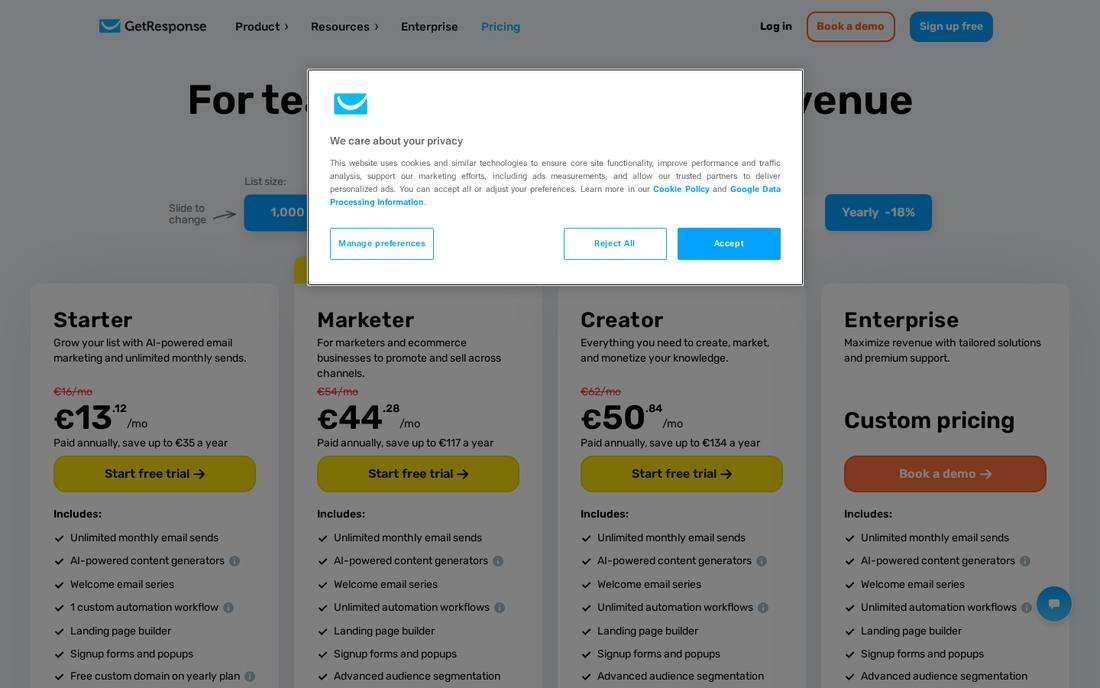
The pricing page offers three products with monthly and yearly prices per contact band, plus a free plan capped at 500 contacts. It is busier than MailerLite's and more honest than a page that hides the tier boundaries in a features table.
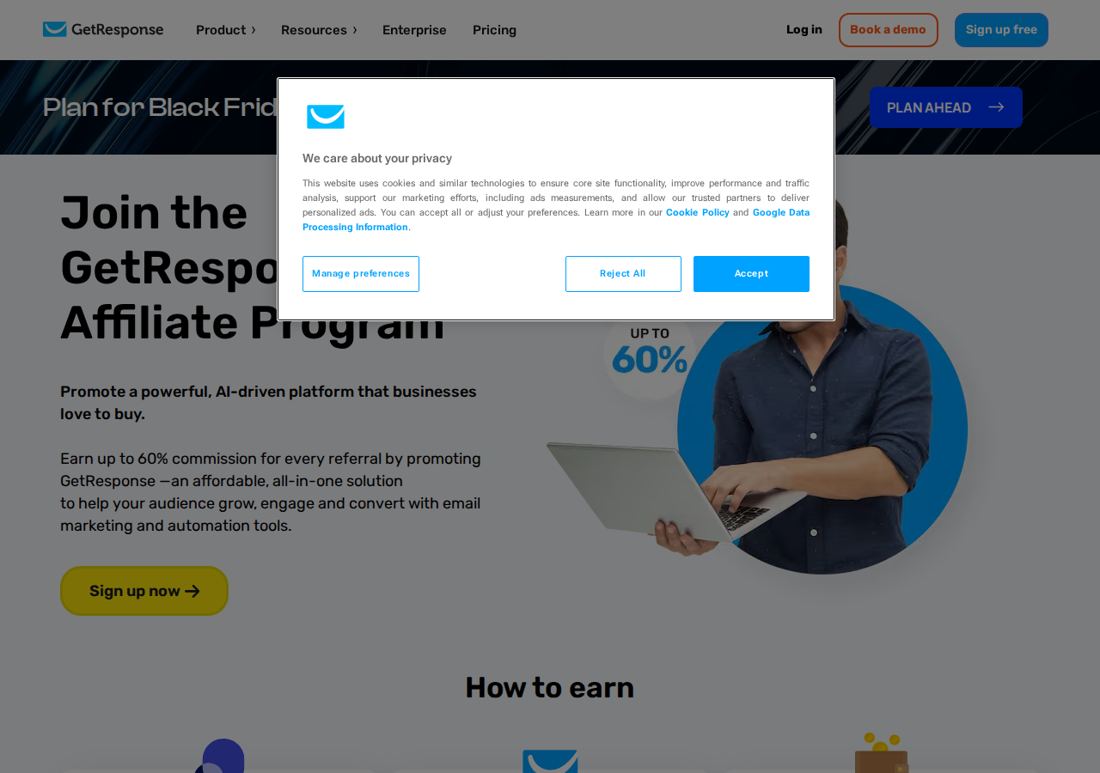
We are not enrolled in GetResponse's affiliate programme, so nothing here earns a commission; the affiliate disclosure explains how that is marked if it changes.
What the free plan realistically supports
Five hundred contacts with a monthly email limit covers a new list and a fortnightly newsletter. It is enough to learn the tool and not enough to run a business on, which is the right design.
The gap that catches people is automation: the free plan includes a basic autoresponder, not the conditional workflows. If your plan involves behaviour-based sequences, the free tier is a demo of the real thing.
Why the webinar room matters
Running a live webinar usually means a separate platform plus an email tool plus a Zapier bridge. GetResponse puts the room, the registration page and the follow-up sequence in one account on the middle tier, and for a small business selling through webinars that removes two subscriptions and a fragile integration.
The rooms are functional rather than polished: screenshare, chat, offers, replay. For a 200-person product demo that is sufficient; for a conference, it is not.
Where it fails
- Tier boundaries cut through the workflow. Automation and webinars are on the middle tier; the cheap tier is only a sender.
- Interface feels older than MailerLite's, with more menus for the same task.
- Contact-band pricing punishes a large, quiet list.
- Webinar rooms are basic compared with a dedicated platform for anything above a few hundred attendees.
- CRM is thin - there is no pipeline model to rival ActiveCampaign.
Who it is for, and who should skip it
It fits a business that sells through live or recorded webinars, a coach or consultant running monthly sessions, and a small shop that wants email plus landing pages from one vendor. It fits anyone who has outgrown MailerLite's automation but does not need ActiveCampaign's depth.
Skip it if you send a newsletter and nothing else - Brevo is cheaper. Skip it if webinars are central to your funnel and you need chat moderation, breakout rooms and analytics at scale. And skip it if you want the simplest possible editor; MailerLite is faster to use.
How it compares with the other three
Against MailerLite, GetResponse is the heavier product with webinars attached, at a slightly higher entry price and a smaller free tier. Against Brevo, it costs more per contact and less per feature, since Brevo charges by volume and bundles SMS. Against ActiveCampaign, the automation is shallower and the webinar room is the compensating advantage.
The category is compared on /category/email, and the test procedure behind a future score is in how we test.
What a webinar workflow looks like
Five steps: build a registration page, connect it to a list and a tag, send two reminders, run the room, then trigger a follow-up sequence that splits by attendance. That last split - attended versus registered-and-absent - is the single most valuable automation in this category, and it is the reason the middle tier is worth its price.
Deliverability and setup
Domain authentication is required before sending, and GetResponse enforces it more firmly than some competitors - a good thing, because it stops the classic mistake of blasting from an unverified domain. Shared IPs by default, with a dedicated IP on higher volume.
The reputation dashboard is adequate: blocklist monitoring, spam score, and per-campaign complaints. Reading it after every send is the habit that keeps a list deliverable.
The economics of the middle tier
At about 49 USD a month, the automation tier costs roughly three times the email tier. If the webinar workflow converts even two customers a quarter at a 500 USD price point, it pays for itself; if you never run a session, you are paying for a feature you will not use. That is the whole decision, and it is answerable before you buy.
What we have not tested - and will
Research-based review: public pages plus our own captures, no account. Open questions:
- Attendee capacity and stability in a 200-person room
- How the attended-versus-absent split behaves in practice
- Editor time for a 600-word newsletter compared with MailerLite
- Deliverability for 1,000 recipients on the shared IP
- Price at 2,500 and 5,000 contacts including the annual discount
Bottom line
GetResponse is the right choice when webinars are part of how you sell, and an average one when they are not. The free tier is a fair test of the editor, and the middle tier is the product most buyers actually need.
If you run sessions monthly, buy the automation tier and use the attended-versus-absent split. If you never will, buy Brevo or MailerLite and keep the 35 USD a month for something that produces content.
Sources
- getresponse.com/pricing - tiers, contact bands, monthly and yearly prices, read 13 November 2026
- getresponse.com/features - campaigns, automation, landing pages and webinars, read 13 November 2026
- getresponse.com/affiliate-program - affiliate programme, read 13 November 2026
The editor, and the time it costs you
Building a campaign takes about fifteen minutes the first time and five after you save a template. The block editor covers images, columns, buttons, video thumbnails and dynamic content for segments; personalisation tokens work without a manual. What it lacks is MailerLite's sense of restraint - there are more panels, more options, and the default styles are dated unless you set a brand kit.
Set the brand colours and fonts on day one. Every template created afterwards inherits them, and the difference between a GetResponse email that looks professional and one that looks 2015 is usually nothing more than that step.
Landing pages and forms
The page builder is included on paid tiers and produces clean, fast pages with the usual blocks: hero, form, countdown, testimonial, FAQ. For a webinar registration page it is exactly the right tool, and it saves buying a separate page builder for that one use case.
Forms and popups connect to lists and tags directly, so segmentation starts at capture rather than after import. That is a small detail with a large effect on automation quality.
Who renews, and who leaves
The accounts that renew run sessions or sell through sequences that they maintain. The accounts that leave bought the middle tier for the automation, never built a workflow, and downgraded after a year to a cheaper sender. Both outcomes are decided in the first month, which is why the trial should be spent building one workflow rather than clicking through menus.
A note on the AI features
The AI tools generate subject lines, body copy and images. They are competent and generic; nobody should choose a platform for them in 2026. Their practical use is the first draft of a subject line when you have written twenty and cannot see straight, which is a real problem and a small solution.
The short version
If webinars are part of your funnel, GetResponse is the cheapest way to run them and follow up in one account. If they are not, buy a simpler sender and stop paying for a room you never open.
One closing note: export the list before you leave, and keep the webinar recordings. The list is portable in an afternoon; the recordings are the only asset a webinar programme produces that a competitor cannot give you back.














Reader reviews
Loading reader ratings...